
What is a MAC address? (Wikipedia definition)
In computer networks the MAC address (English acronym for Media Access Control either media access control) is a 48-bit (6 hexadecimal blocks) identifier that uniquely corresponds to a network Ethernet. It is also known as the physical address in terms of identifying network devices. It is individual, each device has its own MAC address determined and configured by theIEEE (the last 24 bits) and the manufacturer (the first 24 bits) using the OUI. Most of the protocols that work in the layer 2 of the OSI model They use one of the three numbers used by the IEEE: MAC-48, EUI-48, and EUI-64 which have been designed to be globally unique identifiers. Not all communication protocols use MAC addresses, and not all protocols require globally unique identifiers.
MAC addresses are unique worldwide, since they are written directly, in binary form, in the hardware at the time of manufacture. Because of this, MAC addresses are sometimes called “Burned Inside Addresses” (BIA). Burned-in Address).
Install Macchanger
We log in as root
rokitoh@redorbita:~$ su
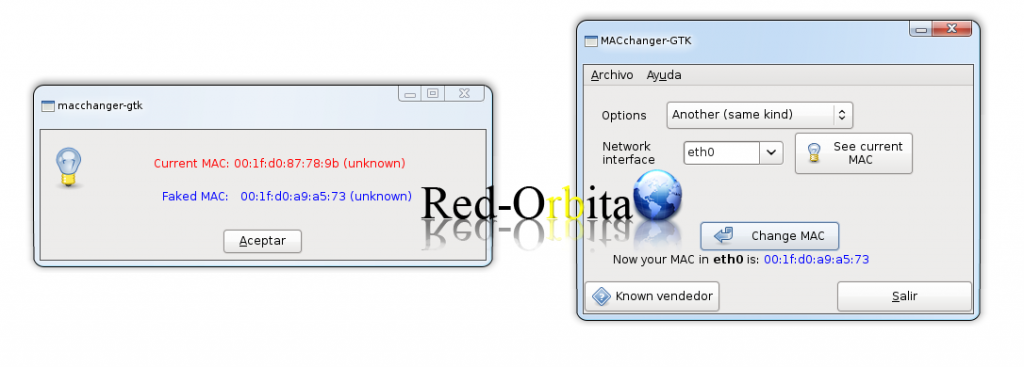
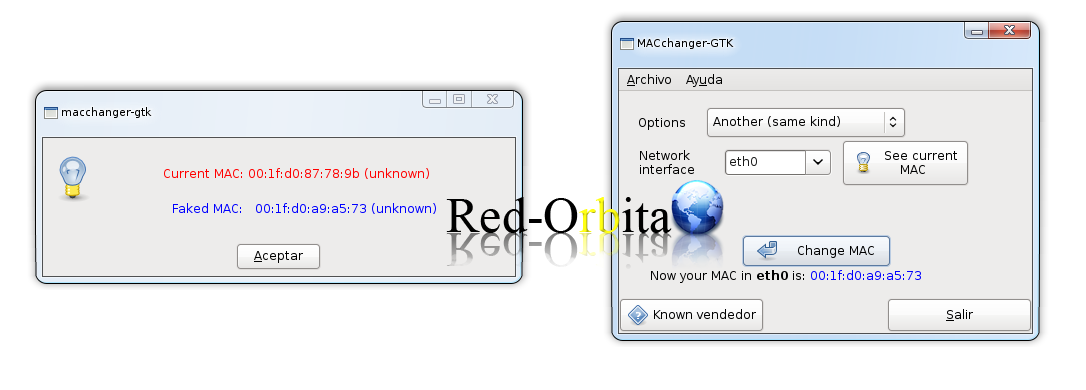
Contraseña:rokitoh@redorbita:~# apt-get install macchanger-gtkrokitoh@redorbita:~# macchanger-gtkWe select the interface and click Change Mac
By console:
If we want to change our address but without changing the manufacturer
rokitoh@redorbita:~# macchanger –endding eth0
Current MAC: 02:70:b3:68:76:e3 (Data Recall Ltd)
Faked MAC:   02:70:b3:f5:af:c2 (Data Recall Ltd)
If we want to enter a custom address:
rokitoh@redorbita:~# macchanger –mac 02:70:b3:01:0b:41 eth0
Current MAC: 02:70:b3:f5:af:c2 (Data Recall Ltd)
Randomly set a MAC provider of the same type
rokitoh@redorbita:~# macchanger –another eth0
Current MAC: 02:70:b3:01:0b:41 (Data Recall Ltd)
Faked MAC:   00:0c:ed:a0:de:4c (Real Digital Media)
Other ways to change Mac address
rokitoh@redorbita:~# /etc/init.d/networking stopWith ifconfig
rokitoh@redorbita:~# ifconfig eth0 down hw ether 08:09:0a:fa:ba:daWith ip (from the iproute package)
rokitoh@redorbita:~# ip link set eth0 down address 08:09:0a:fa:ba:darokitoh@redorbita:~# ip link set eth0 upIf you need the change to be “permanent” you can indicate it in /etc/network/interfaces:
auto eth0
iface eth0 inet dhcp
…
hwaddress ether 08:09:0a:fa:ba:da
Reactivate the network.
rokitoh@redorbita:~# /etc/init.d/networking startKeep in mind that if we use DHCP, it is most likely that the DHCP server will now assign us a different IP since it will think it is another PC.
Sources:
Comments