

Trinity Rescue Kit (TRK) is a free Linux distribution (Live CD) that is used to recover and repair PCs whose operating system is Windows, although it is also used to solve problems in Linux
There are many softwares and ways to recover a Microsoft Windows Password… But this software is very easy to use… and I chose this one to make the manual.
Once the ISO has been downloaded and saved on a CD, we start the computer using the CD.
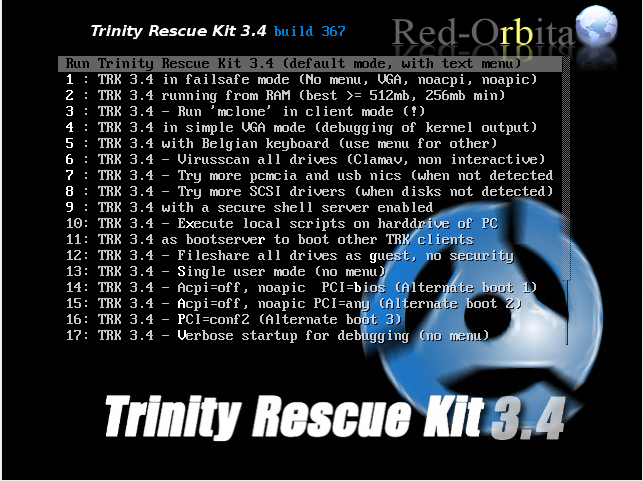
The first thing it shows us is a small menu. We select Run Trinity Rescue Kit 3.4 (default mode)
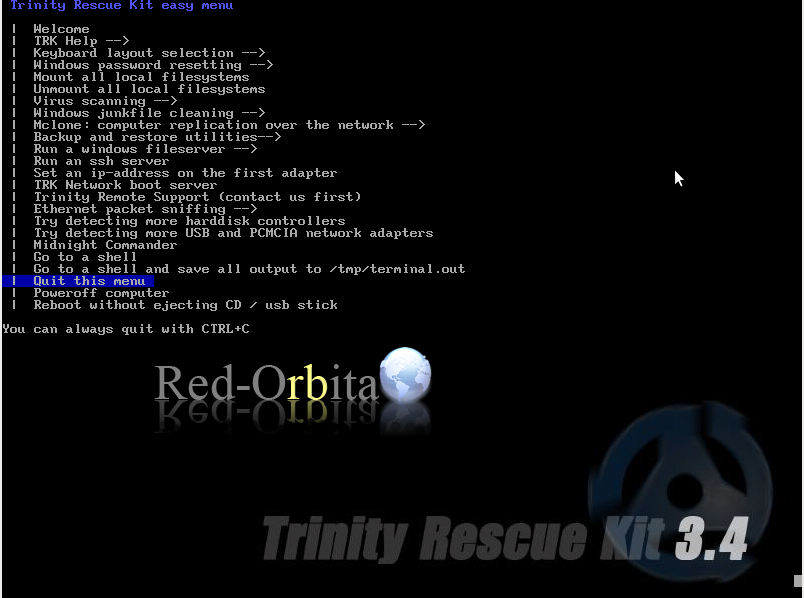
Once started it shows us another menu, but we are going to select: Remove this menu
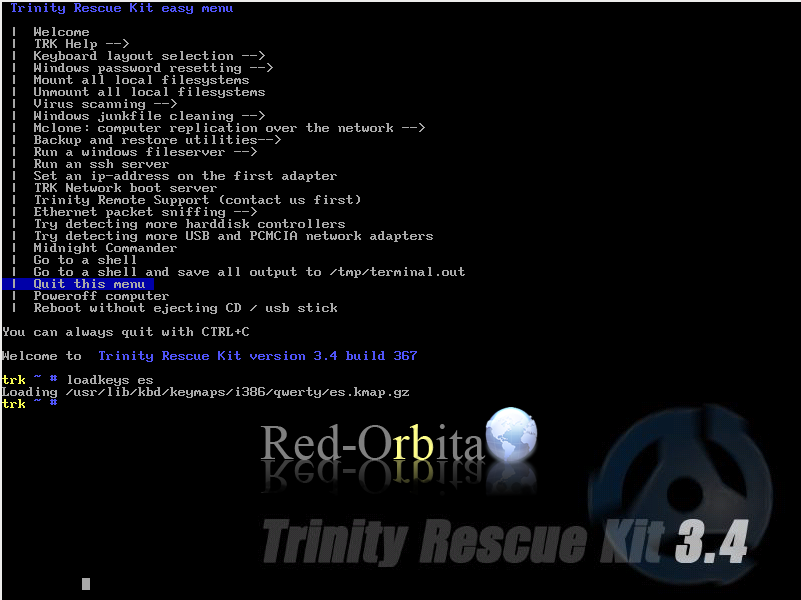
The first thing we are going to put the keyboard in Spanish, to do this:
trk ~ # loadkeys esShowing the users table:
winpass -lIt will ask us which partition, we select the one with the operating system.
1: /sda2/Windows
Make your choice or «q» to quit [1]: 1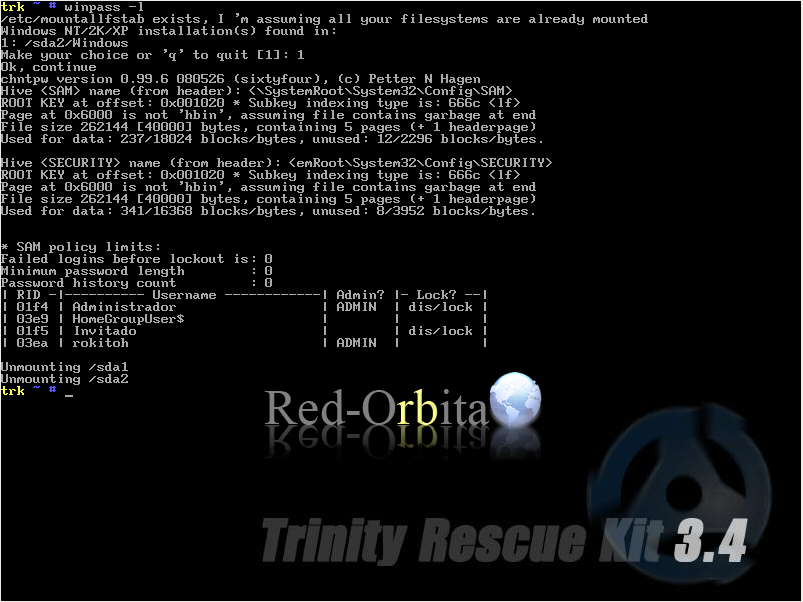
We mark the user we want to modify the data. In my case:
winpass -u rokitohand it asks us again for the partition:
1: /sda2/Windows
Make your choice or «q» to quit [1]: 1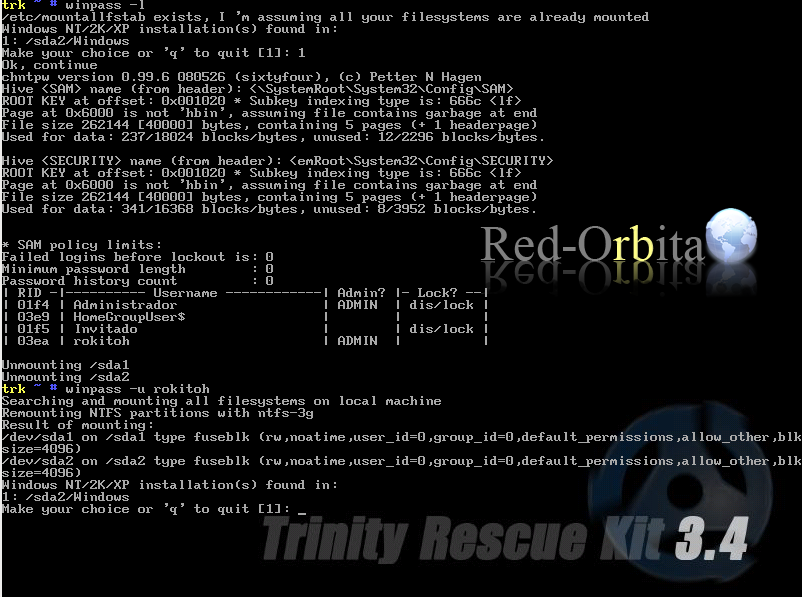
It shows us a small menu with different options.
1: Leave the password blank.
2. Edit the password.
3. Delete user (make an Administrator user)
4. Unlock and activate user account [seems unlocked now]
5. Exit editing user, return to select a user
In my case I am going to choose the first. I'm going to leave it blank.
Select: [q] > 1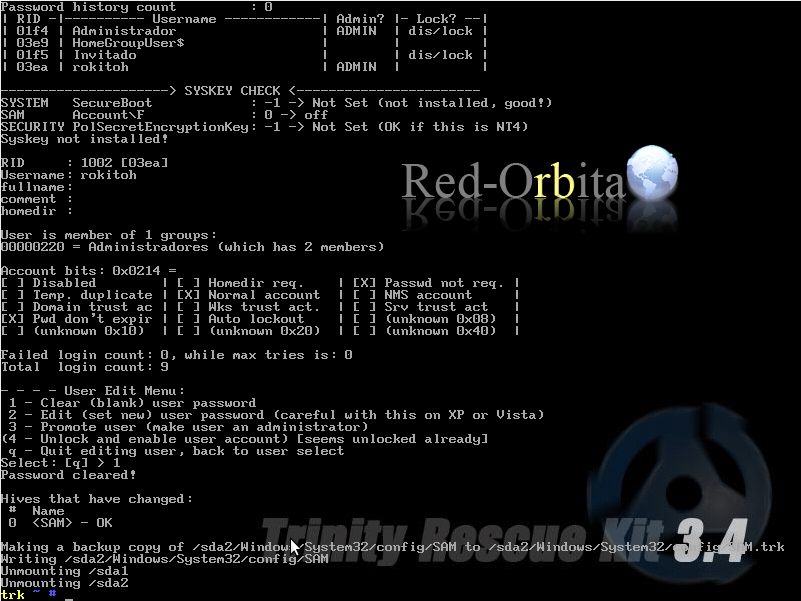
We restart:
RebootAnd we start Windows normally 😉
Un saludo, rokitoh!
Comments