
SoftPerfect WiFi Guard is a free application that allows us to scan our network to find the computers that connect to it, in this way we can identify if there is someone else besides us who uses our Internet connection.
Some of the features of SoftPerfect WiFi Guard are:
- Ping connected computers or devices.
- Detect computers with firewalls that do not respond to ping.
- Scan the network for specific time intervals.
- Alerts if it detects an unknown device connecting to the network.
- Totally free
It is available for Windows, Mac and GNU/Linux platforms for 32 and 64 Bit architectures.
SoftPerfect WiFi Guard It is available for Windows, Mac and GNU/Linux platforms for 32 and 64 Bit architectures.
We download:
We access http://www.softperfect.com/products/wifiguard/ and we select our system to download.

Installation on Debian
root@red-orbita:/home/rokitoh# dpkg -i wifiguard_linux_i386.deb

Seleccionando el paquete wifiguard previamente no seleccionado.

(Leyendo la base de datos … 158385 ficheros o directorios instalados actualmente.)

Desempaquetando wifiguard (de wifiguard_linux_i386.deb) …

Configurando wifiguard (1.0.2) …

Procesando disparadores para desktop-file-utils …

Procesando disparadores para gnome-menus …
Installation on other Linux distributions
Decompressions
root@red-orbita:/home/rokitoh# tar xvf wifiguard_linux_i386.tar.gzWe move it to /usr/bin
root@red-orbita:/home/rokitoh# mv WiFiGuard /usr/binWe run the unzipped application.
root@red-orbita:/home/rokitoh# WiFiGuardIt will show us a screen to select the language

Open the application and we start scanning.
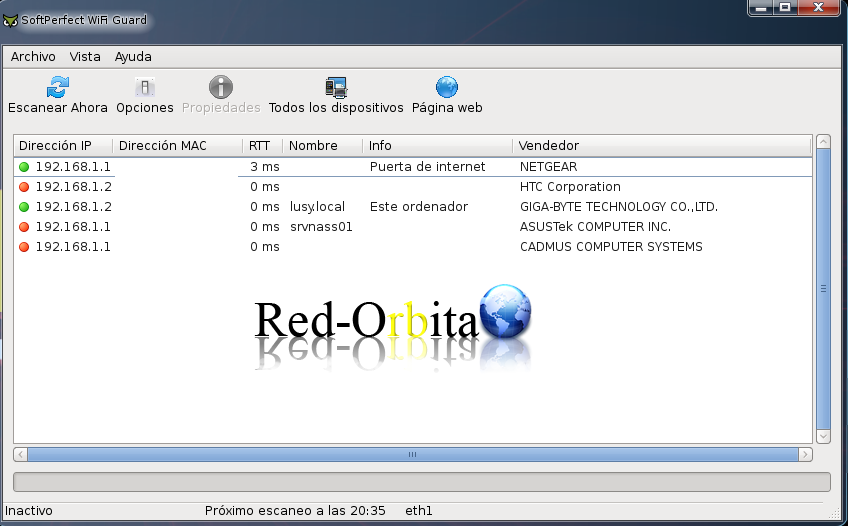
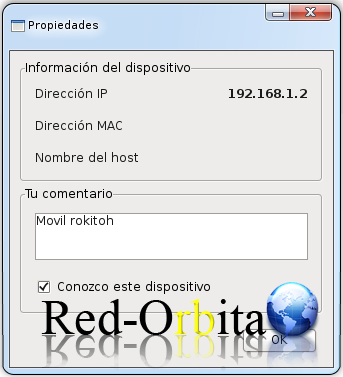
If we press button right > Properties We can assign a comment and indicate that we know the device.
Regards, rokitoh
:wq!
Comments