
What is Runes?
Runas allows a user to run specific tools and provides programs with different login permissions from the current user.
Syntax
We have the complete RunAs syntax in the help; If we want to know it, just consult this one. Here we are just going to outline the basic syntax for our purposes. So, we will say that to use RunAs we will do it in the following way:
runas /user:{[dominio_o_equipo\]usuario | usuario[@dominio]} [/savecred | /savedcred] <ejecutable parámetros>Where:
/user:{[domain_or_computer\]user | user[@domain]}: required; is the name of the user with whom we will launch the executable. The name can be expressed as Down-Level Logon Name (domain\user) or as User Principal Name (user@domain). The following two examples refer to the same user:
/user: srv01\rokitoh
/user:rokitoh@cpd.red-orbita.com
Example:
runas /user:rokitoh cmdIt will ask us for the password and open a new terminal
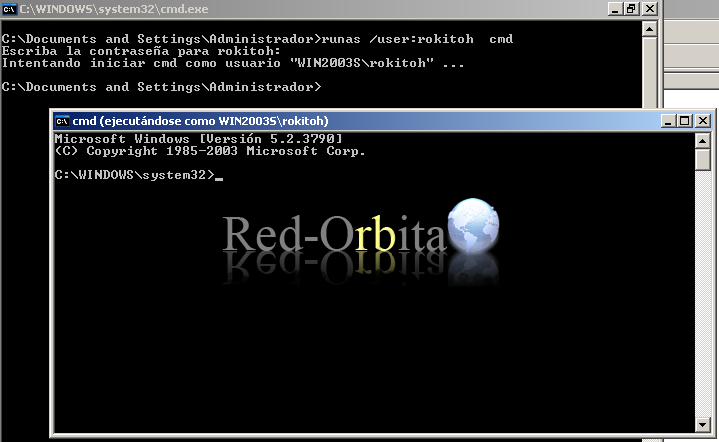
If we wanted to get into a domain it would be the same.
runas /user:rokitoh@cpd.red-orbita.com cmdWe also have the possibility of running other programs.
Example:
runas /user:rokitoh notepad.exe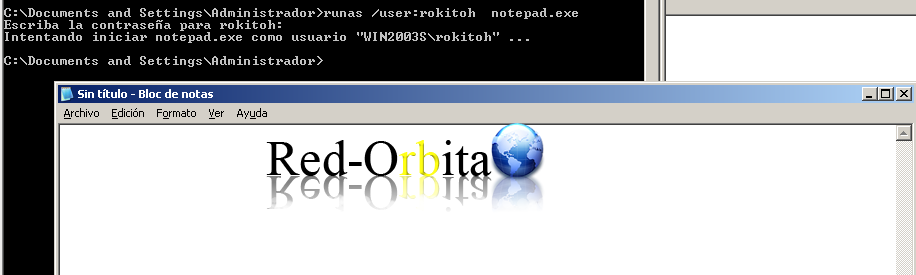
More information: http://technet.microsoft.com/es-es/library/cc771525(v=ws.10).aspx#BKMK_examples
Regards, rokitoh
:wq!
Comments