
We are going to try to make a mini-manual to optimize our GNU/Linux system and thus gain more speed. This manual is made under a Debian distribution but it could be made with anyone.
Modifying applications at startup.
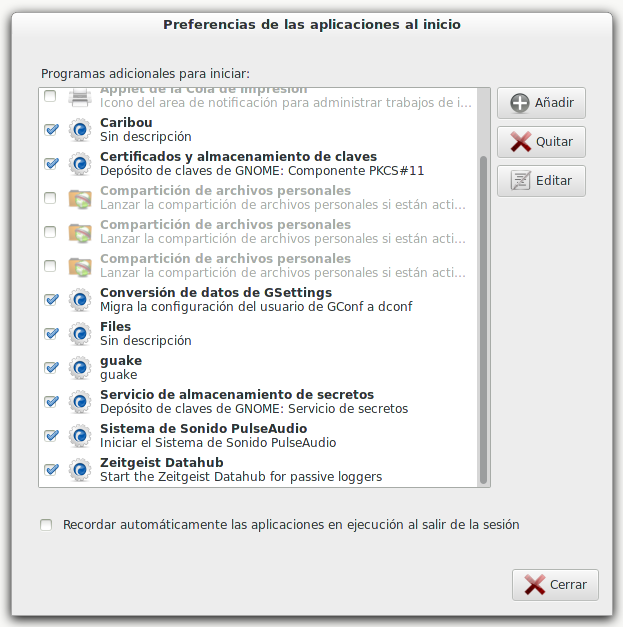
We open the application «applications at startup» and we disable all the programs that we do not need to start.
Installing the Boot Up Manager (BUM).
BOOM (Boot-UP Manager) It is a simple program that allows us to select the programs or services that are loaded when the operating system starts.
rokitoh@red-orbita:~# sudo apt-get install bum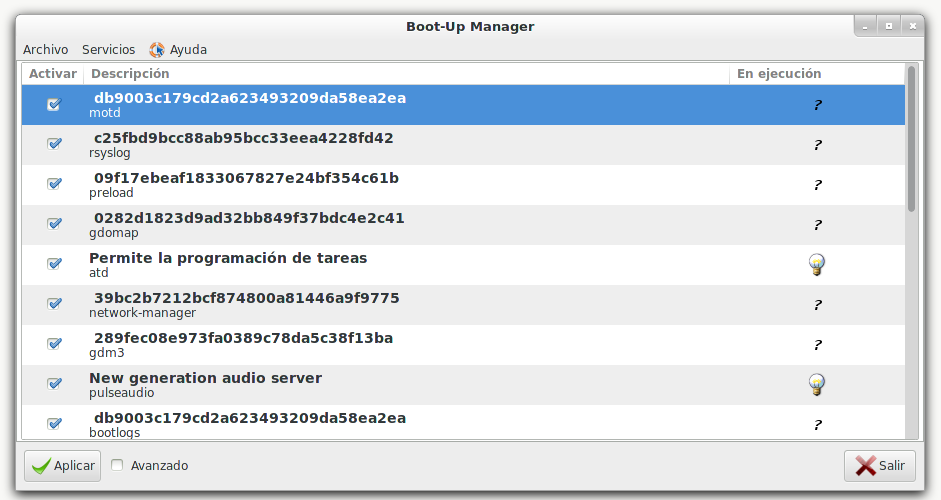
What components can be disabled?
Discover services and hosts – Not necessary if your computer is not part of a network.
Bluetooth services – If you do not use any device that requires this service.
Scanner services – If you don't have one connected to the computer.
Cups – The printing service in Linux, if you do not have a printer connected, disable this option.
Disabling disk checking during loading.
If you notice when our GNU/Linux starts, this is one of the parts that takes the longest.
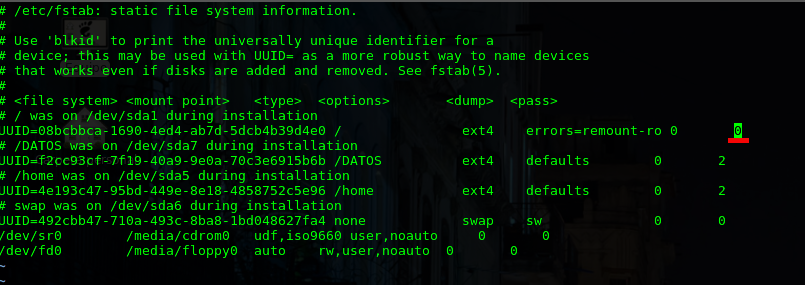
To make this change we must access the fstab, look for the root partition (/) where we see at the end a ONE (1) we change it to ZERO (0).
rokitoh@red-orbita:~# vi /etc/fstab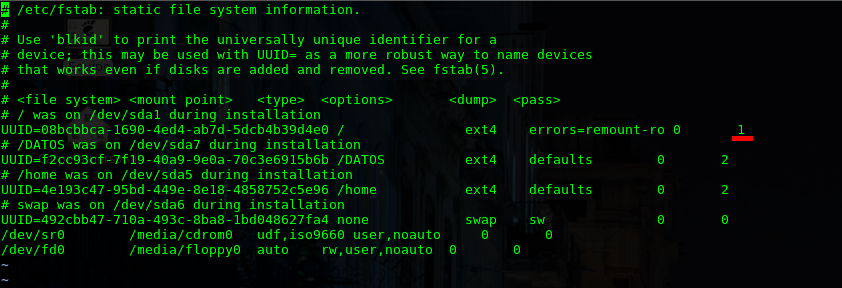
Installing rcconf.
We install rcconf to be able to more easily manage the services that are started in the different runlevels
rokitoh@red-orbita:~# apt-get install rcconfWe run rcconf and deactivate all the services that we are not going to use.
rokitoh@red-orbita:~# rcconf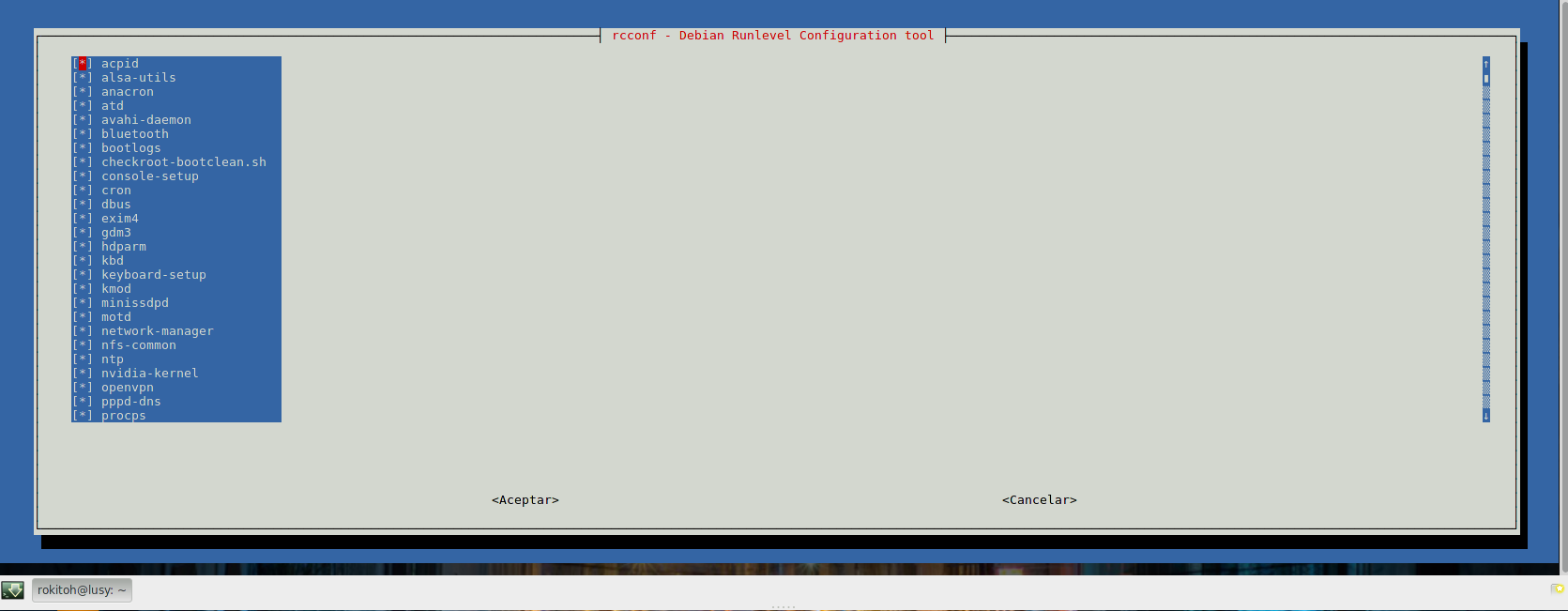
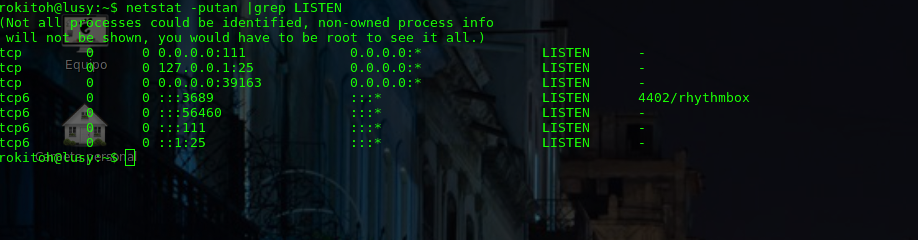
You can also check chkconfig or update-rc.d
List services that start with chkconfig
rokitoh@red-orbita:~# chkconfig –listWe can also list all services as follows:
rokitoh@red-orbita:~# ls -lsrt /etc/rc*To eliminate the service we do it in the following way:
rokitoh@red-orbita:~#  update-rc.d -f apache2 remove
rokitoh@red-orbita:~#  chkconfig apache2 off
Installing readhead.
This application was originally developed by the Fedora Linux team and works in a very simple way. Creates a list of files to cache before they are requested. Instead of reading them directly from the hard drive, it loads them directly into physical memory, greatly reducing their loading time. You can install it by running in the terminal:
sudo aptitude install readahead-fedora
Once installed we create the configuration profile file
rokitoh@red-orbita:~# touch /.readaheadInstalling Preload
Preload is an adaptive readahead daemon (it uses prefetching technology) to speed up application loading time. It basically analyzes the applications that we use the most and subsequently loads the libraries corresponding to them into memory, so that when loading them, boot times are considerably reduced.
sudo apt-get install preloadAny other recommendations:
– Change gdm3 or kde for the following much lighter alternatives: lightdm mdm
– Change our shell (Bash) to dash
– Optimize memory with: zramswap, Swapiness
Greetings, rokitoh!
Comments