
In this new post we will see how to create an HA cluster with the vSphere Web Client. To create the cluster we must have at least two physical esxi servers.
Having a cluster has multiple sales: vmotion (Allows hot machines to be moved), vmotion Storage (You can move virtual machine datastores hot), Being able to move a machine to another LUN without losing service... etc.
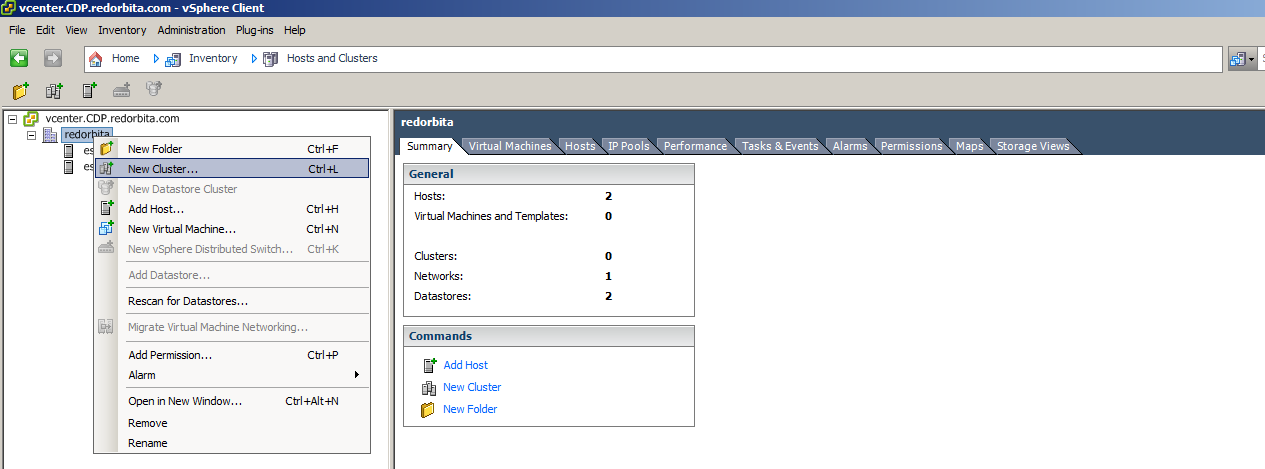
Right click on top of our Datacenter > New Cluster…
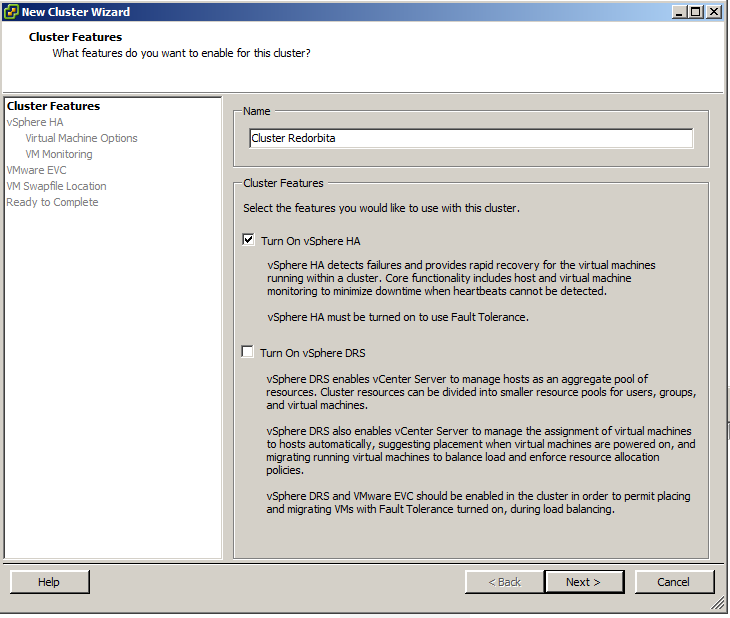
We assign a name and enable the option Turn On vSphere HA
By enabling this option we give it high availability, this means that if a parent machine goes down for any reason, the virtual machines hanging from it would swing to another parent machine.
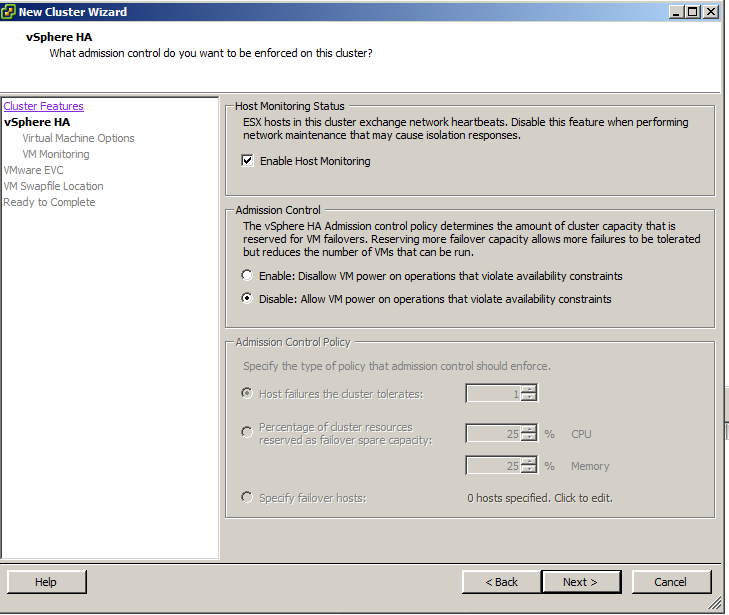
 We mark: Disable: Allow VM power on operations that violate availability constraints
 Following
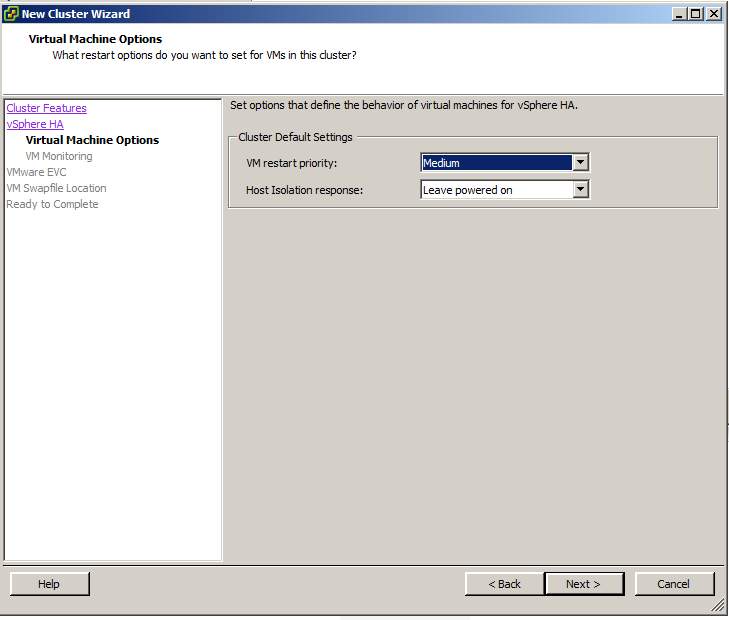 Following
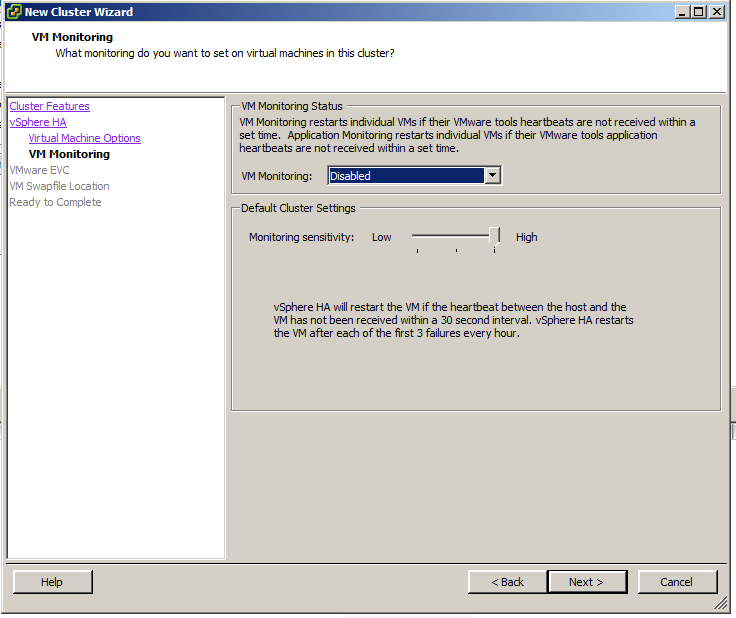 Here we must select depending on what type of hardware we have, to know what we have to select we can go to the vmware website and search for our server:
http://www.vmware.com/resources/compatibility/vcl/result.php?search=3850+M2&searchCategory=all
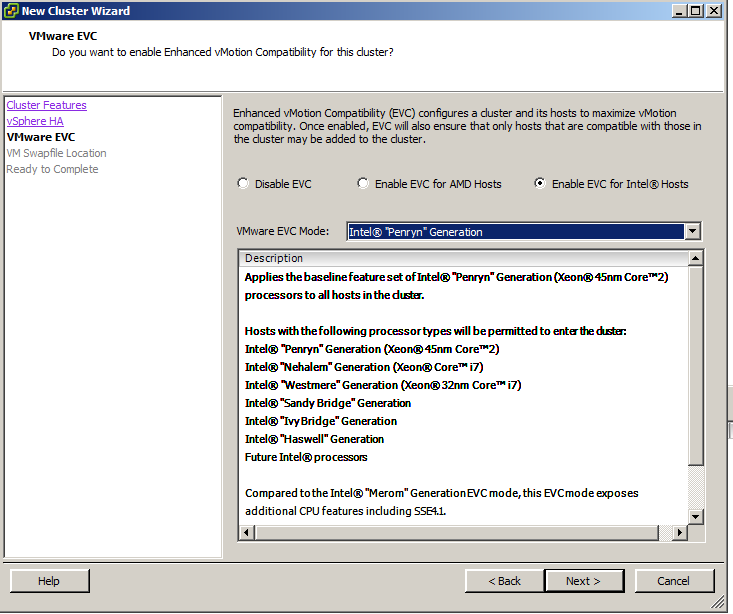 Following
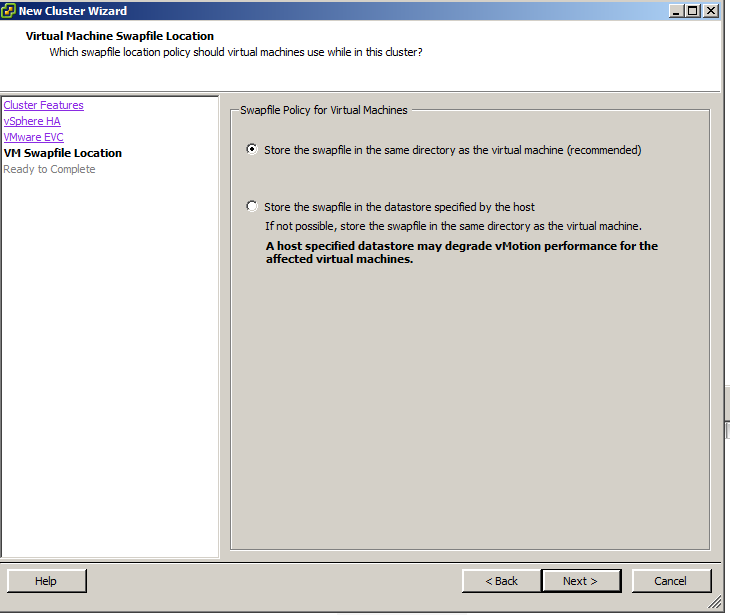
We finish.
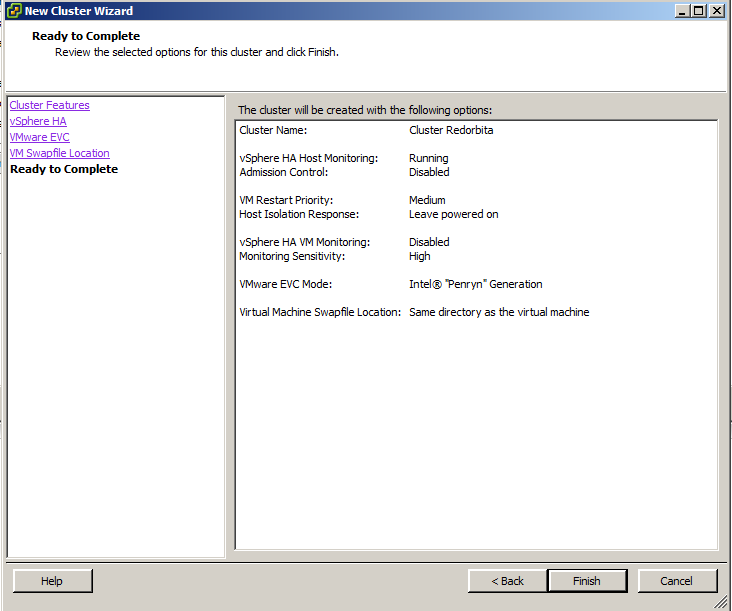
We have already created our cluster

Regards, rokitoh
:wq!
Comments