
Next we are going to explain how to configure an ISCSI disk under FreeNAS and connect it to our XenServer server
We create a launcher:
Services → ISCSI → Initiators → Add Initiator
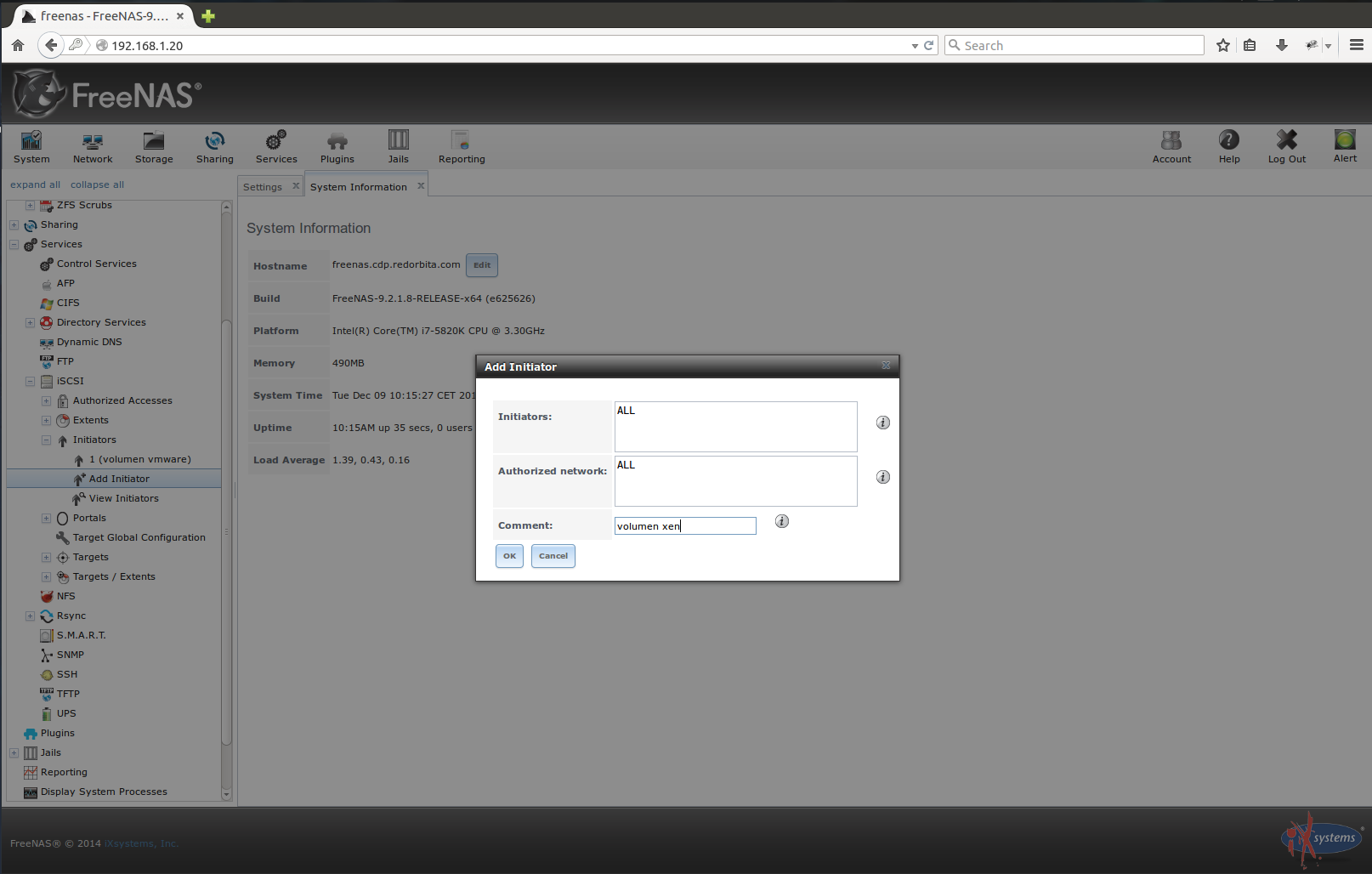
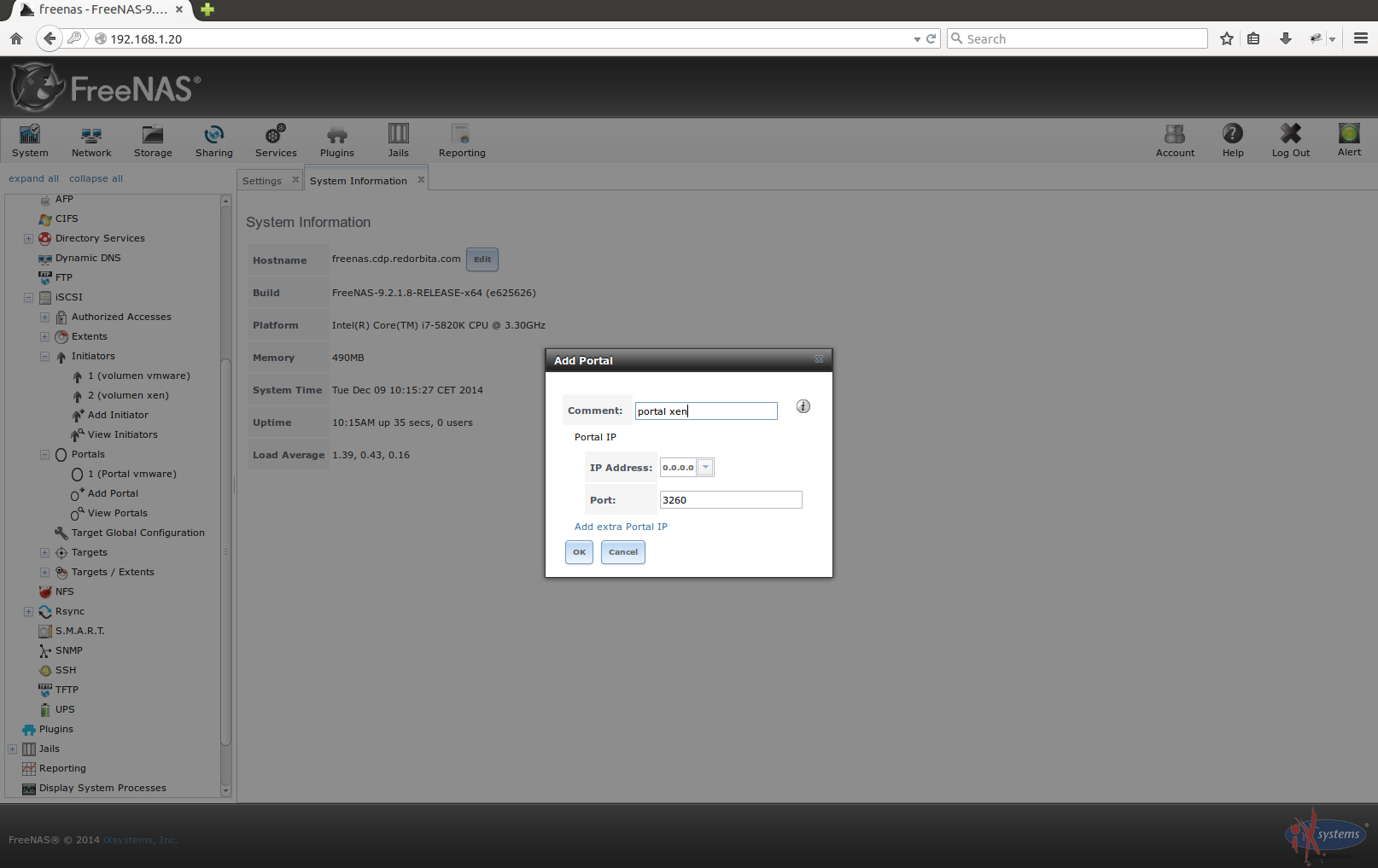
We create a portal:
Services → ISCSI → Portals → Add Portal
In this option, if we want to connect the ISCSI disk with a specific network adapter, we add the IP address of that adapter, otherwise we leave it by default: 0.0.0.0
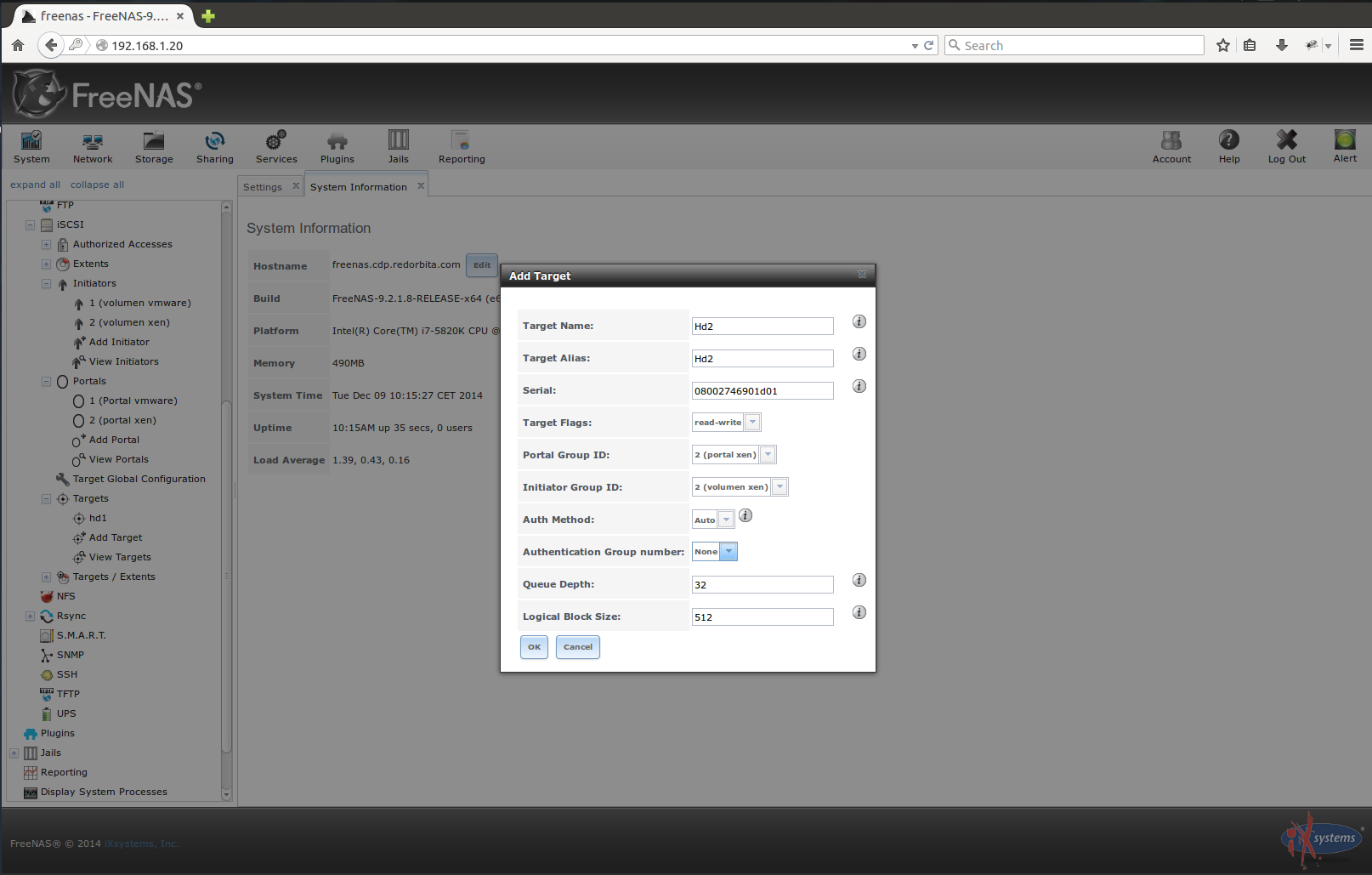
We create the card:
Services → ISCSI → Targets → Add Target
In this option we add the portal and the launcher created previously.
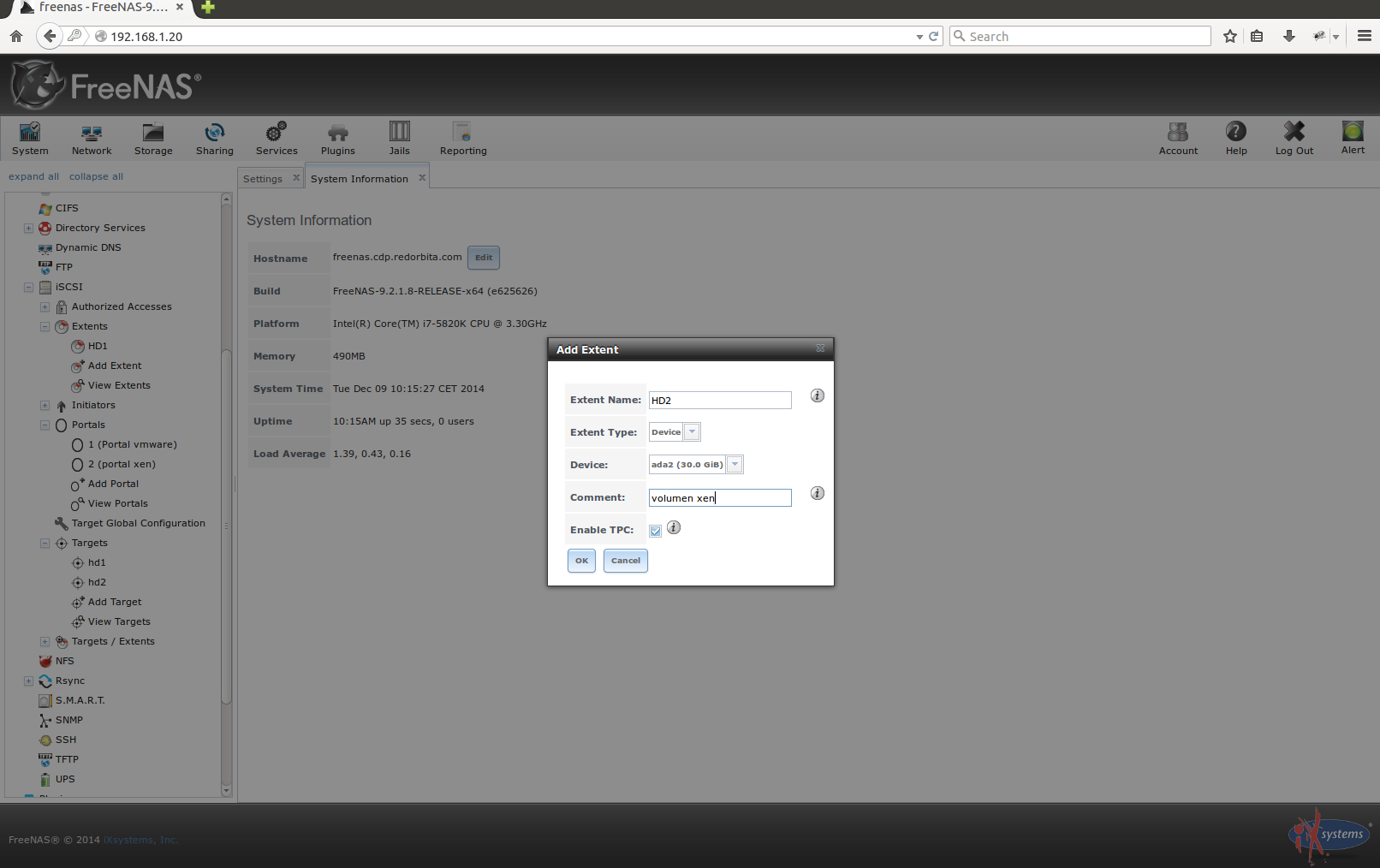
We create an extent device:
Services → ISCSI → Extents → Add Extent
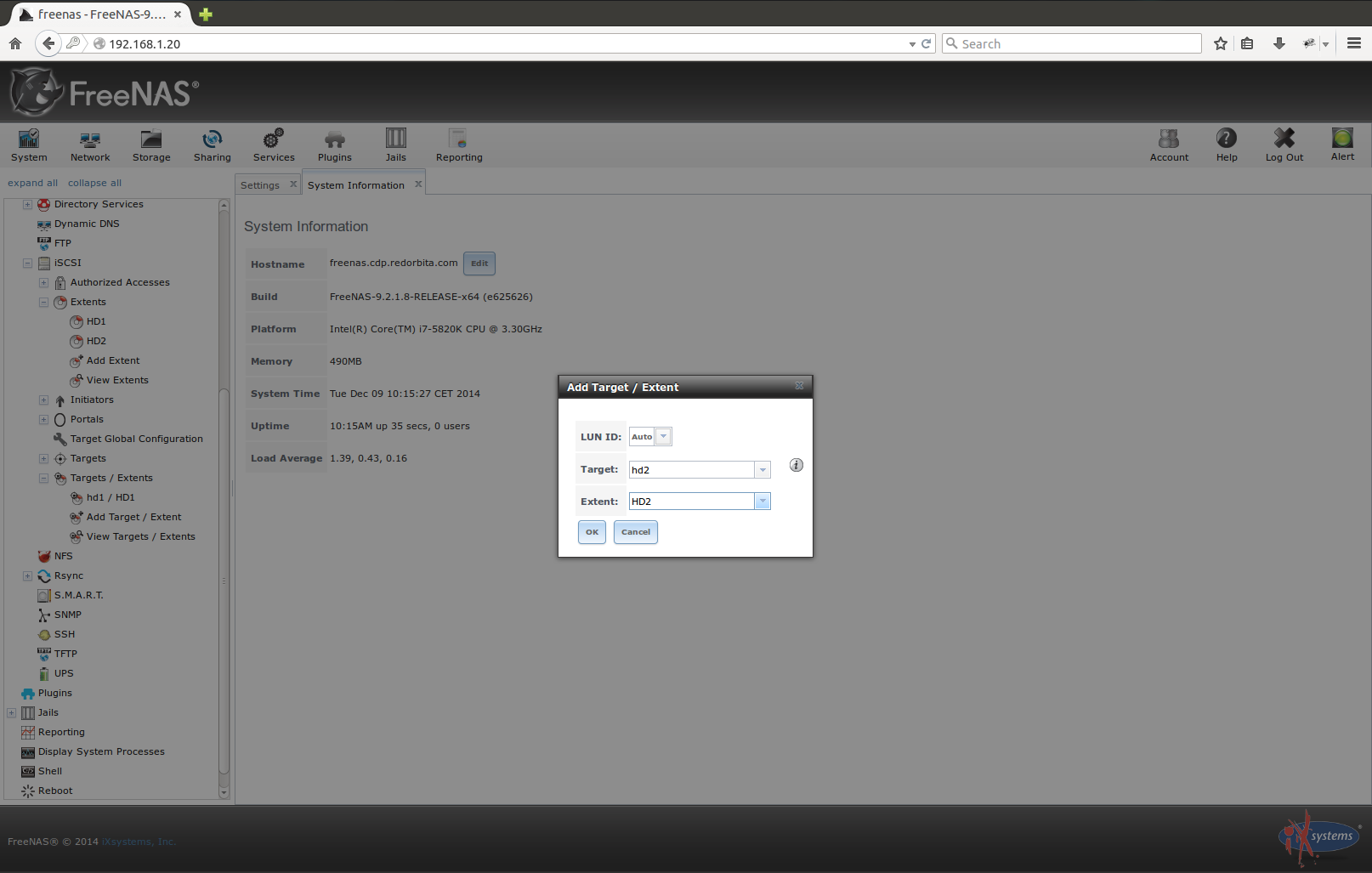
We associate the card to the device:
Services → iSCSI → Targets/Extents
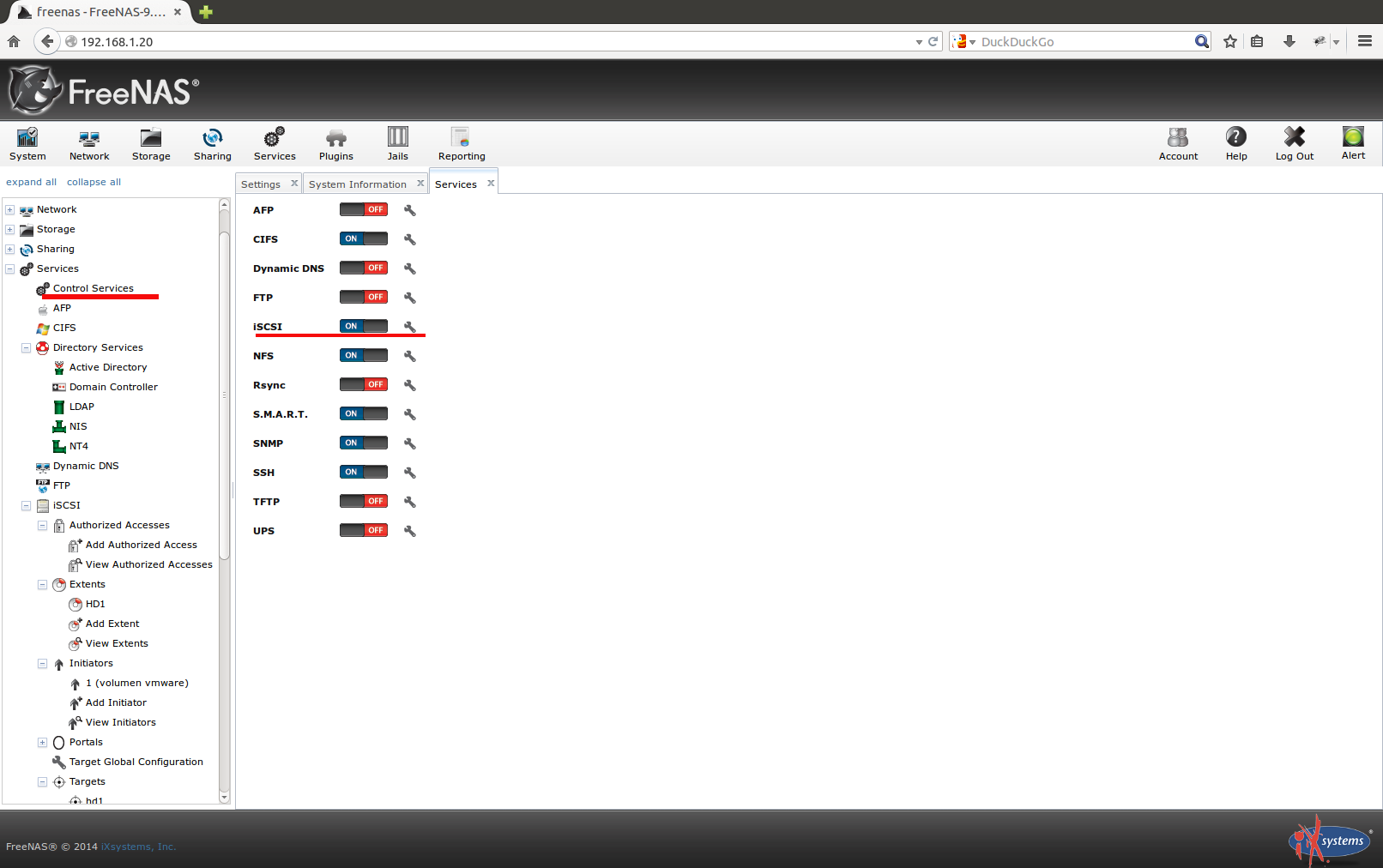
We activate the iSCSI service:
Services → Control Services
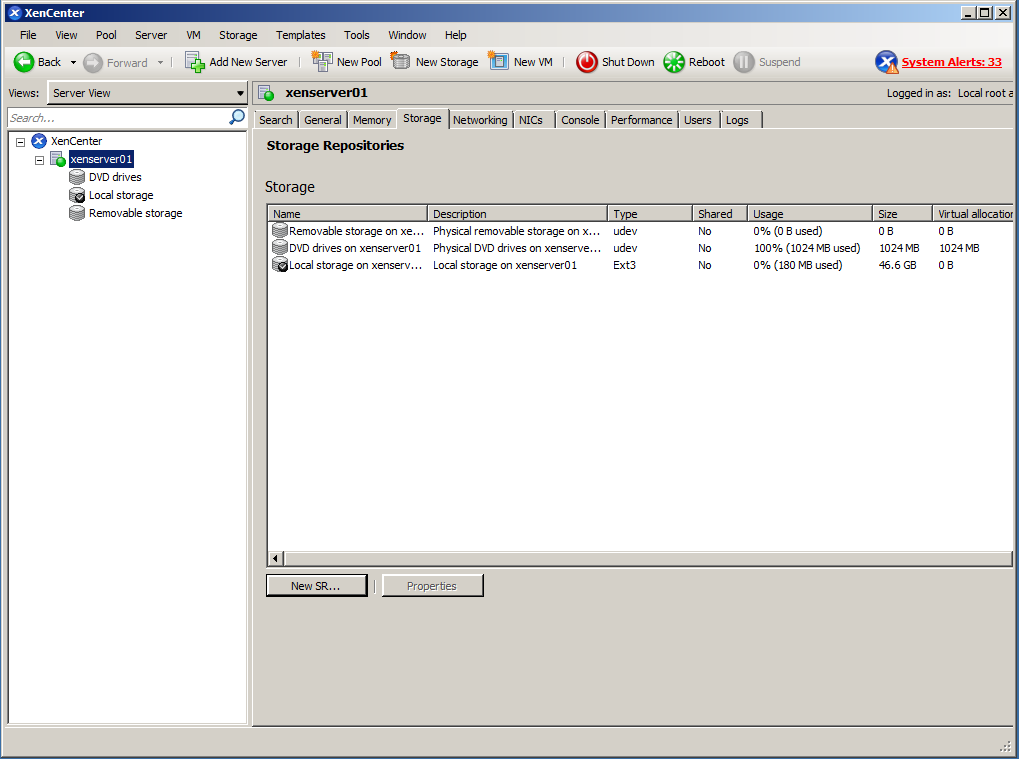
 We go to the Sotrage tab and press New SR...or at the top New Sotrage
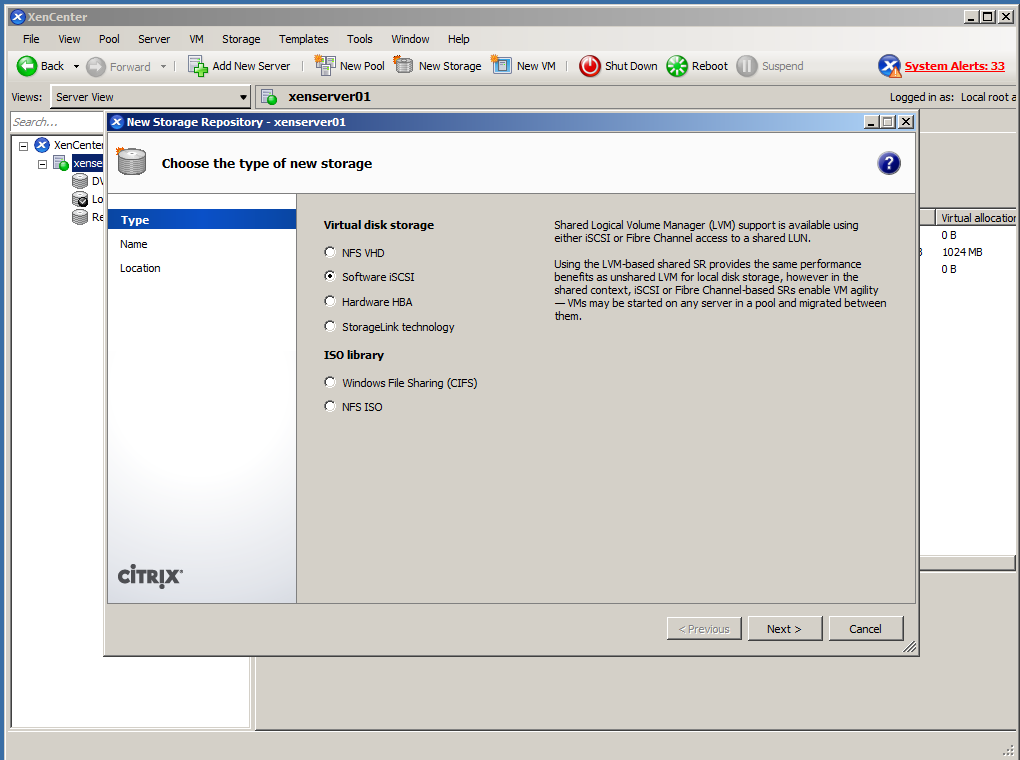
We select iSCSI Software
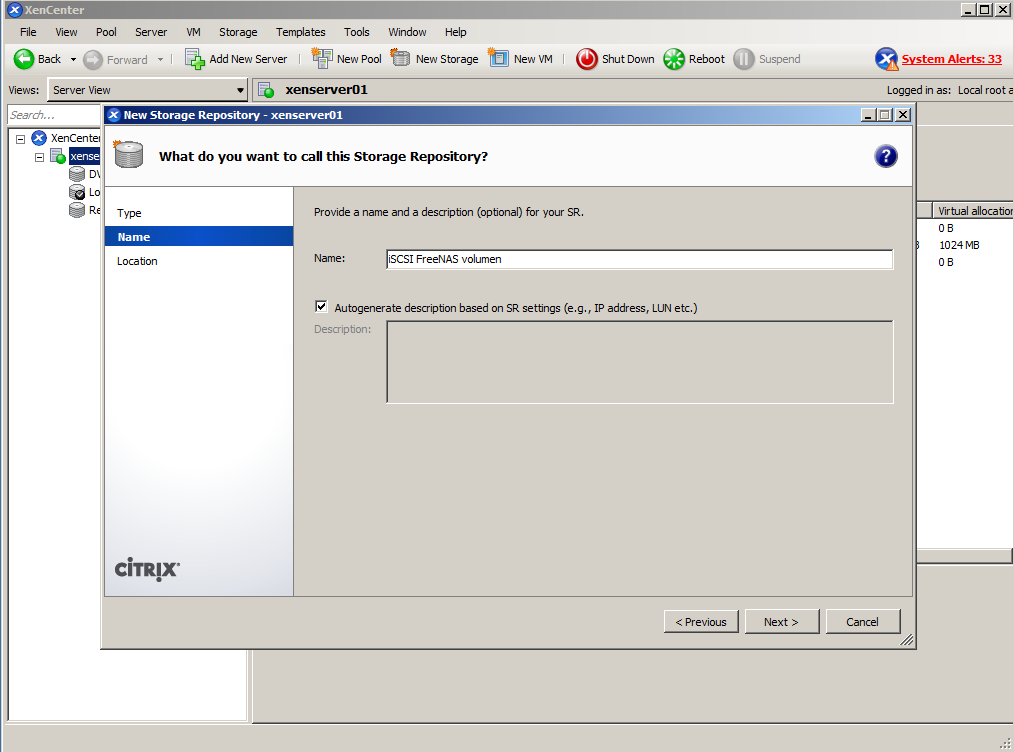
We assign a name to our volume.
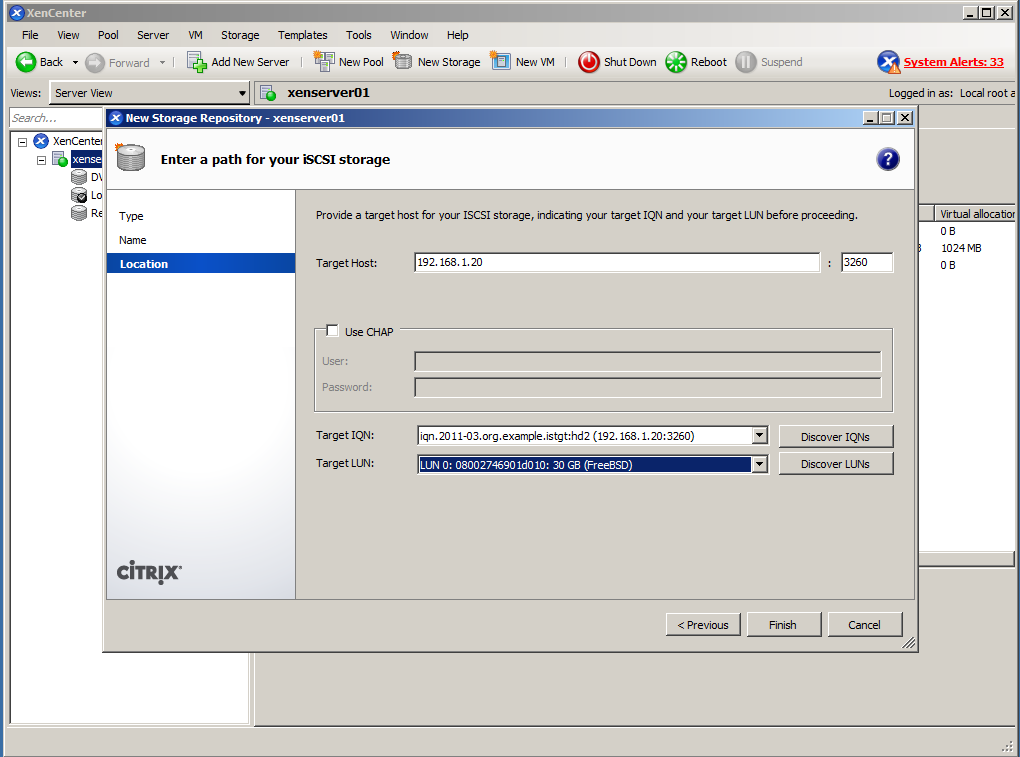
We add the IP of our FREENAS server and press Discover IQNs and Discover LUNs
We press Finish.
We already have our volume ready to start working with it. 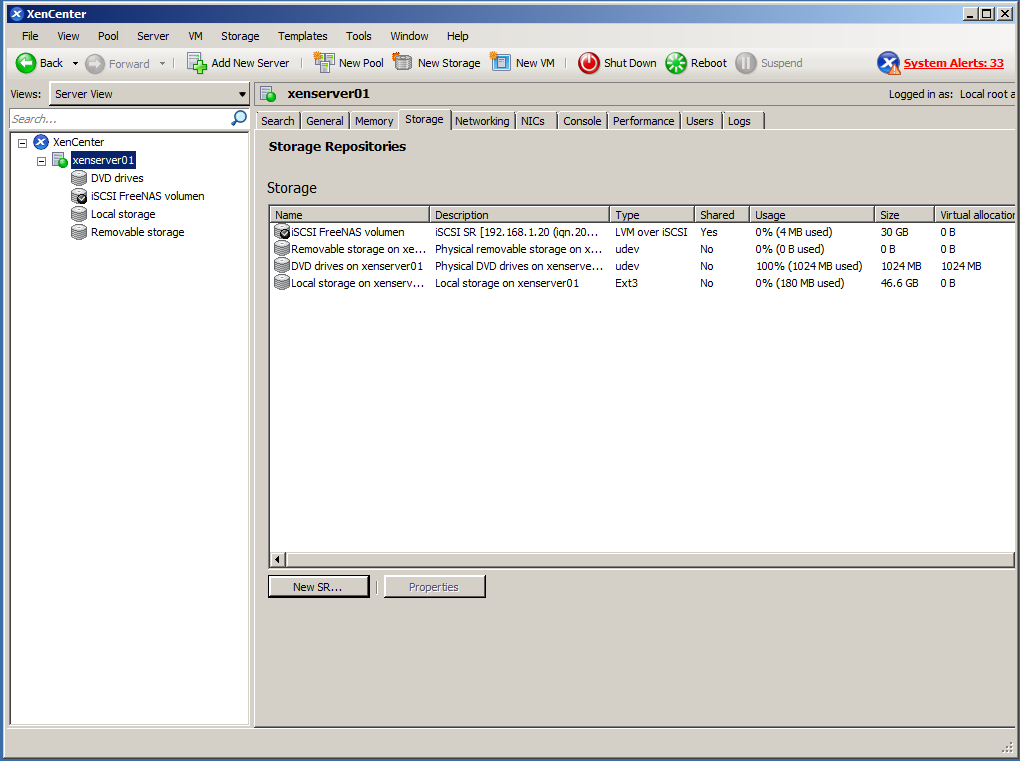
Greetings, rokitoh!
:wq!
Comments