
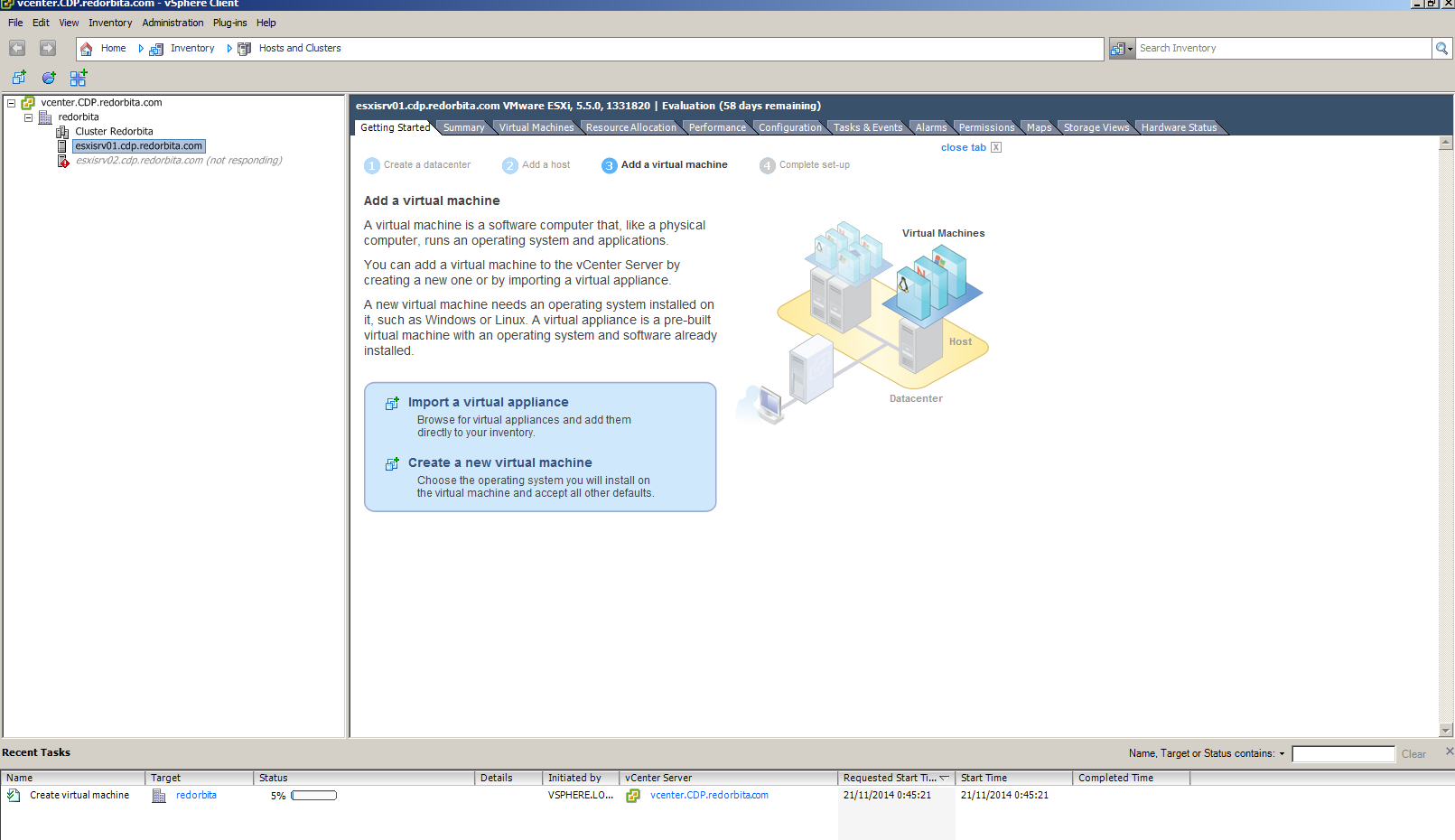
In this tutorial I am going to explain how to install a virtual machine from VMware vSphere Clint connected to vCenter server,
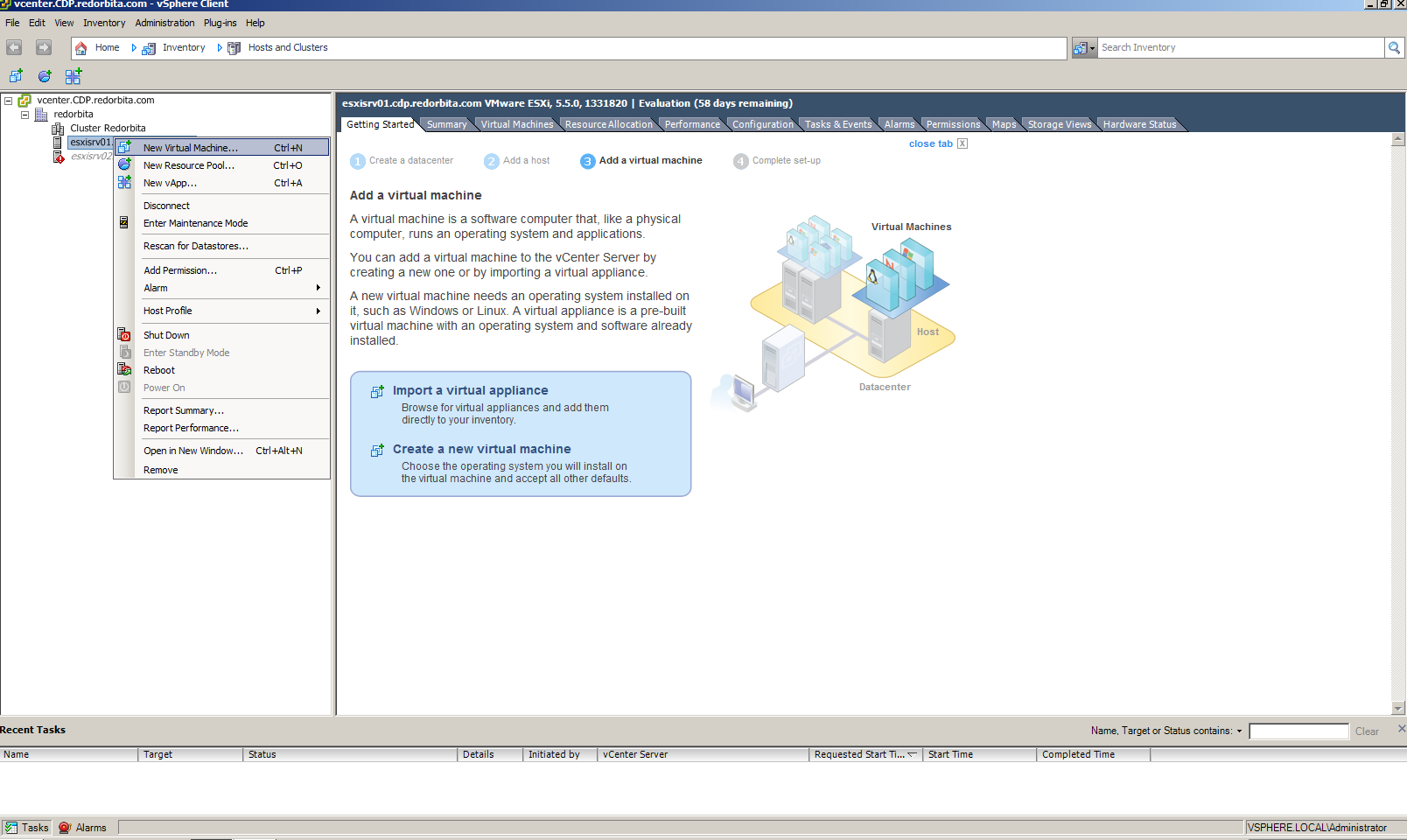
We press the right button on the parent machine > New Virtual Machine…
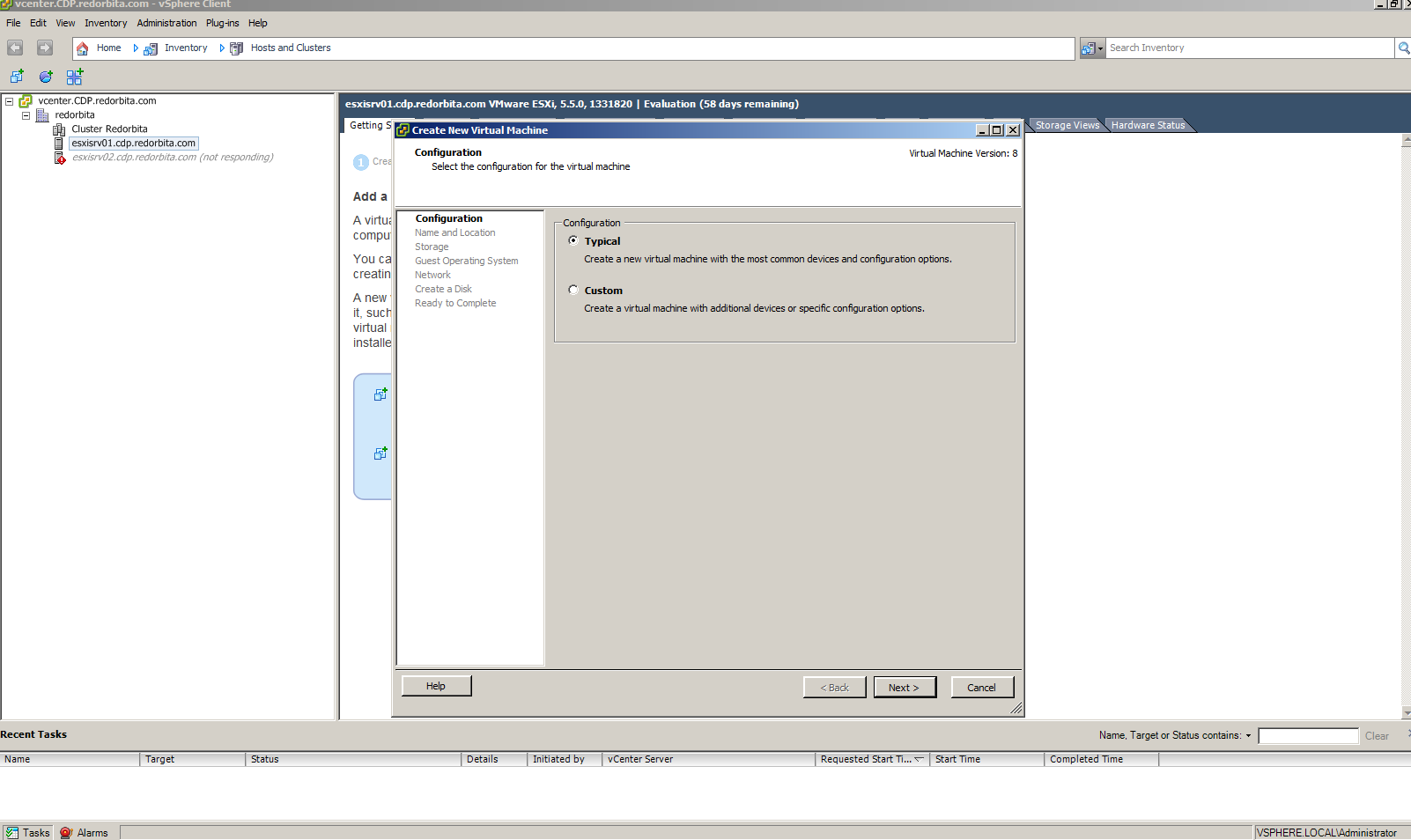
The wizard opens to proceed to install the virtual machine, we select Typical.
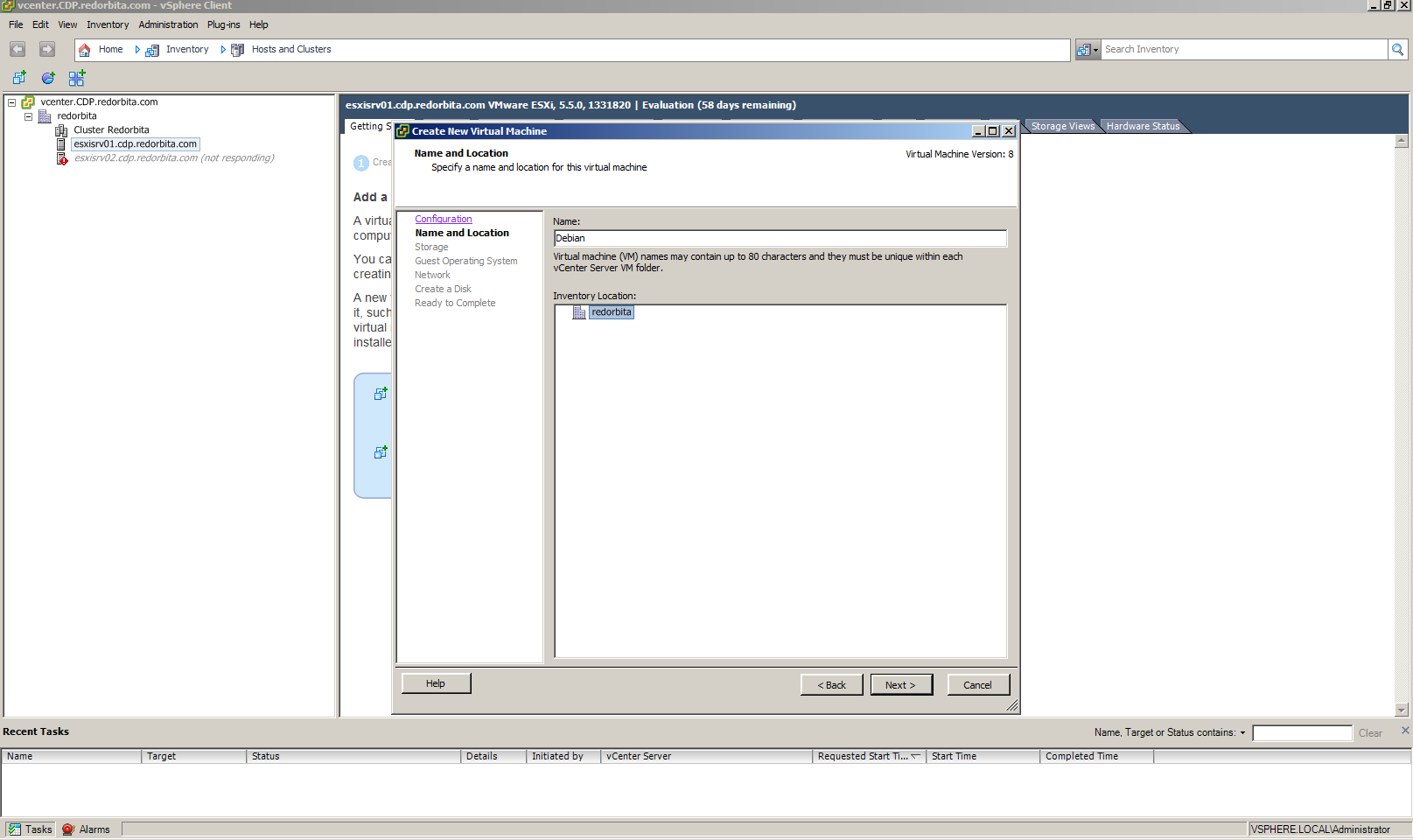
We assign a name and indicate the location
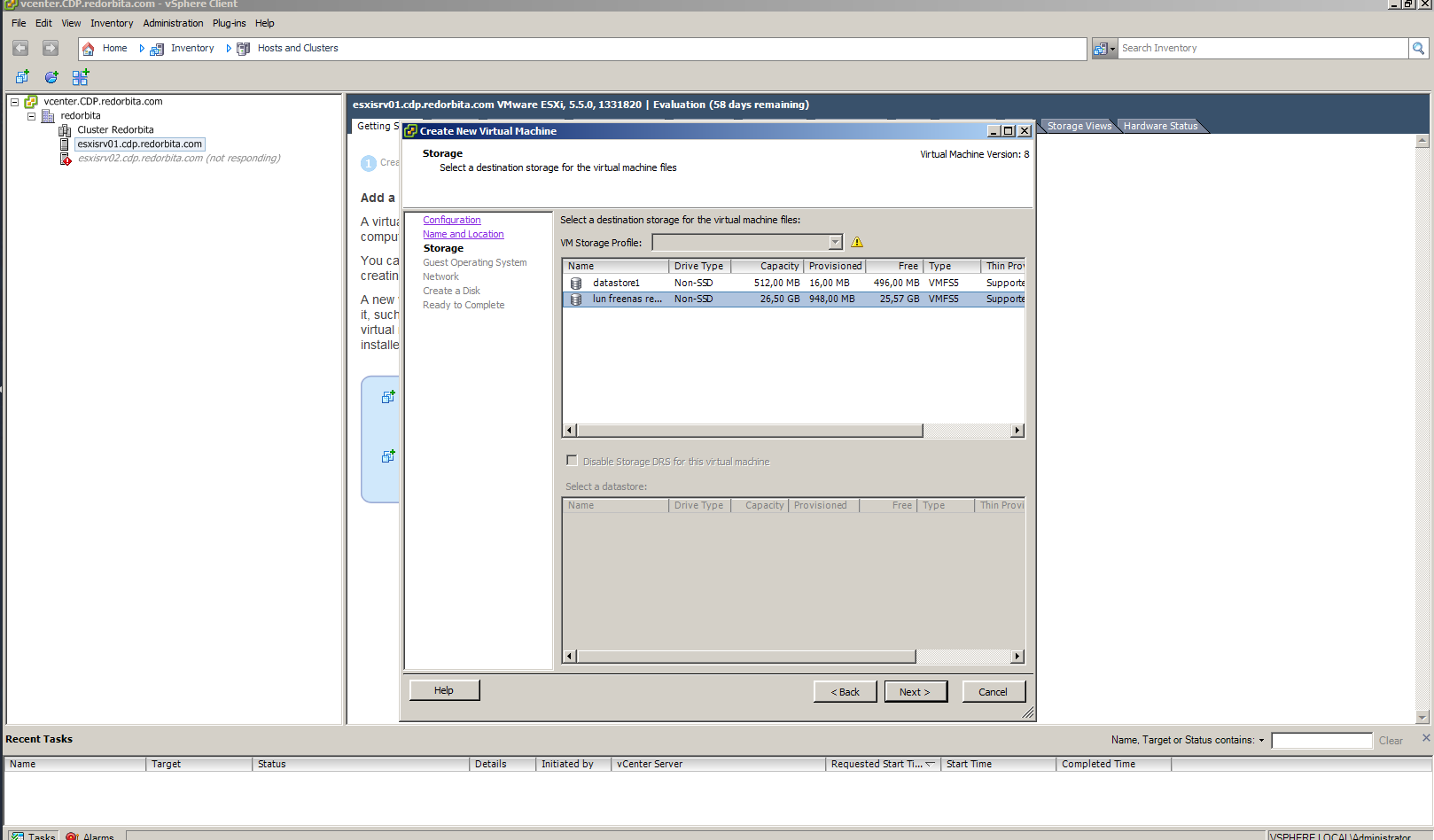
We select the datastore where the host will be installed.
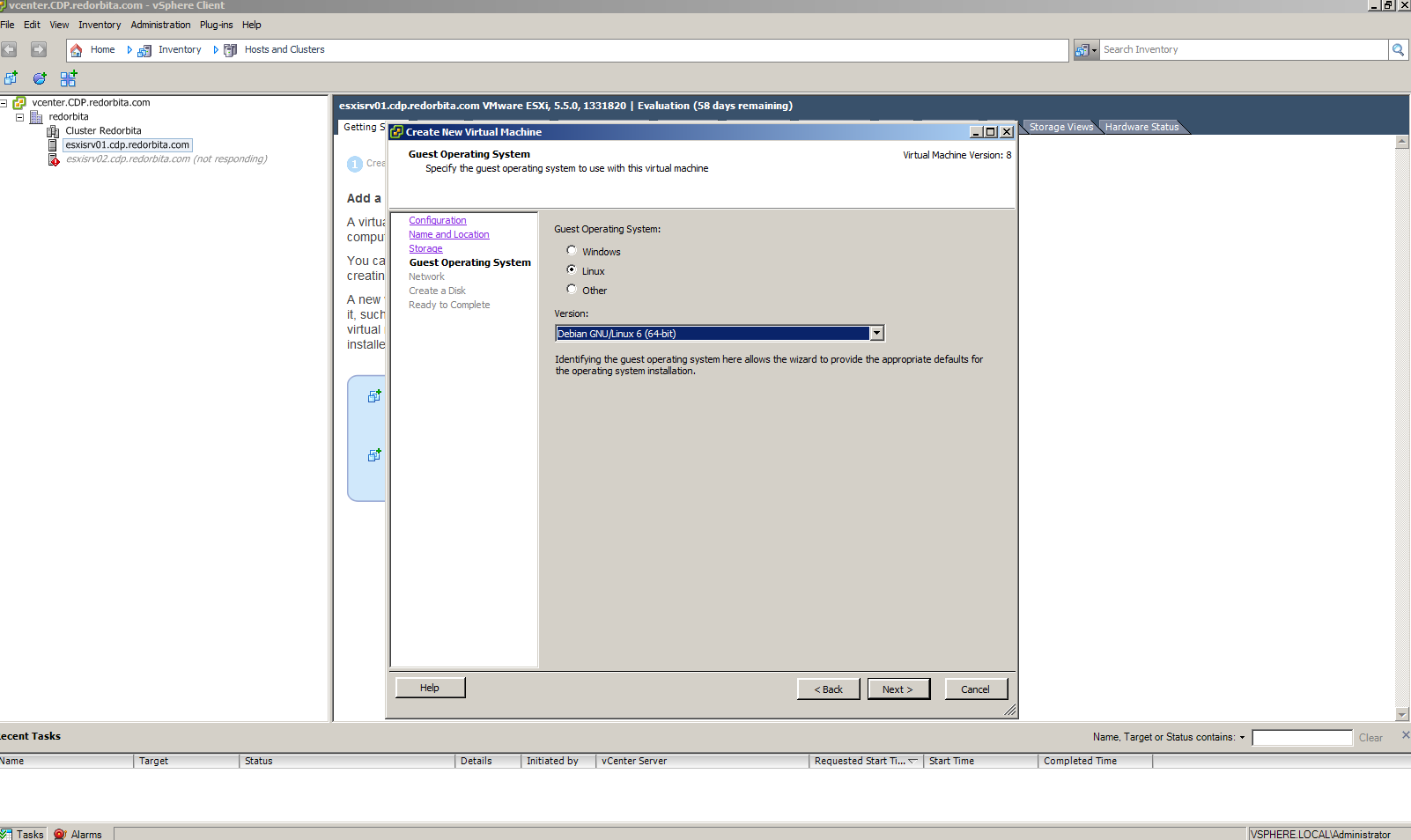
We configure the operating system that we are going to install.
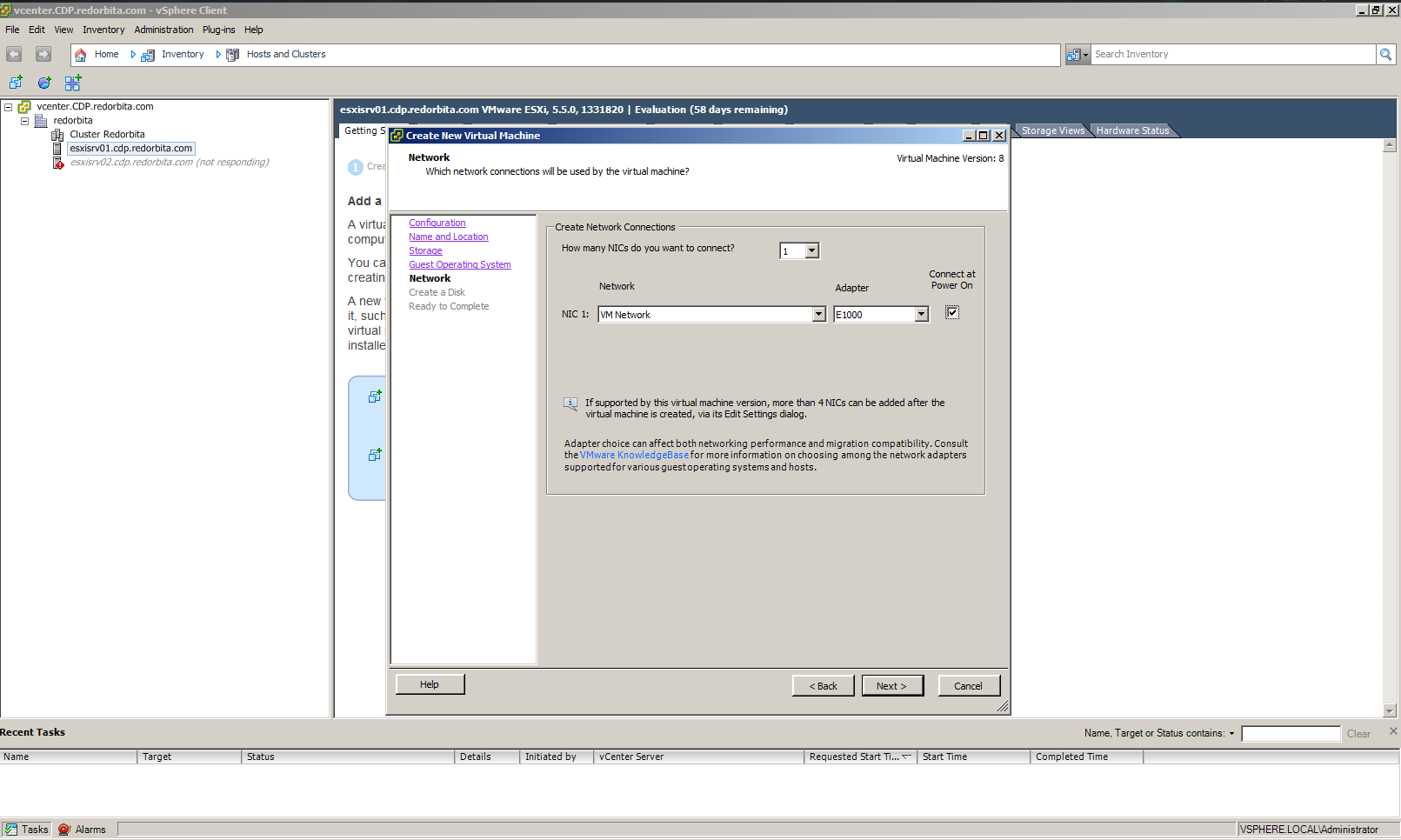
we configure the network card.
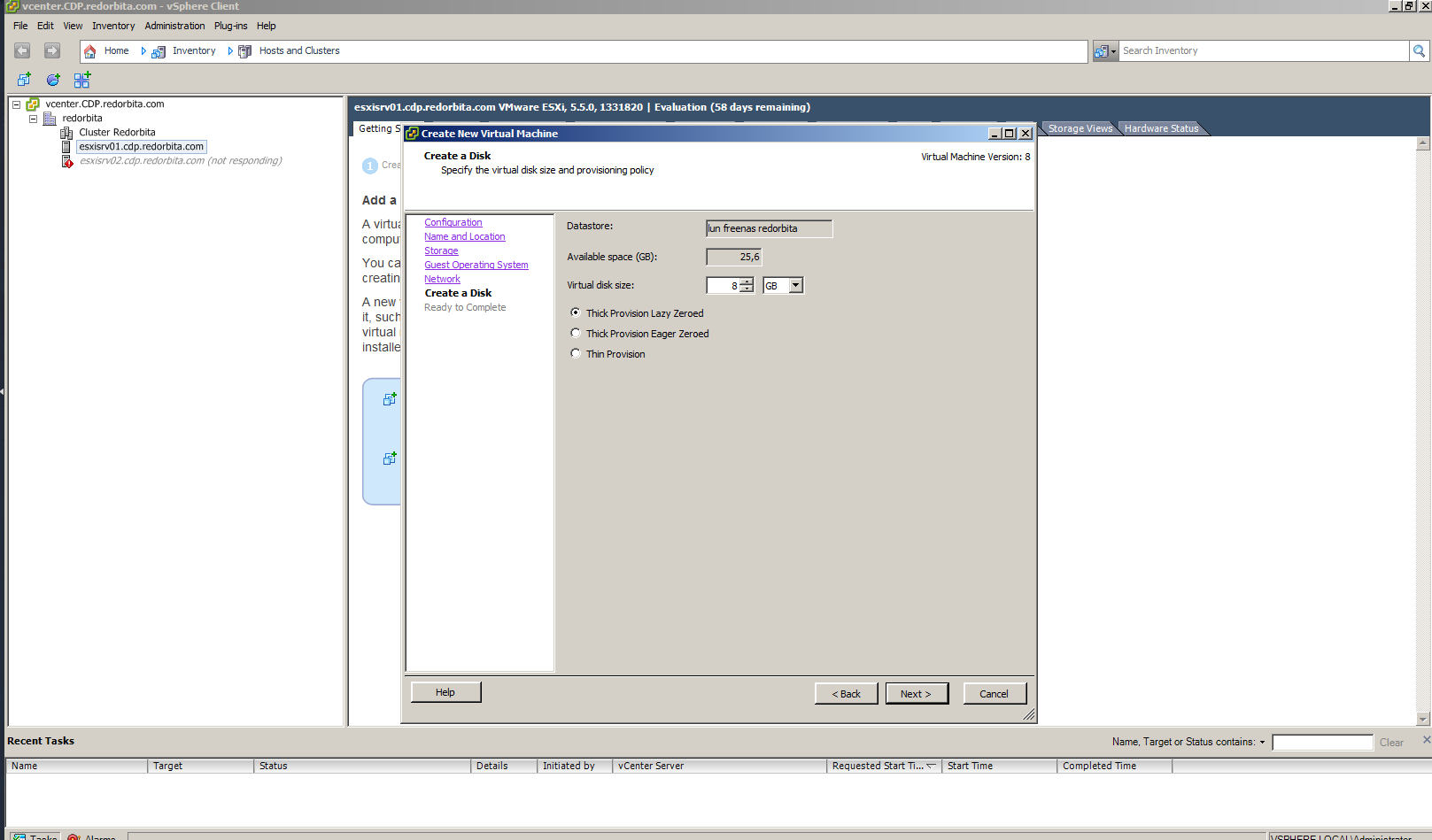
We assign the disk capacity.
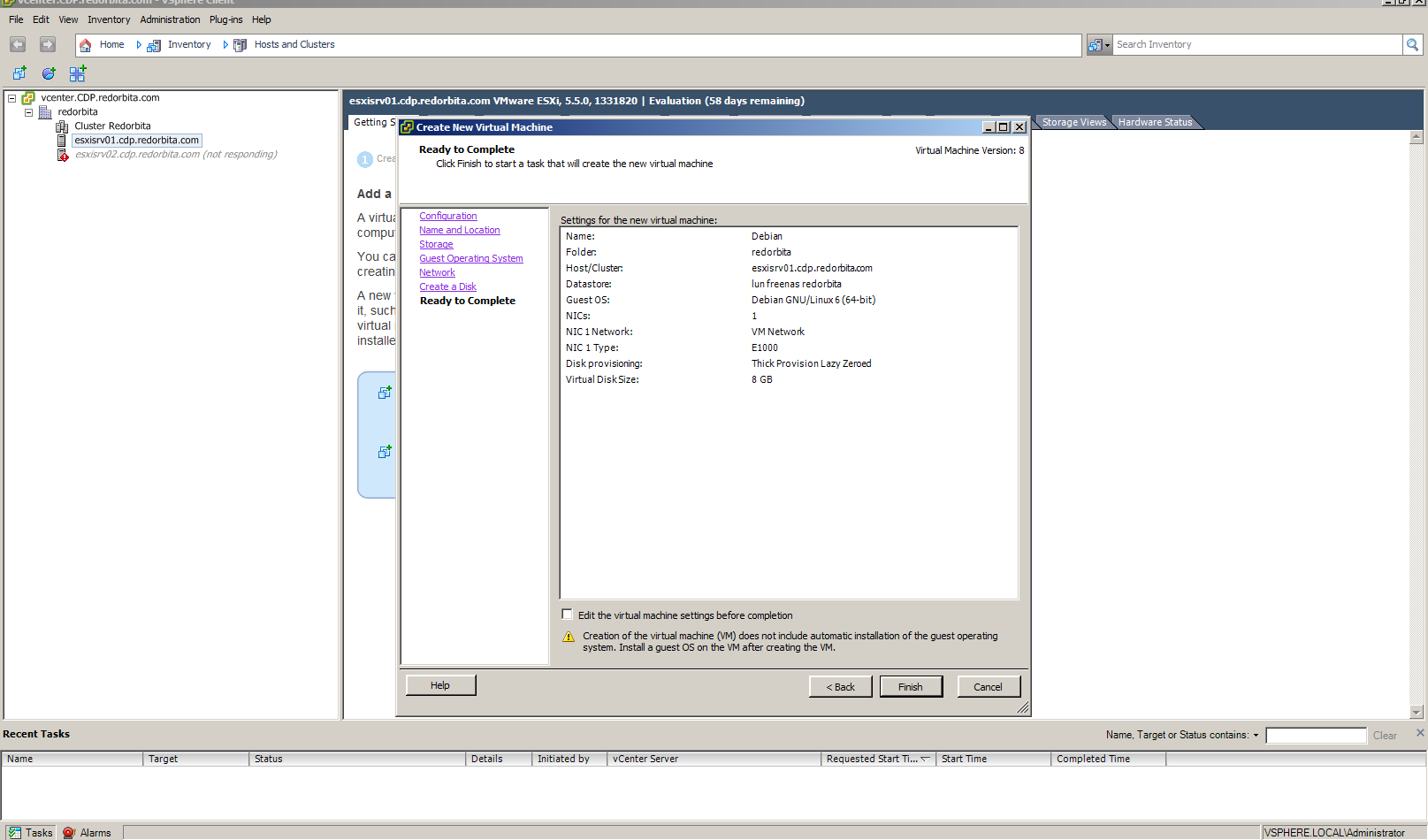
We finish the configuration.
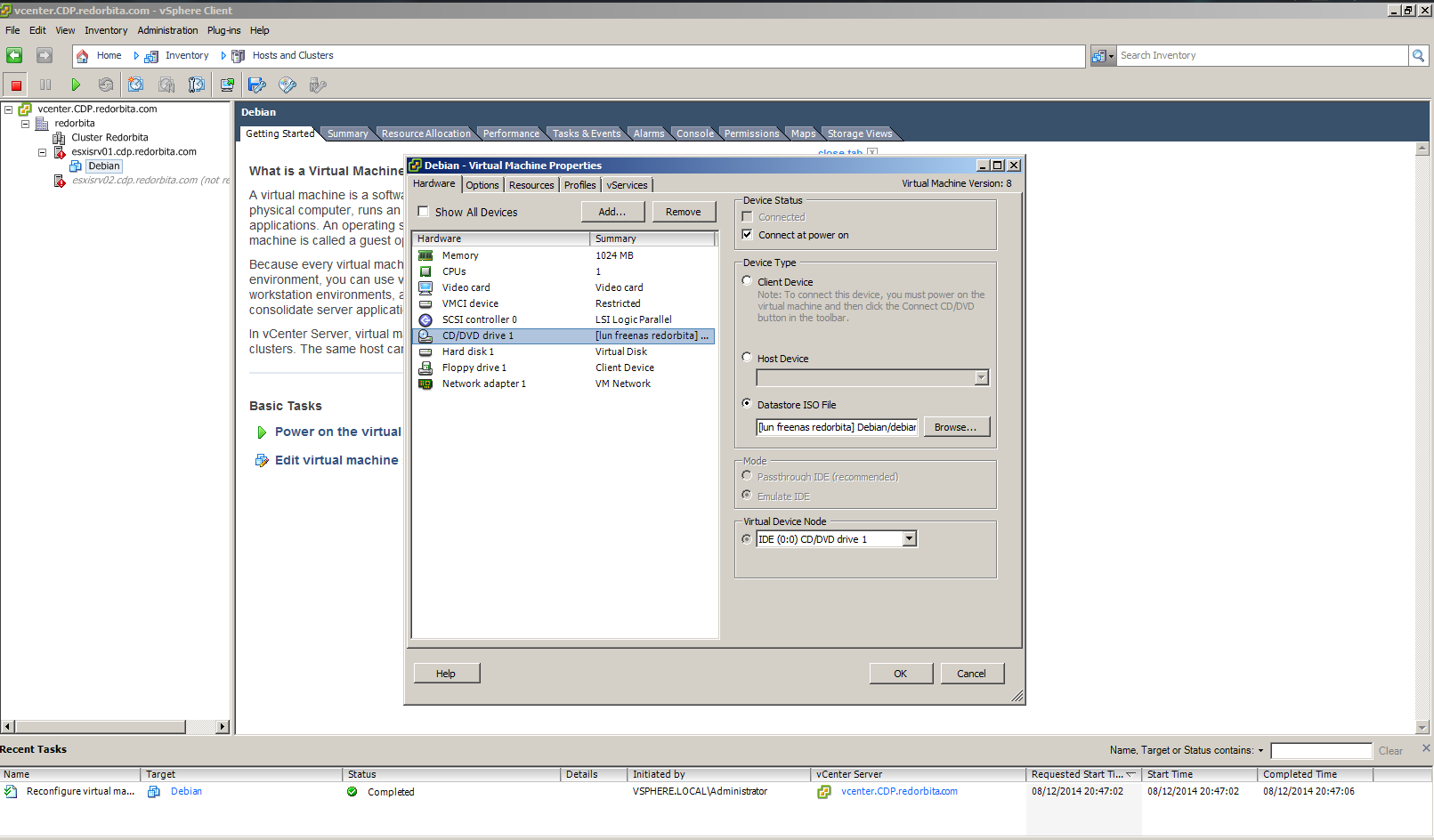
We press right click > Edit virtual machine. and we select Connect at power on and Datastore ISO file.
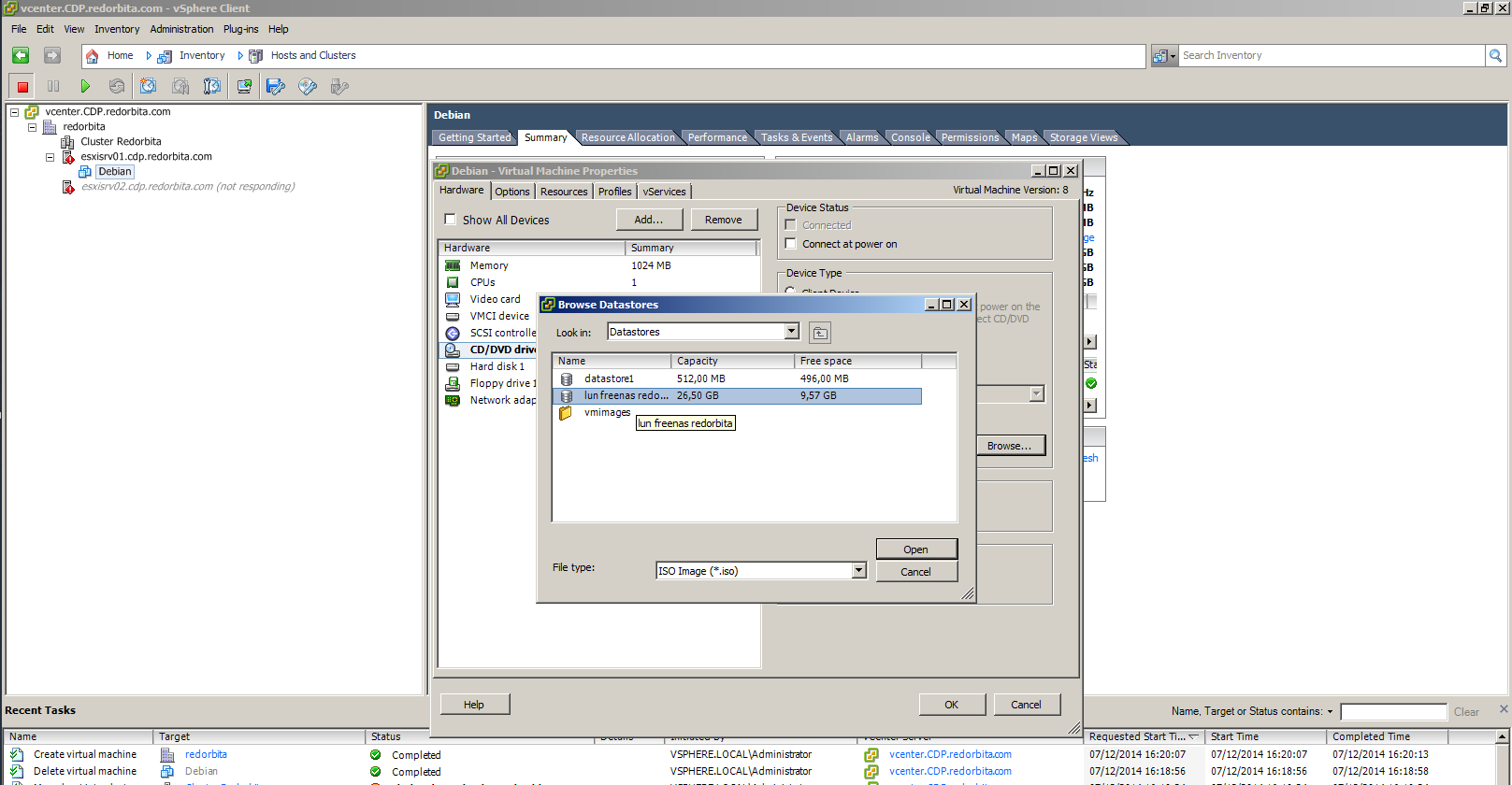
We press Browser and we look for the datastore where we have previously uploaded the ISO.
Tutorial: upload iso to vmware esxi datastore
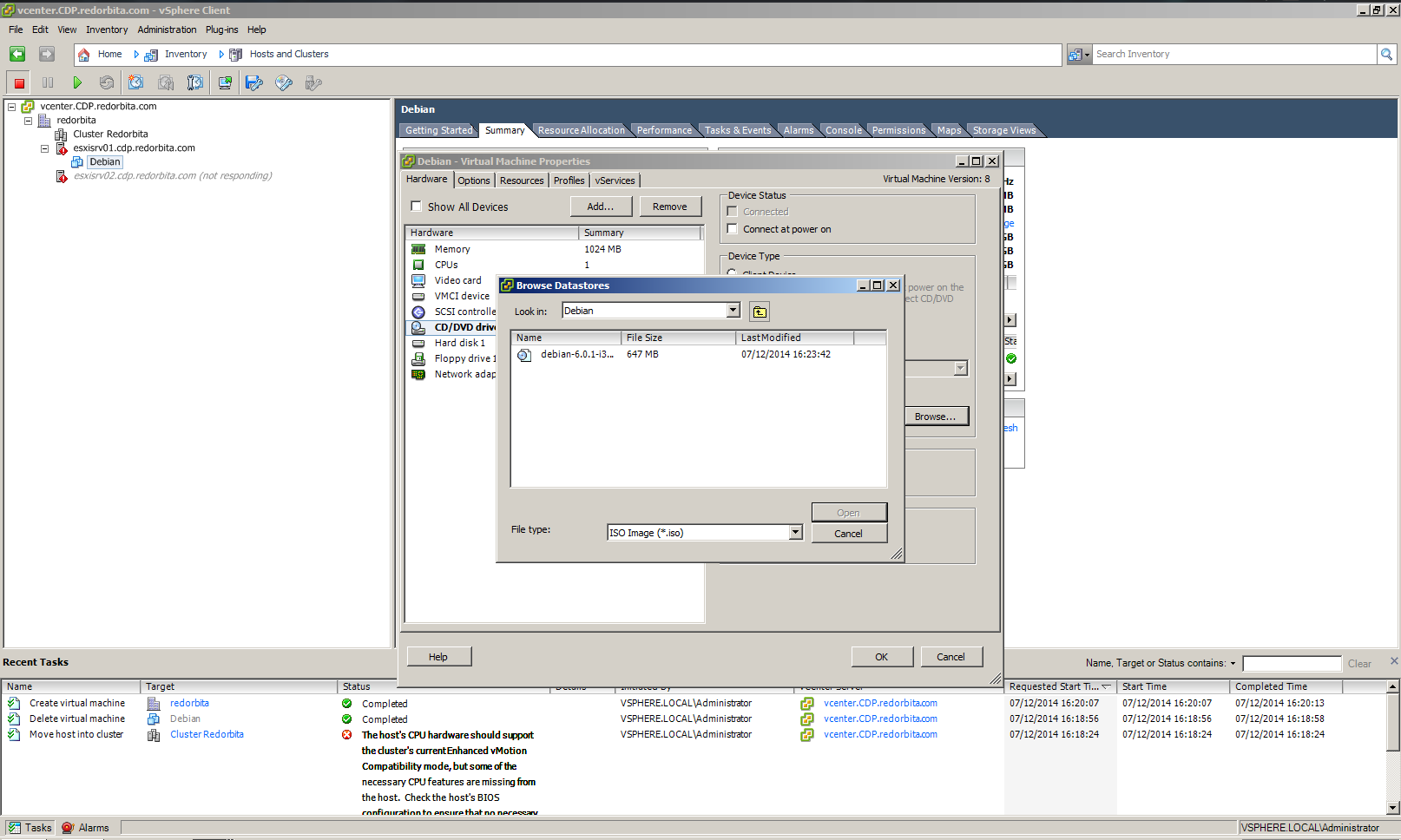
Once the ISO to install is selected, we click OK and perform a Power On
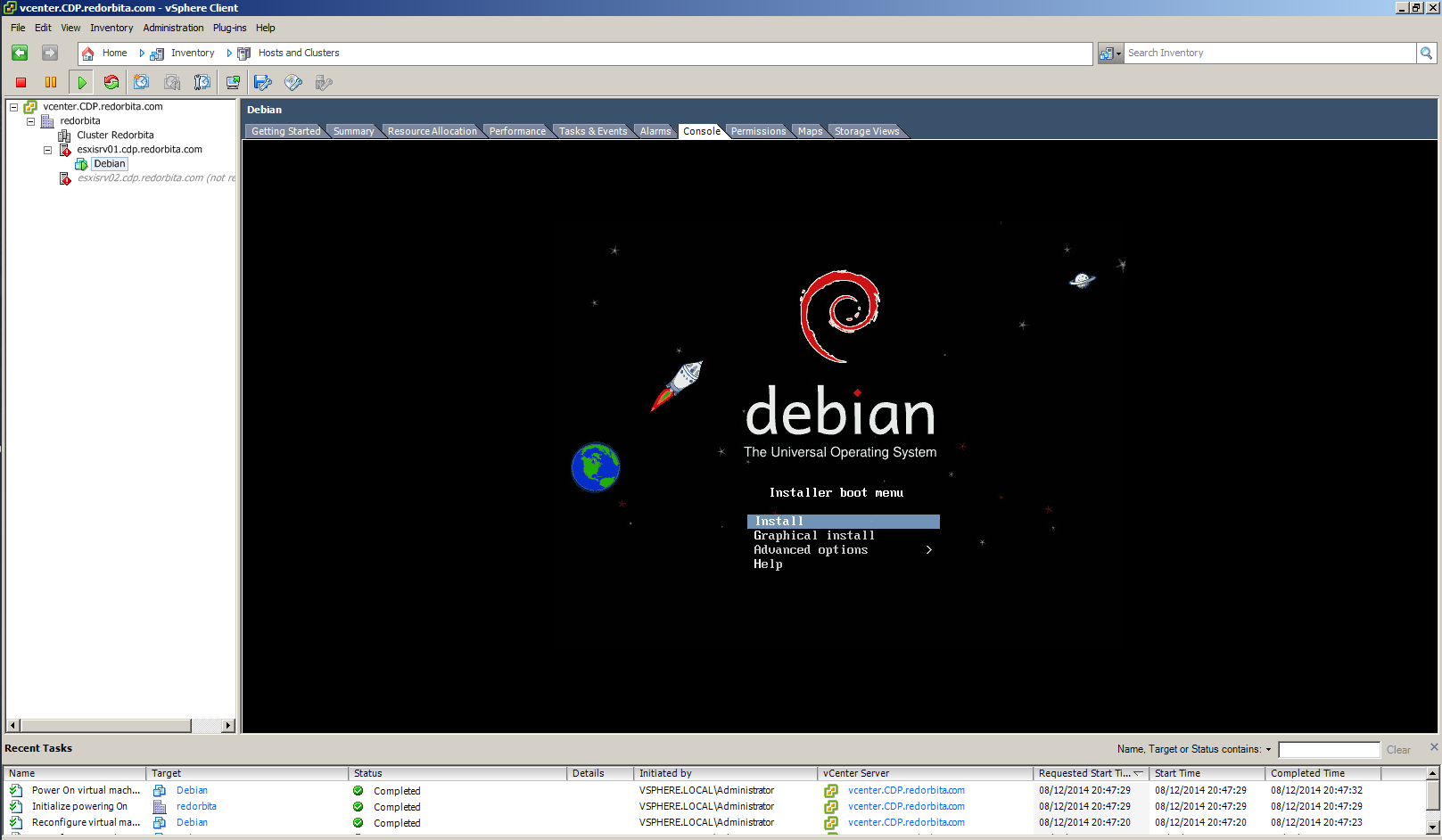
If everything went well, the operating system installer should appear.
Greetings, rokitoh!
:wq!
Comments