
In this tutorial we are going to explain how to create a volume in FreeNAS and connect it to VMware vsphere using NFS
Storage → ZFS Volume Manager
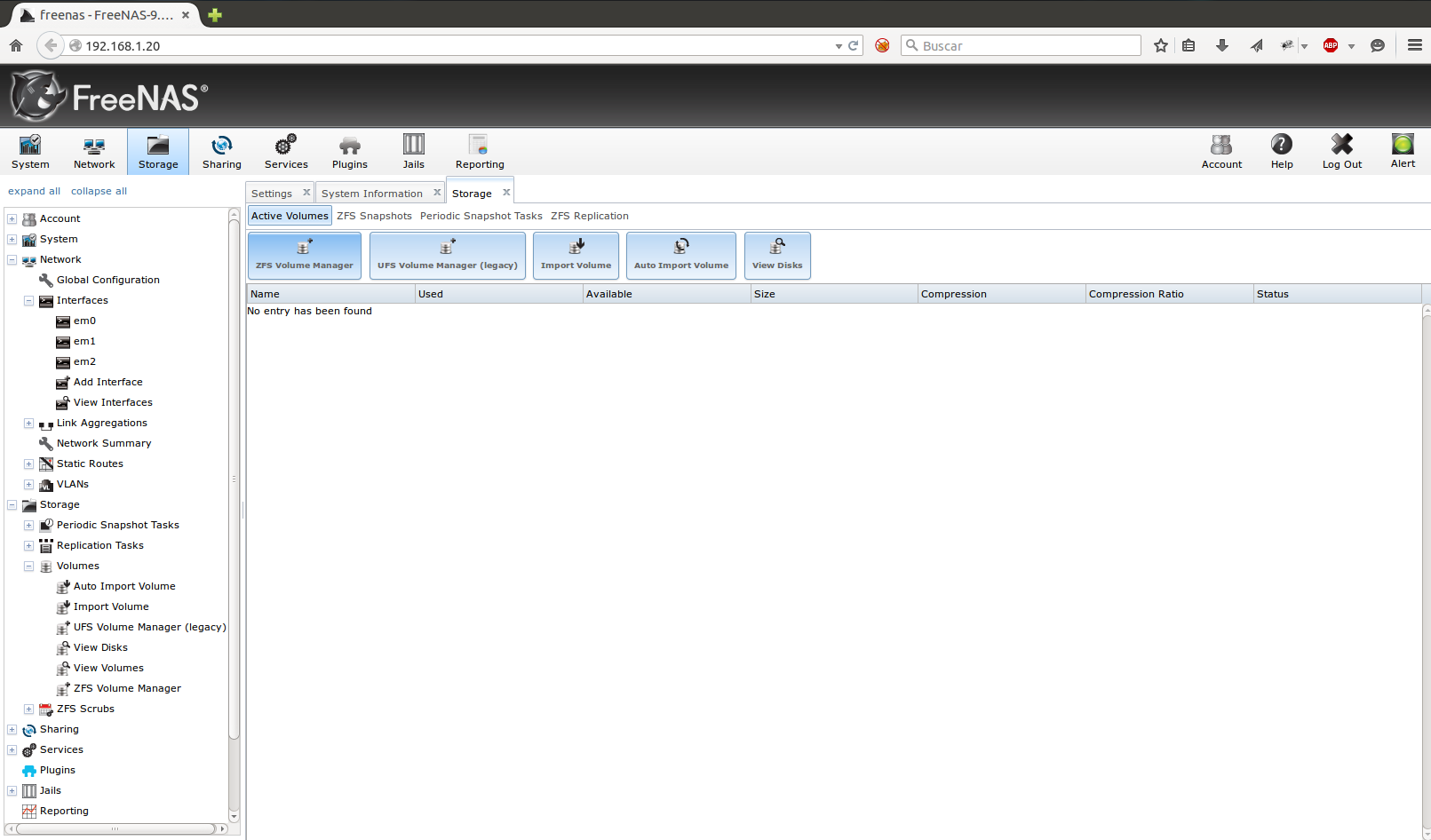
We assign a disk using the Available disk option and in Volume layout we select the volume capacity
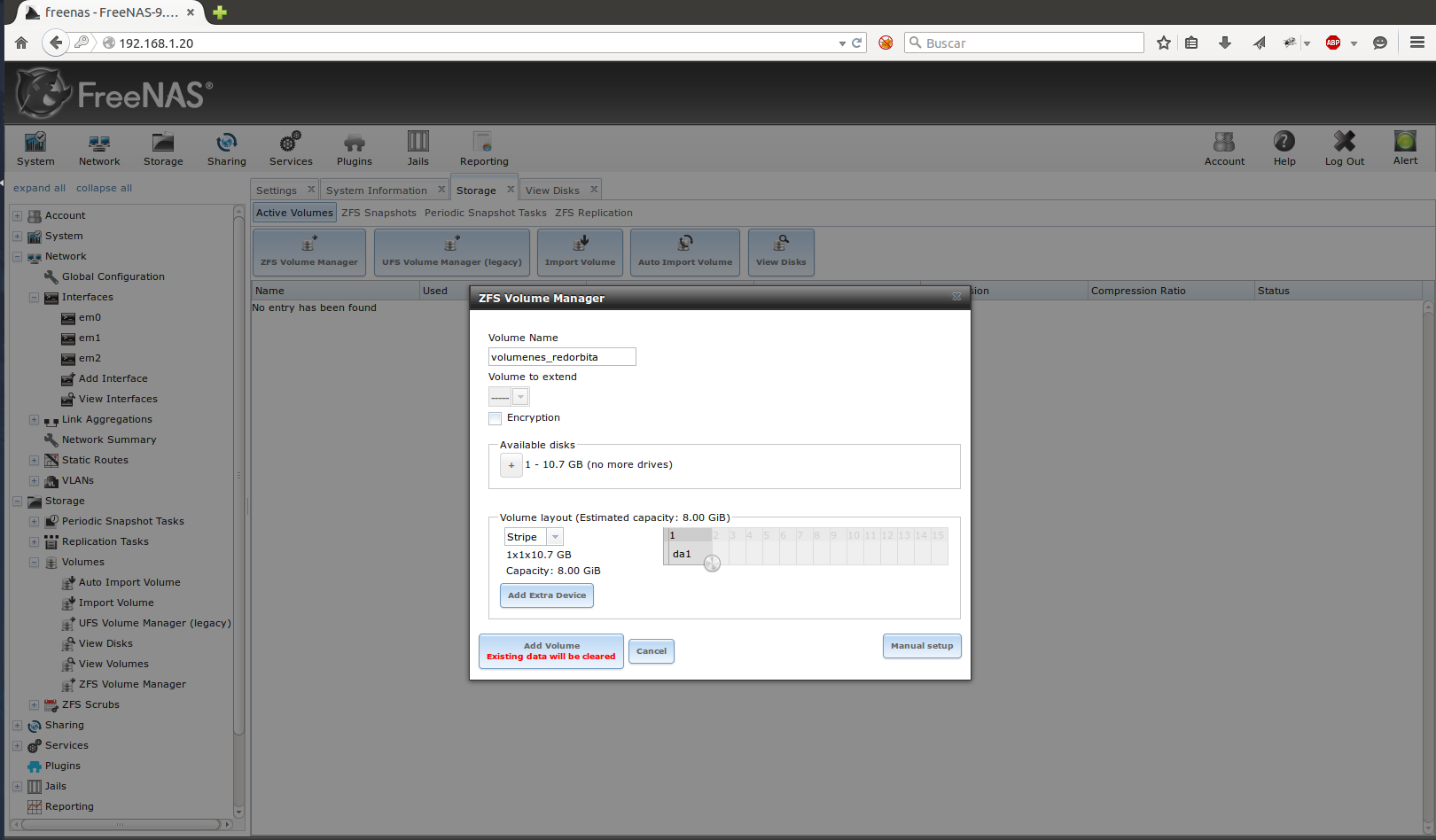 It shows us the volume once created.
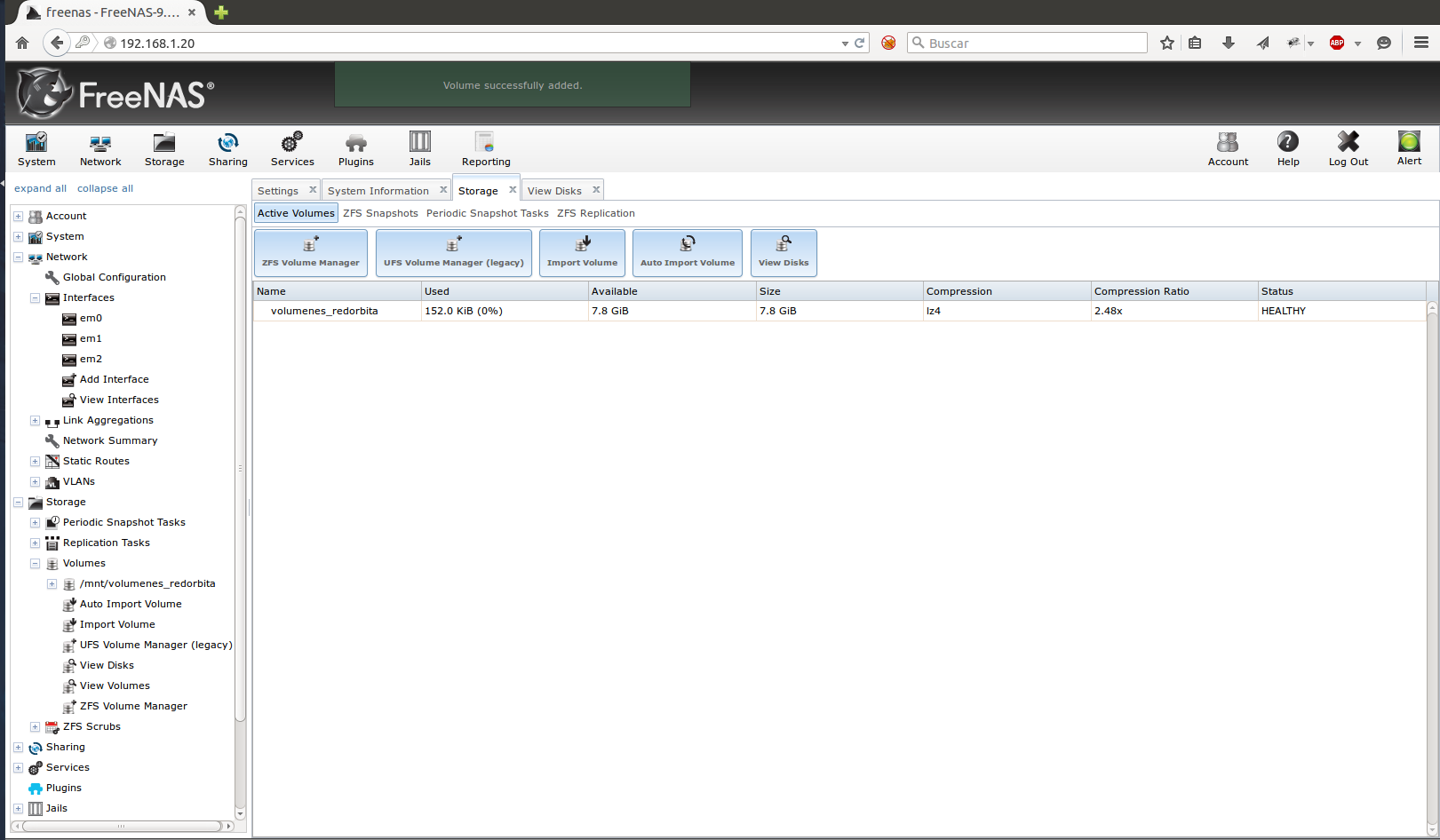 Service → NFS: We enable the NFS service, click on the wrench and configure the IPS addresses
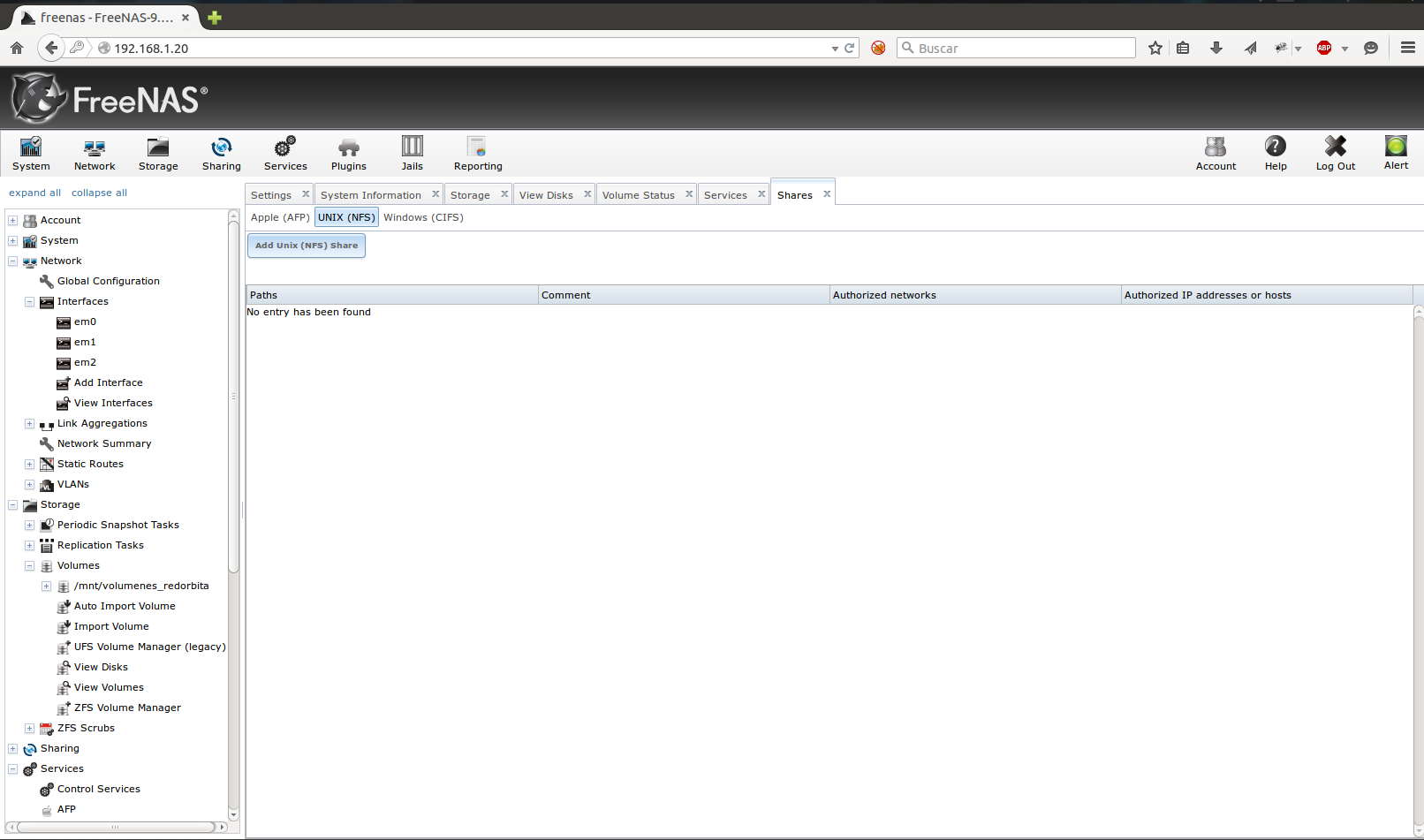
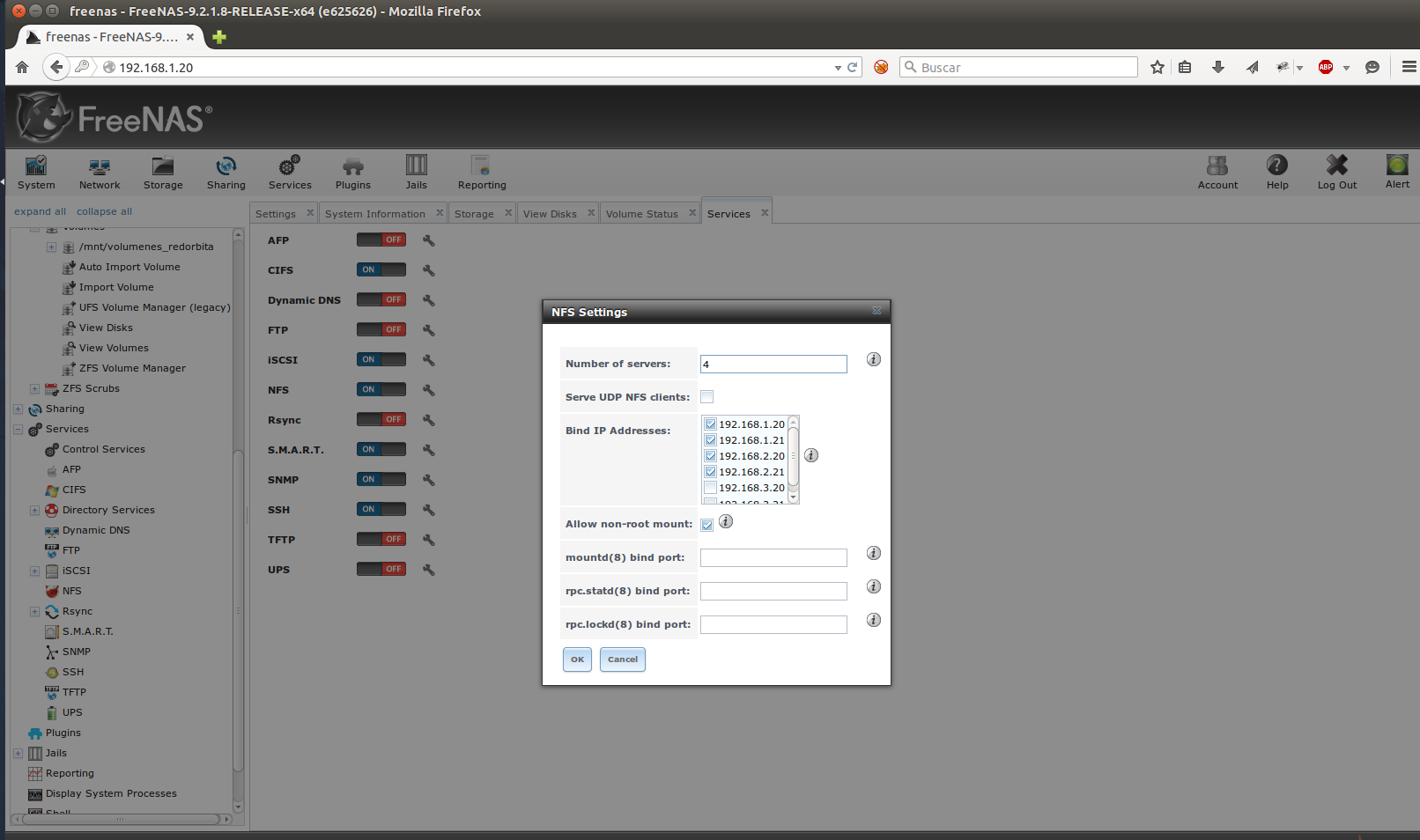 Sharing → Unix (NFS) → Add Unix (NFS) share
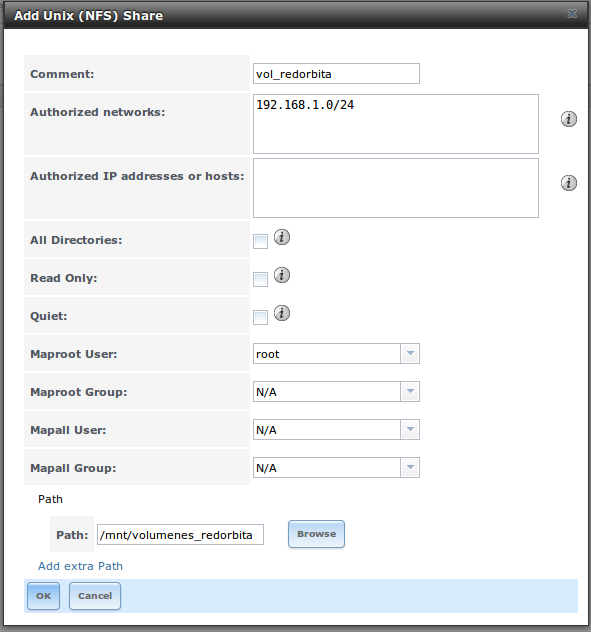
 We assign an identifying comment, the network or IP address that we are going to give access and obviously the path
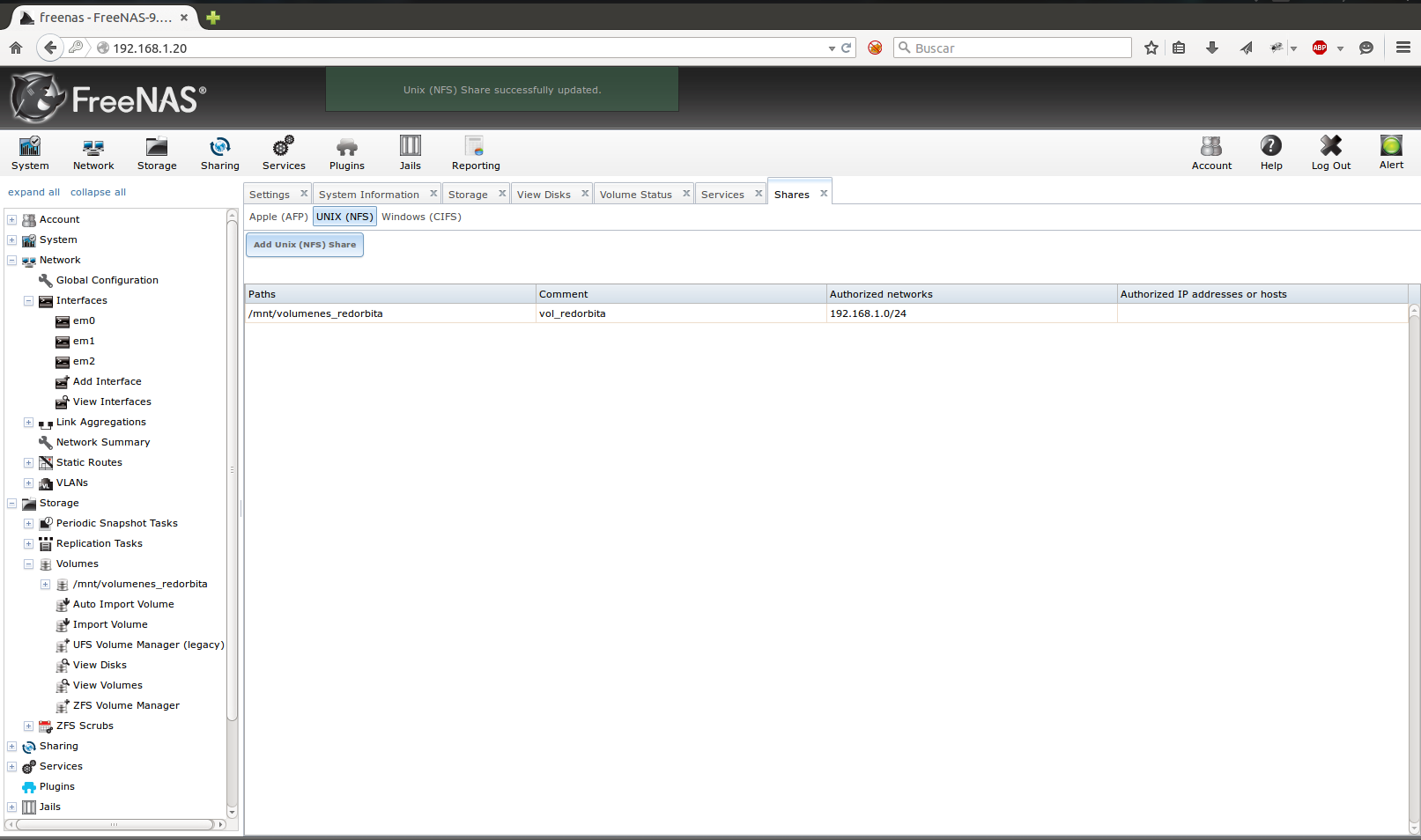
 We check that it shares the volume correctly.
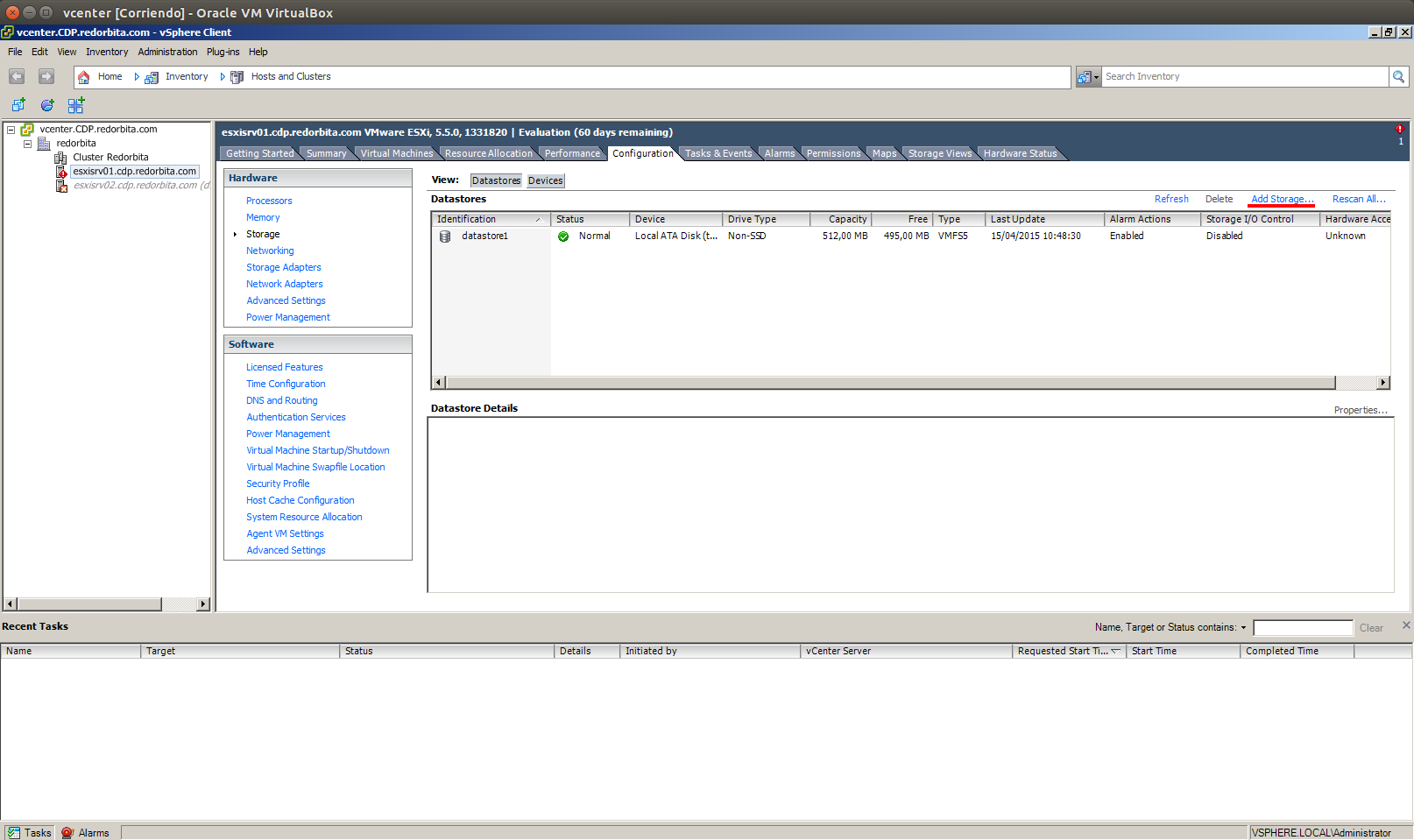
 We connect to the vcenter server using vsphere → configuration → Storage → Add Storage
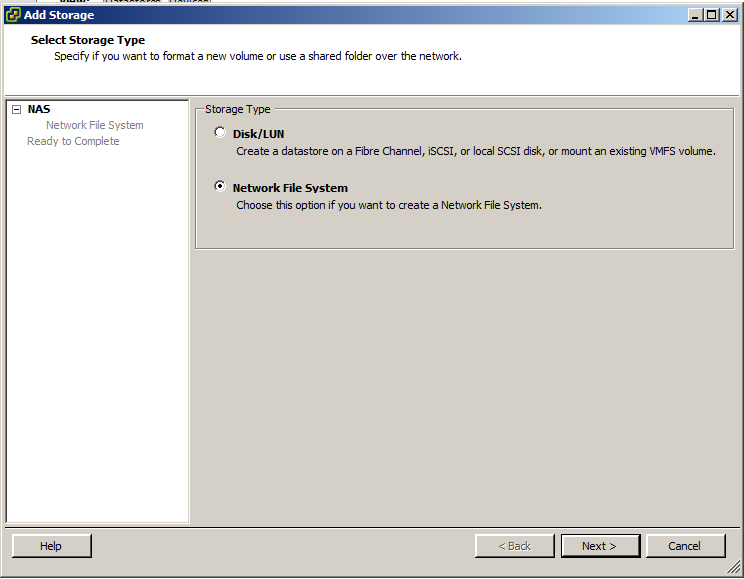
 The configuration wizard opens, we select the Network File System option
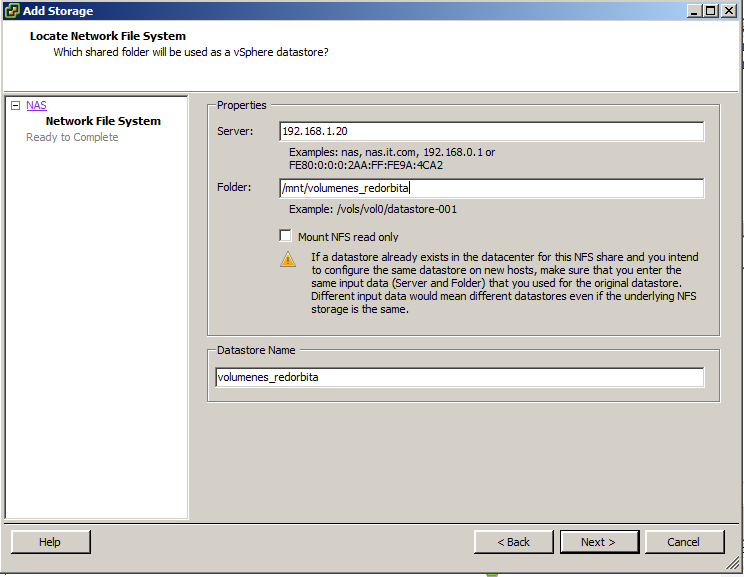
 We fill in the data: IP of the NAS server, Path where the volume is mounted and assign a name to the datastore.
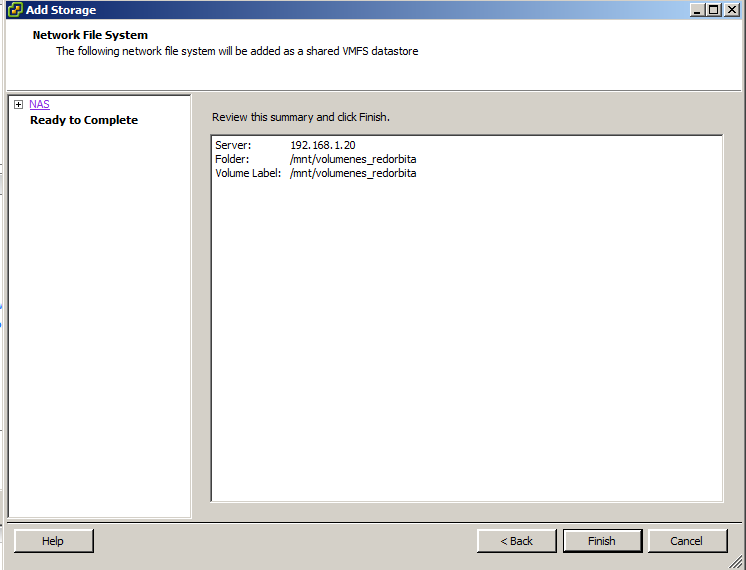
 Shows the configuration summary, finish.
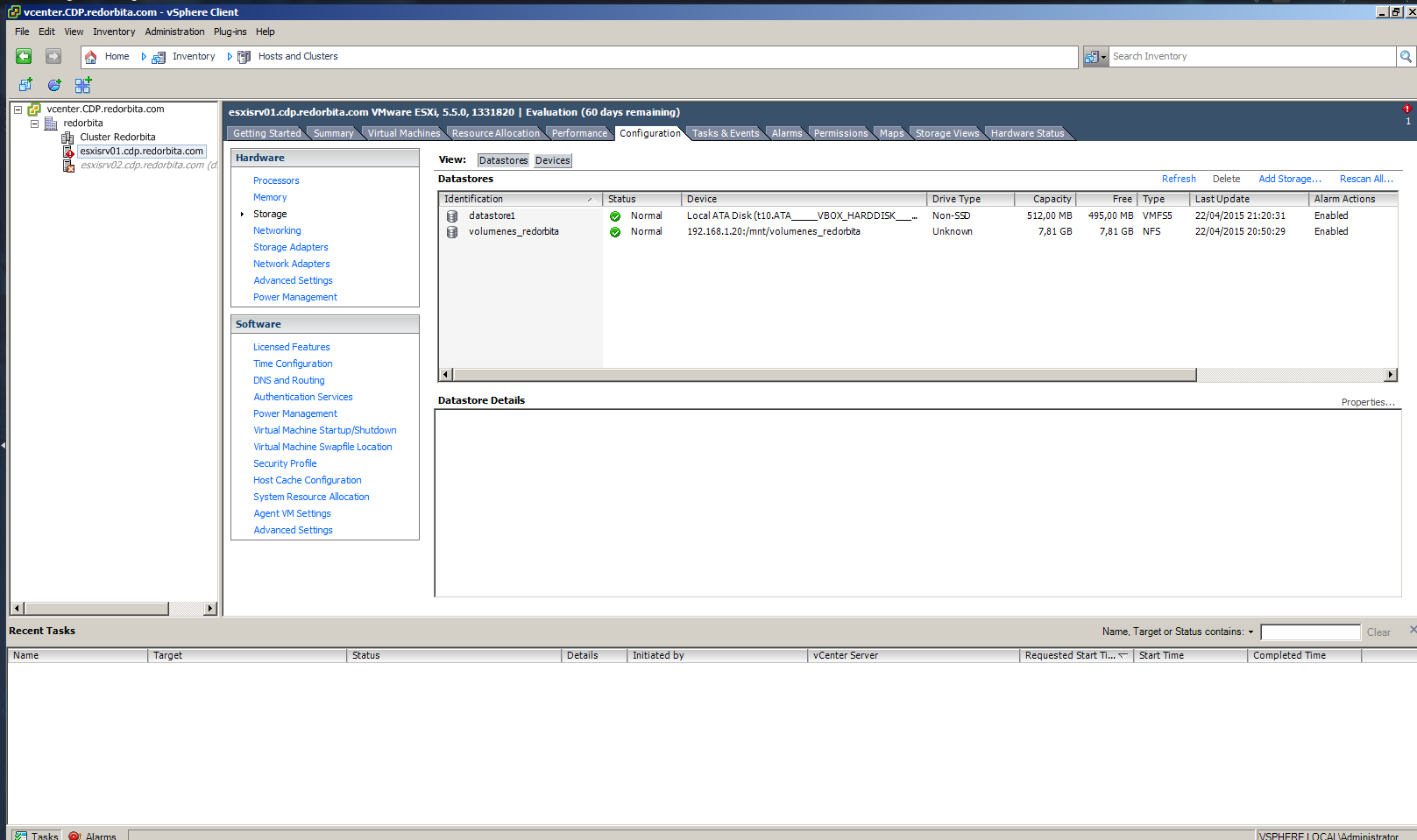
 If everything went well, it will show us the correctly mounted volume.
Regards, Rokitoh
:wq!
Comments