
 What is z/OS?
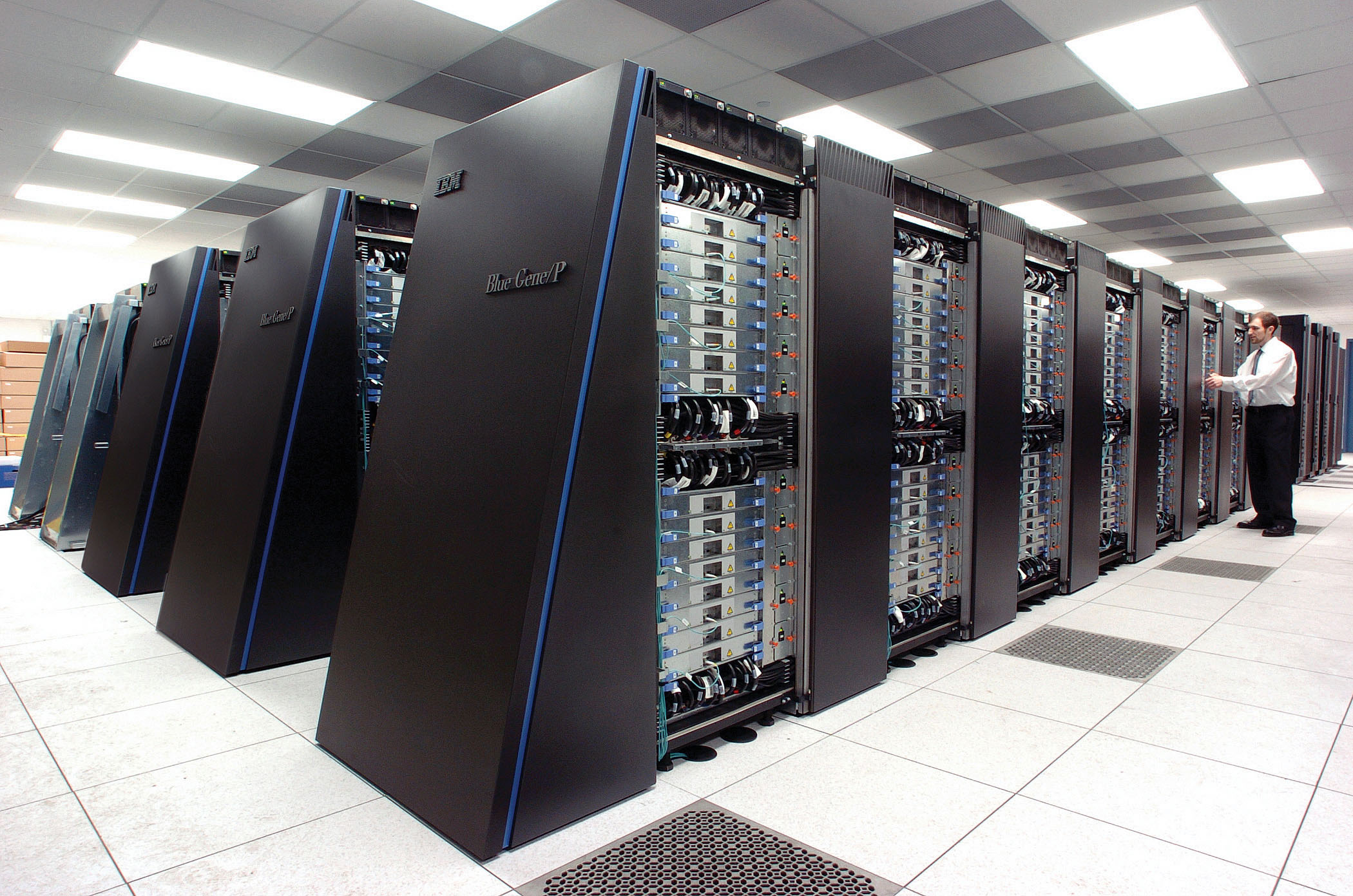
z/OS is he operating system current of the mainframe computers of IBM. From the MVT system (from 1967) we moved to MVS in 1974, adding multiple spaces of virtual memory, adding to this compatibility UNIX went to OS/390 in 1995, and expanding 64-bit addressing to this, it was moved to z/OS in the year 2000.1
z/OS offers many of the attributes that modern operating systems have, but also retains many of the functionalities that it originally had in the 1960s and 1970s and that are still frequently used today. Among them we can find COBOL, CICS, IMS_(IBM), DB2, RACF and SNA.
On z/OS it is also possible to run a 64-bit version of Java, supports UNIX APIs (UNIX Specification), and communicates directly with TCP/IP. The complementary z/VM operating system provides the manipulation of several virtual operating systems ("guests") on the same physical mainframe. These new features in z/OS and z/VM, as well as support for Linux, have driven the development of new applications for mainframes. Many of which use Websphere Application Server (WAS) for z/OS.
Basic concepts z/series.
zSeries Architecture (IBM Information)
The zSeries system architecture determines the processor's instruction sets, range and addressing modes, and communication mechanisms. (e.g. interruptions), etc.
Processor types
One way processor:
These types of processors can only process one instruction at a time.
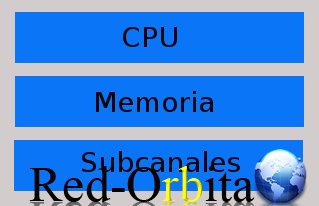
“n”-way processors. (It seems to me that they can go from 1 to 16 processors for optimal performance)
More CPC (Central Processor) is added to simultaneously process several instructions of a program but ONLY ONE INSTRUCTION WILL BE EXECUTED
*Note: Some multi-way processors allow enough physical capacity to be split into 2 independent systems. This is called a Multiprocessor (MP).
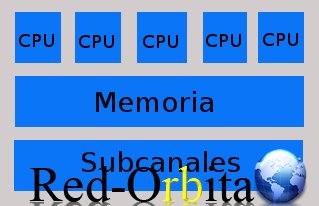
SINGLE IMAGE MODE:
All resources (Processors, Memories, Channel System) and all peripherals are controlled by a single Operating System image.
*Note: Channel SubSystem: It is responsible for connecting with the peripherals.
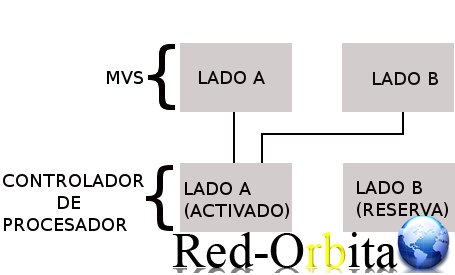
PHYSICAL PARTITION
The physical partition is literally divided into 2 subsystems that act independently
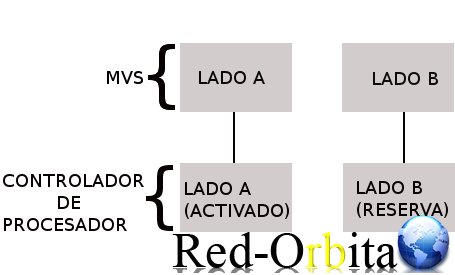
There are other forms of participle a system in the following cases.
*Note: MVS is the operating system.
LOGICAL PARTITION (OR LPAR).
It is a subset of Hardware (HW) resources within the same computer. But virtualized a physical machine can be divided into multiple LPARS, coexisting in an Operating System (OS).
In order to carry out the partition, it is necessary to be equipped with PR/SM (RECURSOS DEL PROCESADOR/GESTIÓN DE SISTEMAS)
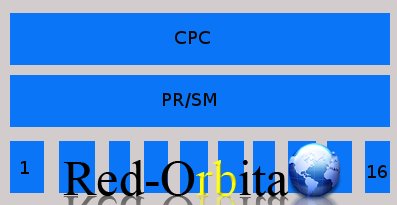
PARTITION USING VIRTUAL MACHINE (VM)
It is a very flexible method for running multiple images on the same physical system.
VM allows you to create several virtual machines so that each one runs its own OS image.
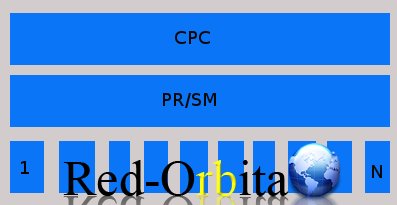
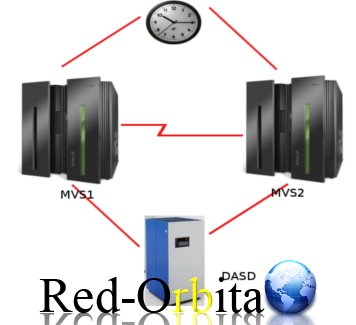
Sysplex: It is a complex system that is made up of 2 or more MVS and synchronized with each other.
The machines are a copy of the others and would have been geographically in different locations simply for a contingency plan since if for any reason one of the computers was destroyed, its replicas would always remain to safeguard the data.
In short, it is a Cluster of central computers that function as a single system.
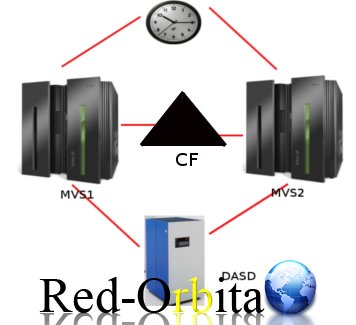
Parallel Sysplex:
The operation is exactly the same but one more Coupling Facility (CF) component is integrated that performs load balancing. Depending on which system requires more resources because it has a greater workload, it resizes the space by removing a "MODULE" (to call it something) that has less workload and is spending fewer resources to give it to the person who needs more space and resources.
VIRTUAL MEMORY:
Allows the execution of processes larger than physical memory (RAM)
That provides programs larger than physical memory.
Virtual memory is based on when a program is executed, the code and data necessary at that moment are partially loaded and not the entire program.
Cuando el sistema escanear la memoria se crea un fichero SWAP (Área de intercambio) que sirve como ampliación de la memoria auxiliar.
Paginación: It is the process of moving pages from central memory to paging files.
SWAP: se usa para guardar las imágenes de los procesos que no han de mantenerse en memoria física.
JES
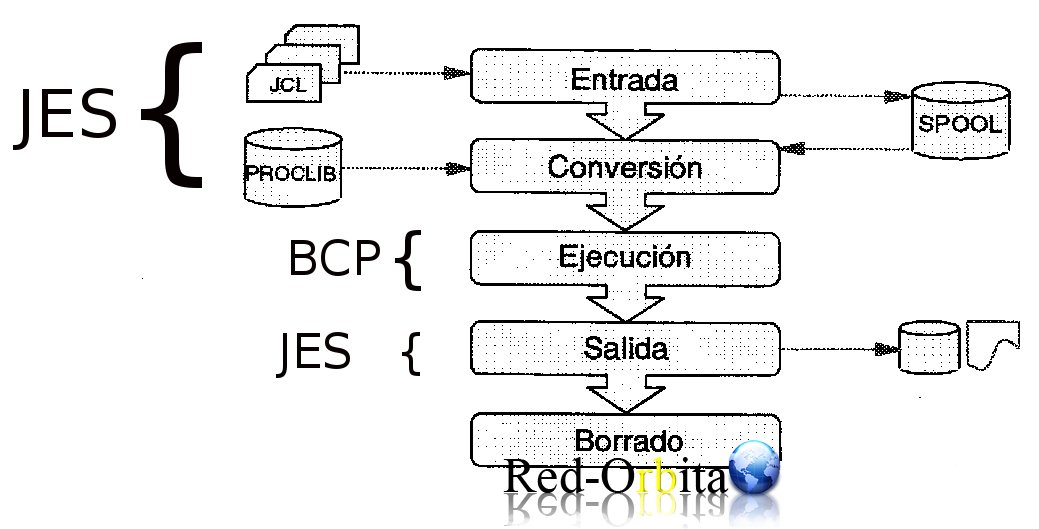
JES is responsible for the entry and exit of the JCL, hay 2 clases de jes: JES2 and JES3 We will see their differences below.
JCL: Set of morphology and syntax specifications required for the writing of computer program execution instructions by the operating system of a computer equipment
SPOOL: It is the one in charge of reading what comes to it from the JCL, what it has to process and what it has already processed.
At this level the JES adds an identifier and organizes it by classes.
BCP: It is responsible for the execution of the work and has to continually communicate with the DASD at all times.
The dasd tells it what memory space it has to occupy.
EXPLICACIÓN DEL FUNCIONAMIENTO DE JES2
A arrives JCL con un JOB al SPOOL inside the SPOOL It has "two sides" entrance and exit. entry that job he JES assigns it an identifier and a class.
Passes it to the conversion layer, this layer will rely on the library PROCLICK and makes it readable for execution.
In the execution layer it sends it to the output queue, there depending on where it is destined it sends it to the DASD, PRINTER, DB…etc.
If the execution has finished without errors, it deletes it so that it does not accumulate in memory.
Cuando una aplicación da error en ejecución lo manda directamente a salida, pero no lo borra.
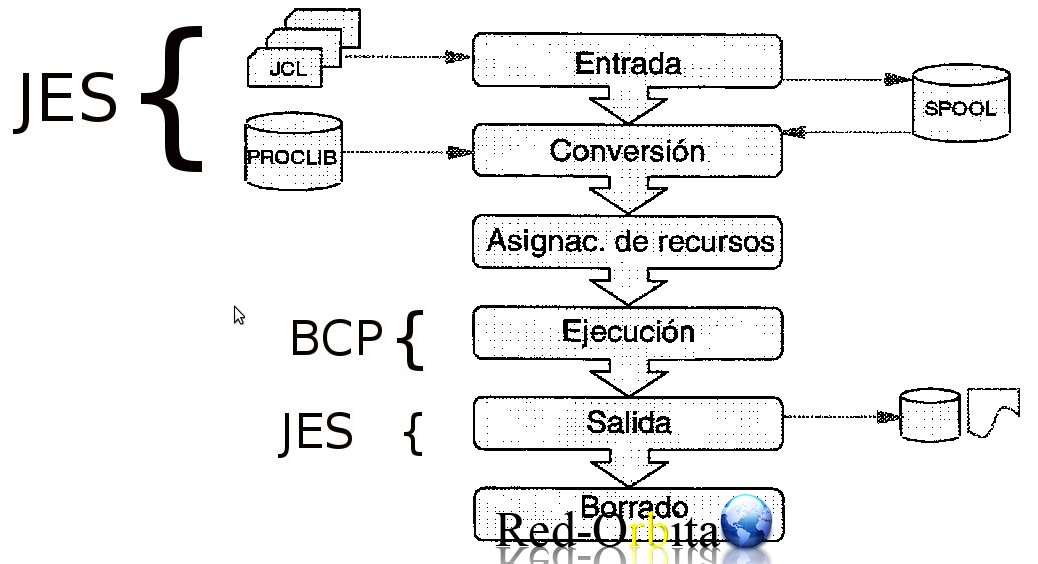
JES3
The difference between JES2 and JES3 is that between the layer of CONVERSION and that of EXECUTION runs a test to see if all the resources are met. If they were not fulfilled, they would never be executed.
TYPES OF MVS FILES
Sequential files (PS):
The records are recorded one after the other in the order in which they are registered.
Partitioned files (PSD):
They are made up of 2 parts, the address area that contains the names or indexes of the members.
The size of the directory is constant regardless of the number of members it contains.
Extended partitioned file (PSDE).
In principle a partition PSDE It is very similar to a psd. But the main advantage of PSDE is that it uses the space of DASD more efficiently, that is, as we saw previously, the size of the directory psd is constant, and that of PSDE It is dynamic and expands depending on the number of members it contains.
LOGICAL RECORDS AND PHYSICAL RECORDS
When talking about MVS files, we must distinguish between logical and physical records.
The logical record describes a line of text in a file processed by a program. A physical register, on the other hand, describes the amount of data transmitted in an I/O operation.
SCHEME:
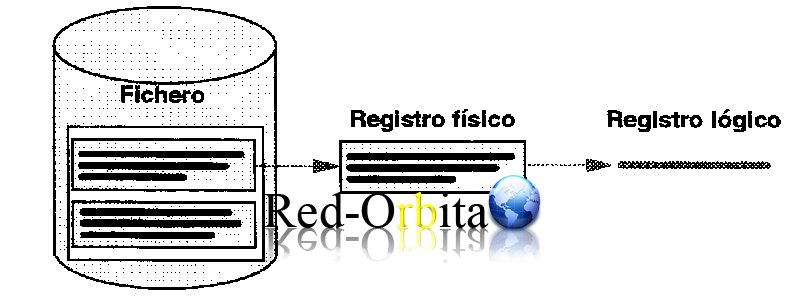
VSAM Files
It is a file system oriented to records that can be organized as follows: KSDS, ESDS, LDS, RRDS.
These file systems are controlled by catalog bookstores
- KSDS: They are ordered sequentially in ascending order based on a field called key.
- ESDS: The records are entered sequentially depending on the order of their entry into the file.
- LDS:ccontains a sequence of bytes Without any intrinsic organization order, this type of file is used to store the TABLESPACE of DB2 databases
- RRDS: A relative number is assigned to each record, which is the one that will be used to retrieve the information. Obviously, if this allocation is not updated correctly every time we delete records from the file, then unused memory spaces will remain and access will become less and less efficient.
CATALOGS:
It is a file that contains information about other files. (Allows users to locate files by name without knowing where they are.)
MASTER CATALOG: Contains direct pointers for all files in the system.
USER CATALOG: Contains libraries.
DAT: Dynamic Address Translation
Process of translating a virtual address during a storage reference to the corresponding real address (Converts the virtual address into its corresponding real address. When the BCP finishes executing a job, it asks the DAT for the address where it should continue.)
Consola TSO:
Time Sharing Option It is the command interpreter in the MVS system. Through this “console” we control the system and enter the necessary data or commands at all times.
Para acceder a esta consola previamente debemos hacer loggin y así identificar nuestra sesión, nos otorgara los privilegios que nuestro perfil tenga otorgados para el uso del panel.
Main tso combs and their use
- ISPF: Main options panel.
- UTILITIES: From here, actions such as creating, copying, renaming and other actions are carried out on the system libraries.
- EDIT: This is the system editing panel, from which you can work on the data directly.
- SDSF: From this panel you can control the status of the jobs and make the system log to see the events that have occurred. Likewise, this panel is where console commands are executed.
sys1.parmlib: The file sys1.parmlib It contains the system parameters and information of some subsystems.
user.cat: Contains user catalog information
FICON: It is an interface developed by IBM, being the evolution of the ESCON interface. This occurs due to the limitations regarding the number of channels that could be established. Currently there is a new generation called FICON Express4 which can achieve speeds of 4 Gbps with autonegotiation and 1 to 2 Gbps naturally with switches, directors and storage devices; with connections of 4 to 10 km using single-mode fiber optics. It increases performance compared to FICON Express2.
DFSMS: It performs the main functions of storage, data, programs, and control of system devices.
SNA: It is a set of protocols to interconnect computers and their resources. SNA describes a protocol and is not, in itself, a program. The most notable implementation is the VTAM
VTAM: Communication environment of the MVS system, allows the use of virtual memory, terminals, and intelligent control units.
CICS (Complex Instruction Set Computer): ANDs a type of computer architecture that promotes the use of a large number of instructions, allowing complex operations between operands located in memory or in internal registers
Regards, rokitoh
:wq!
Comments