
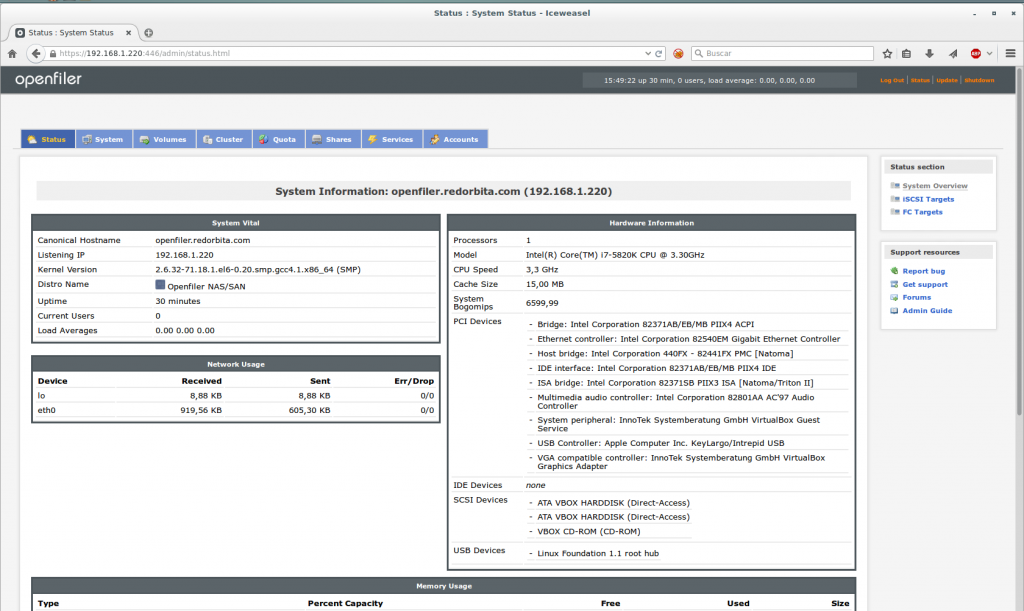
Previously we saw how install a server with Openfilter, now let's create a volume and export it using NFS.
We access the graphical interface through our browser:
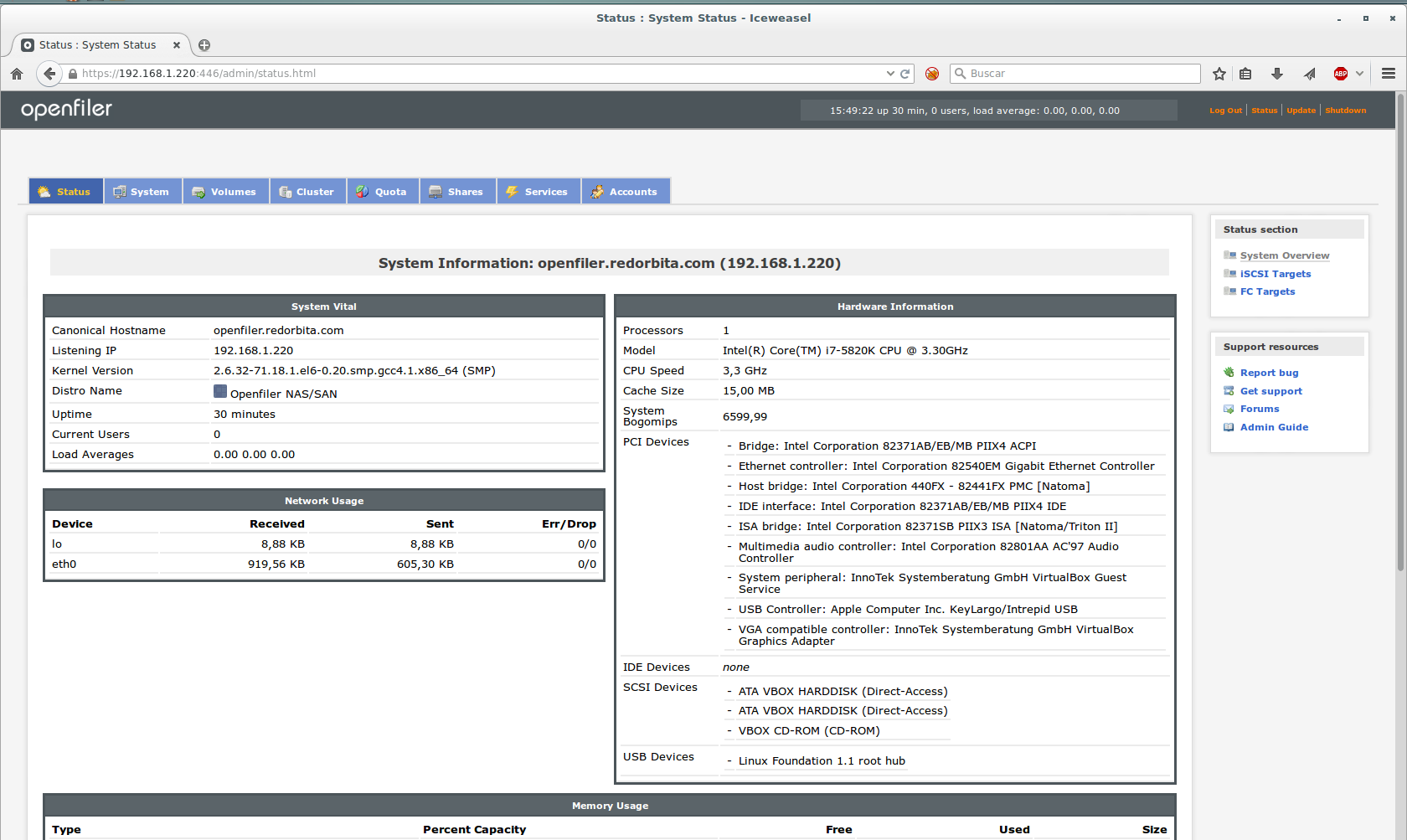
We go to the tab Volumes and click on the Hyperlink Create new physical volumes
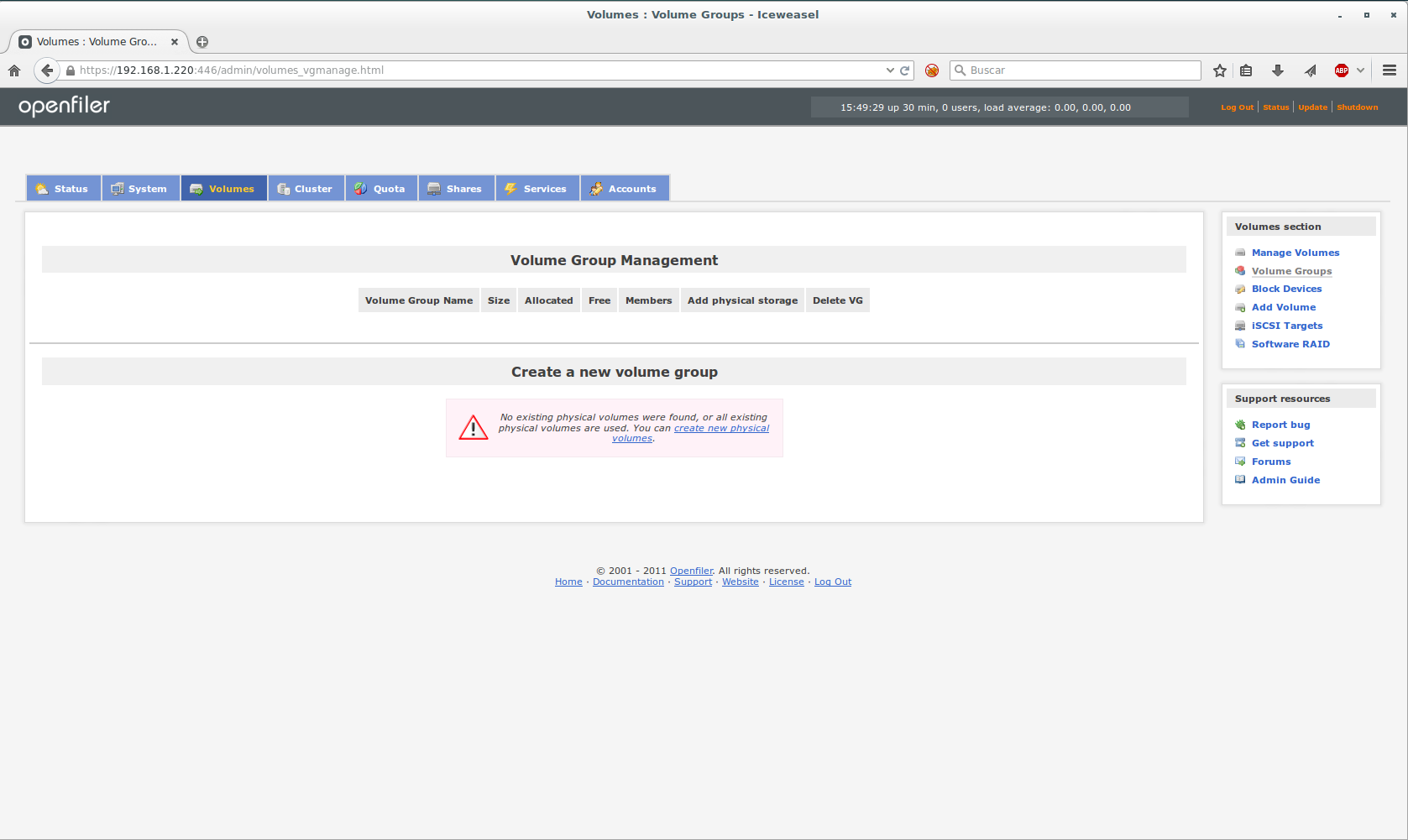
It shows us the available disks, we press the one we are going to work on, in my case /dev/sdb
We go to the back, assign the volume size and click create.
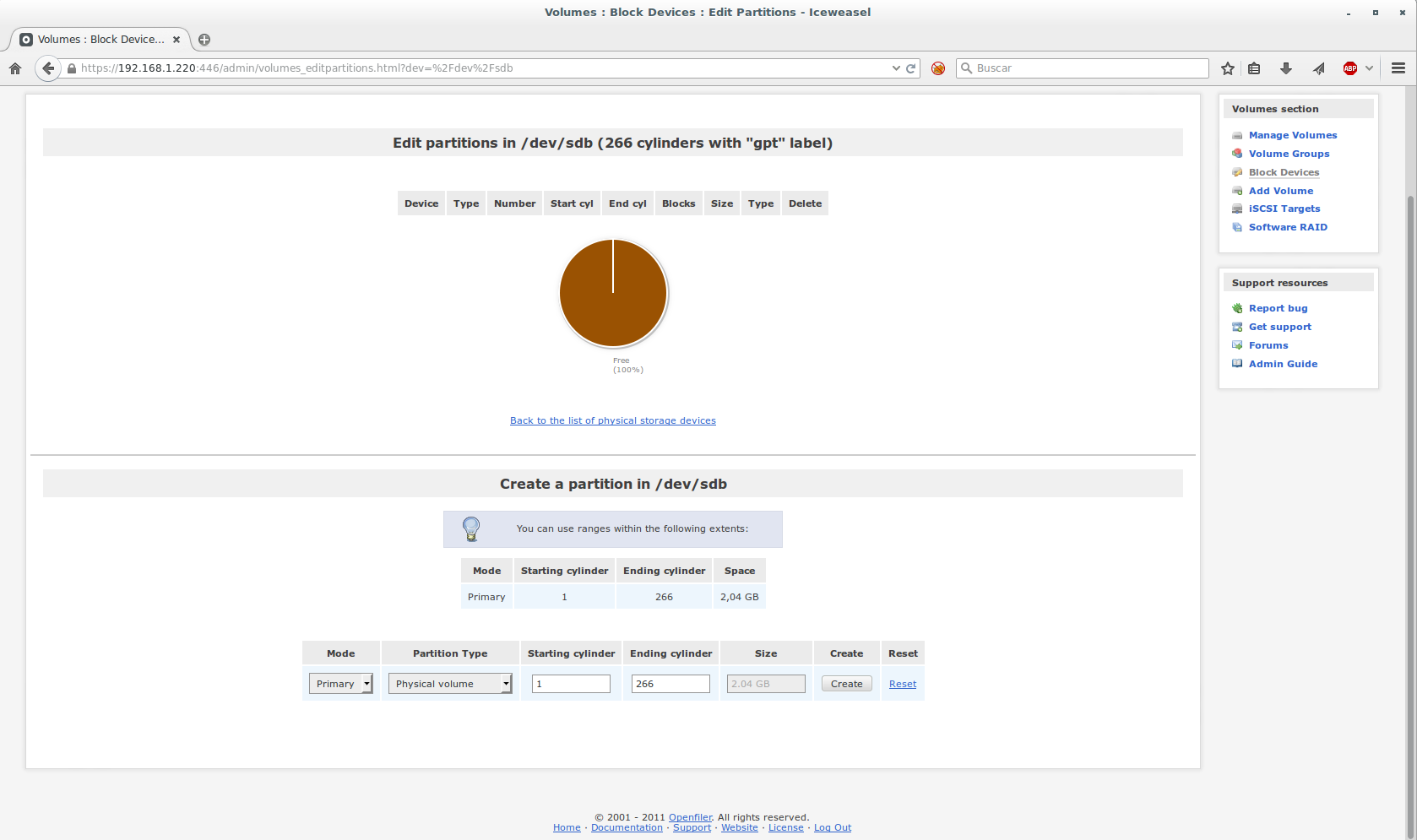
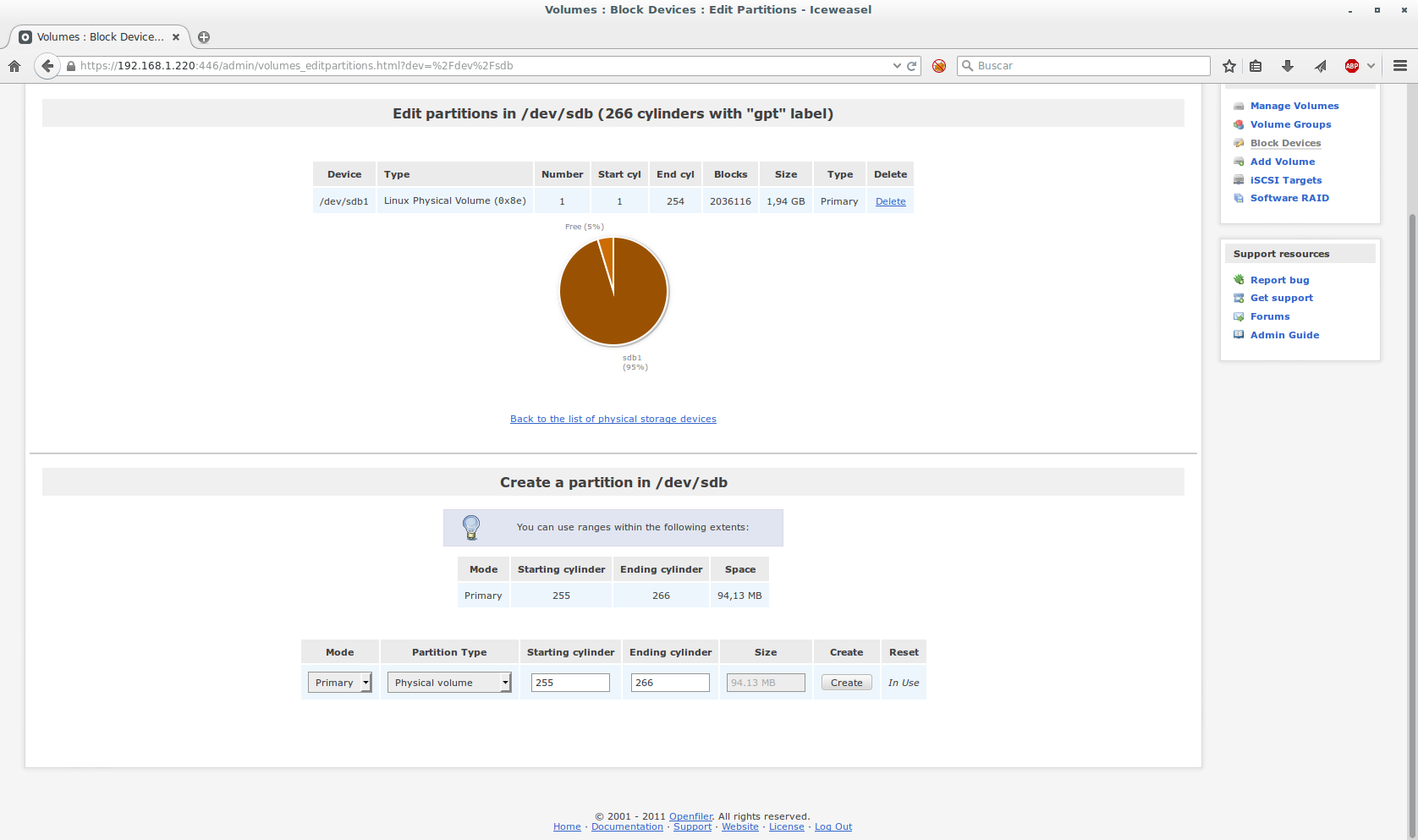
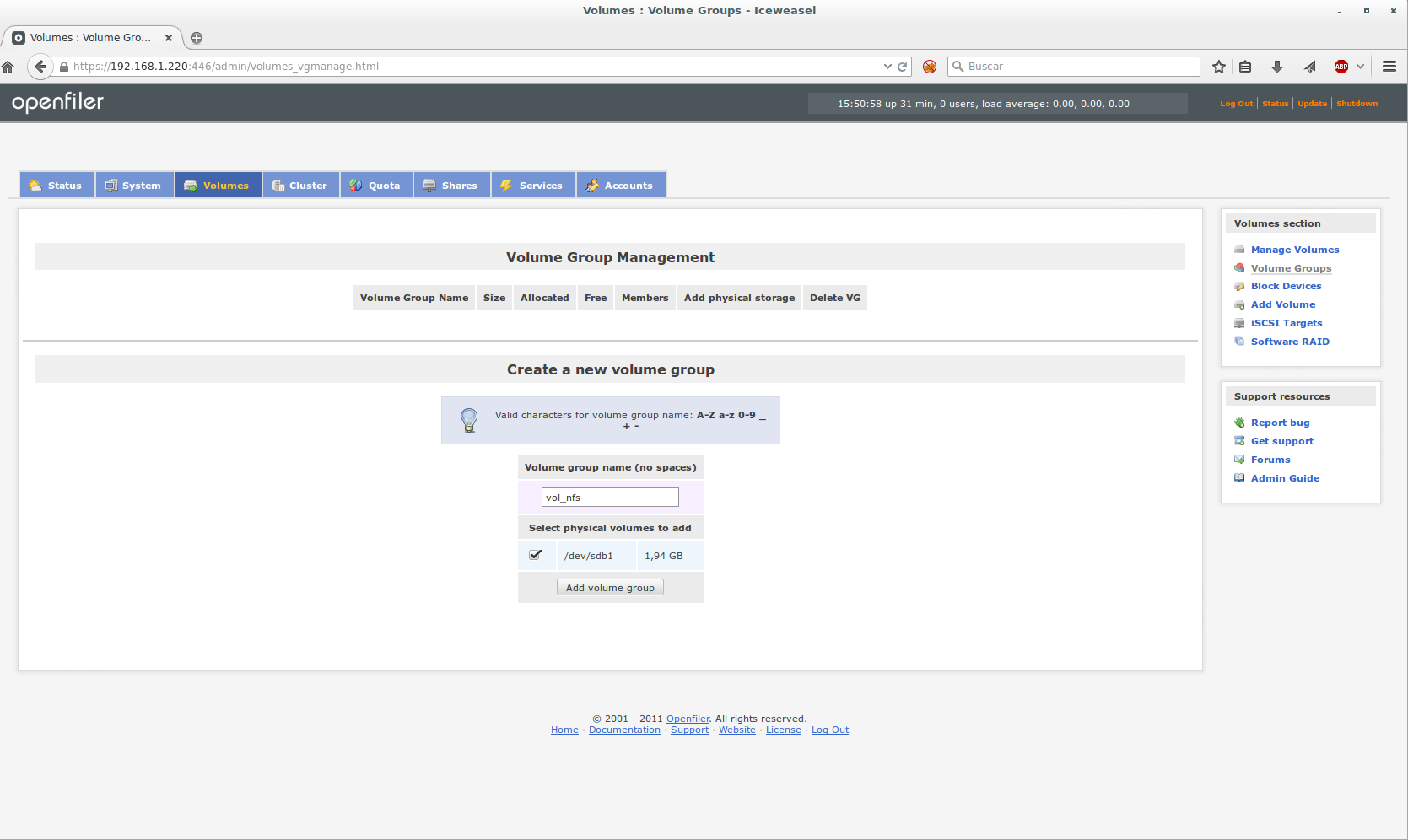
We return to the tab volumes and we create a group for the generated volume.
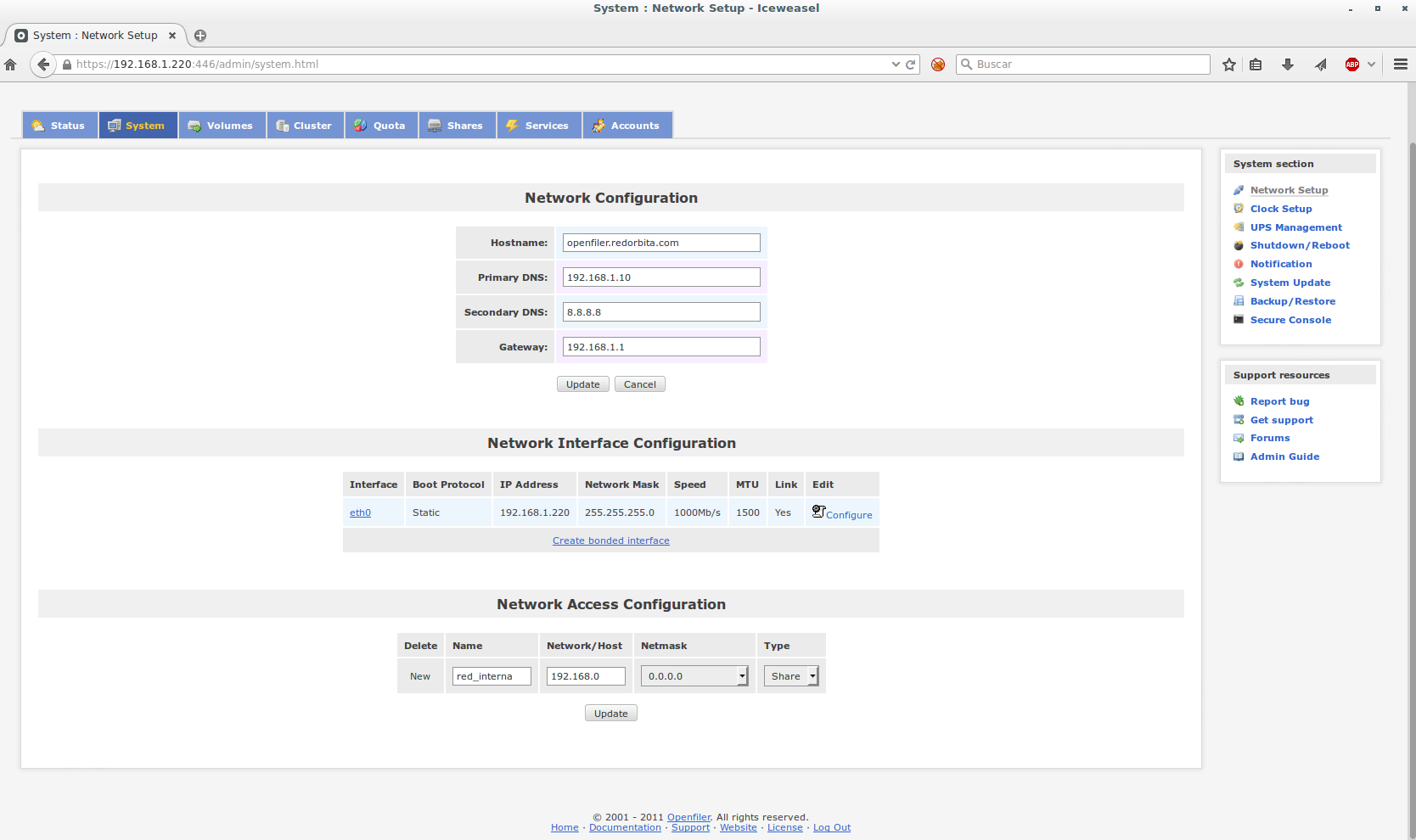
Before exporting the volume we create a network, to do this we go to the tab System and at the bottom we configure the network and mask to which we are going to give access.
Once a group has been created and assigned to the volume, we go to the Shares tab, in which we are going to export said volume.
To do this, click on: Create a new filesystem volume
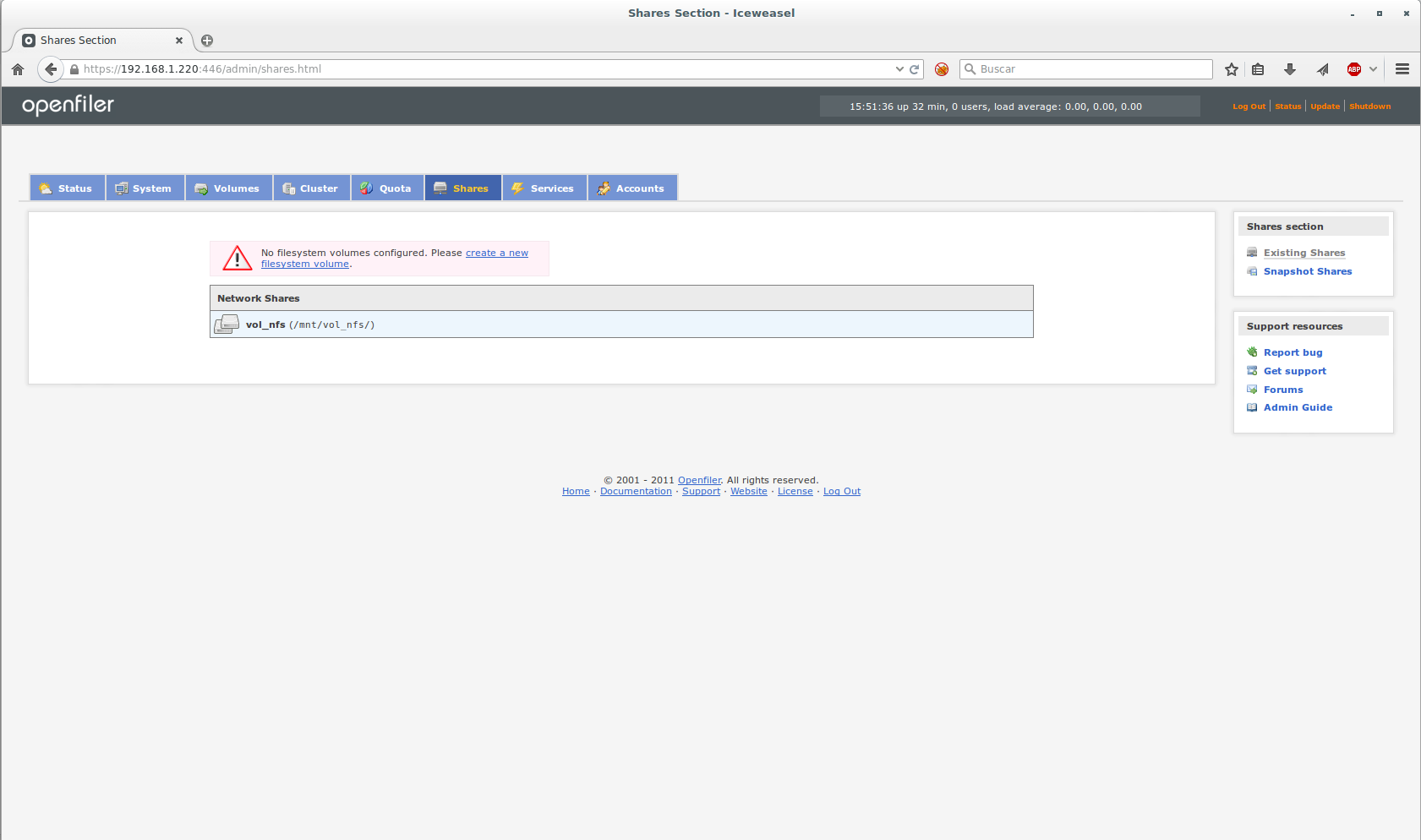
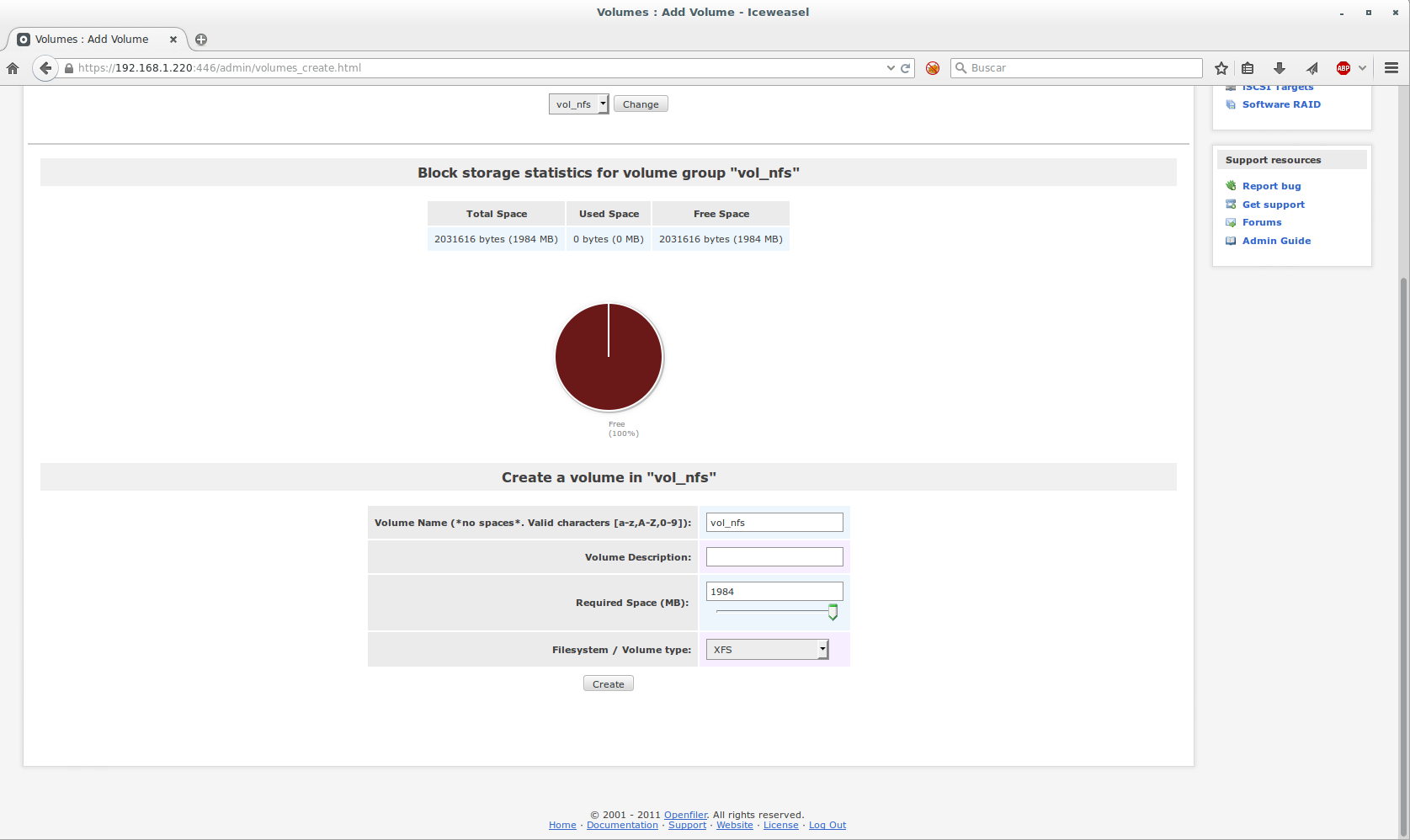
At the bottom we assign a name and the type of file system
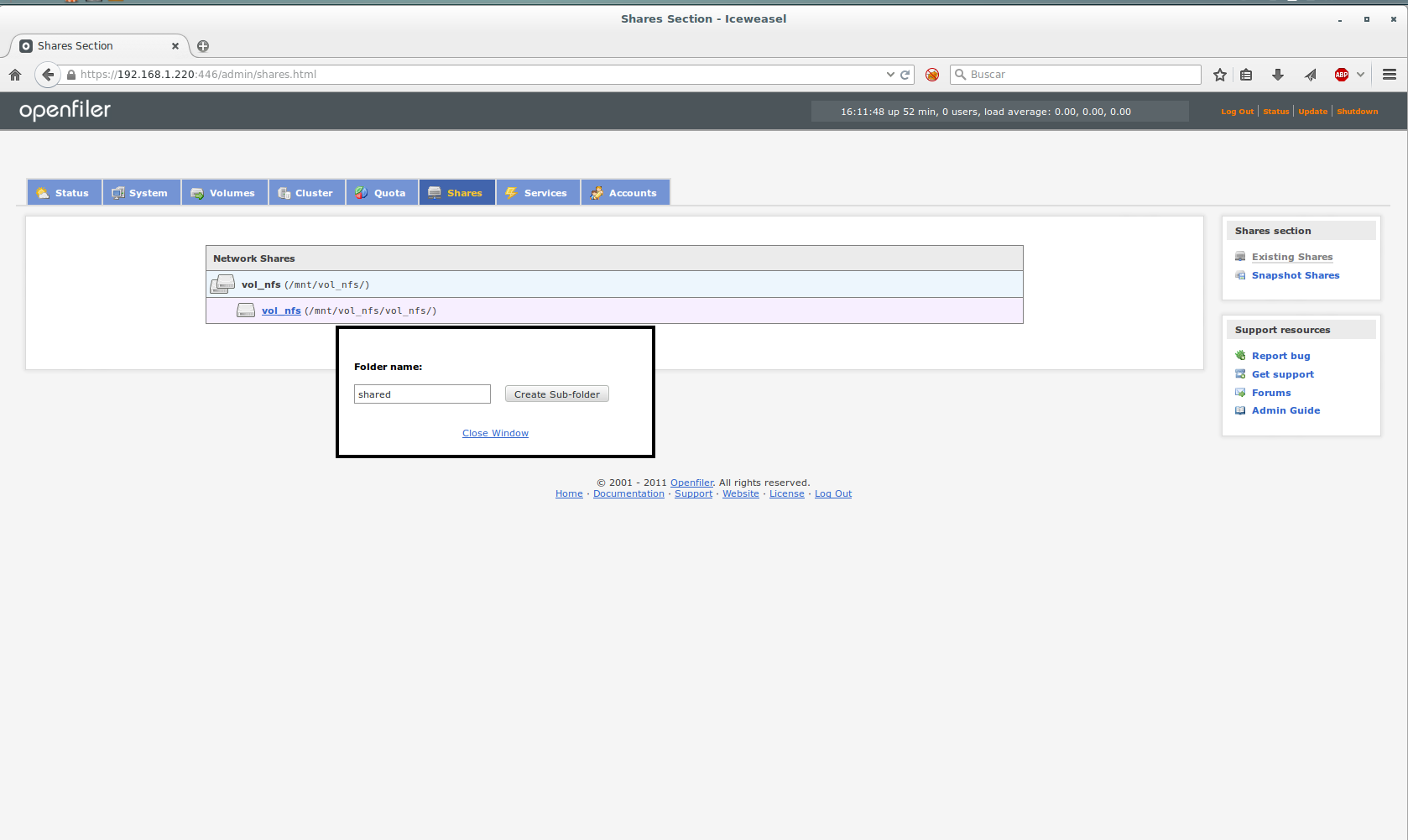
We press the volume and assign a name to the folder that we are going to share.
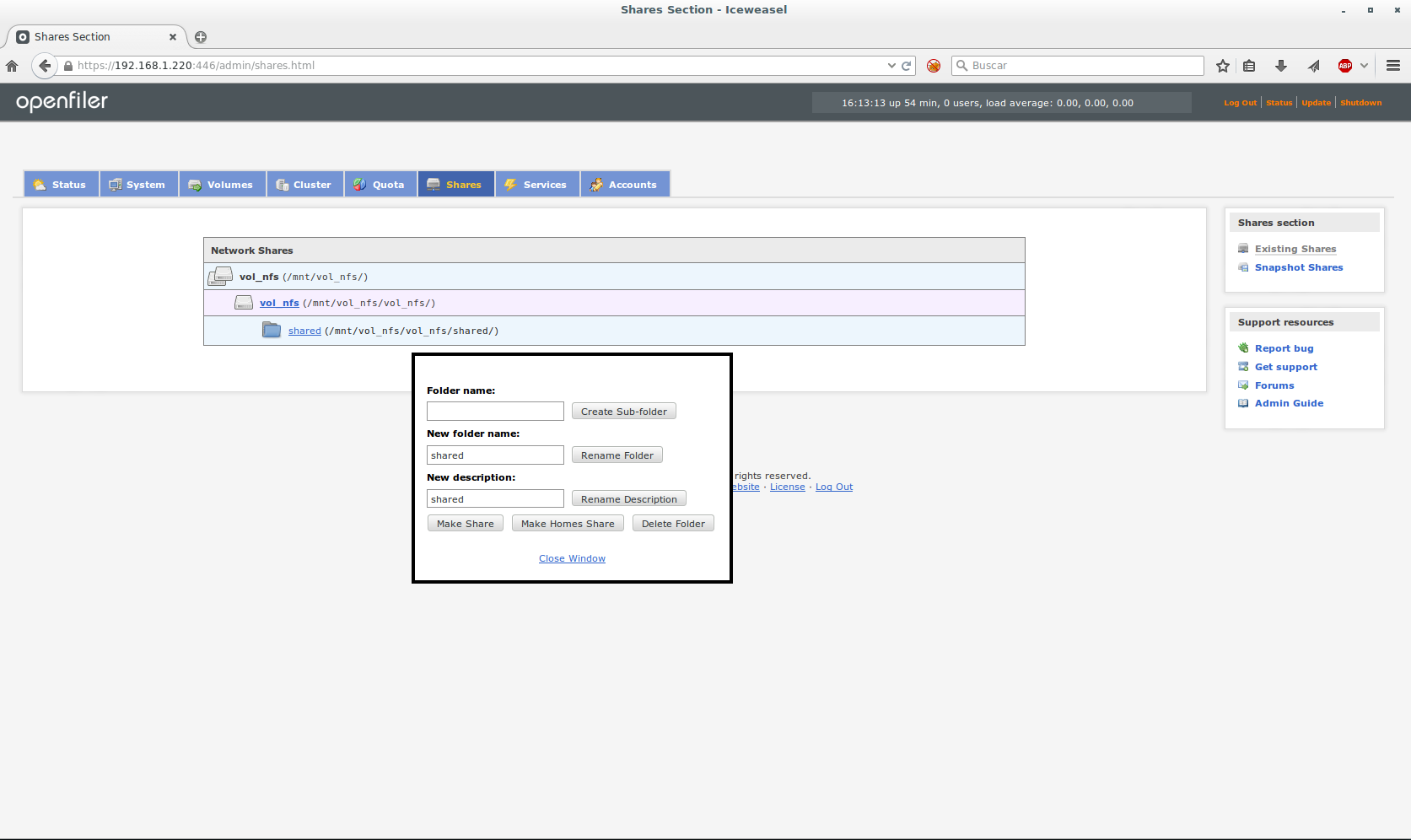
We select the shared folder and click on Make Shared
Finally we are going to configure access to the resource, to do this we select Public guest access and we grant you the permissions we deem appropriate.
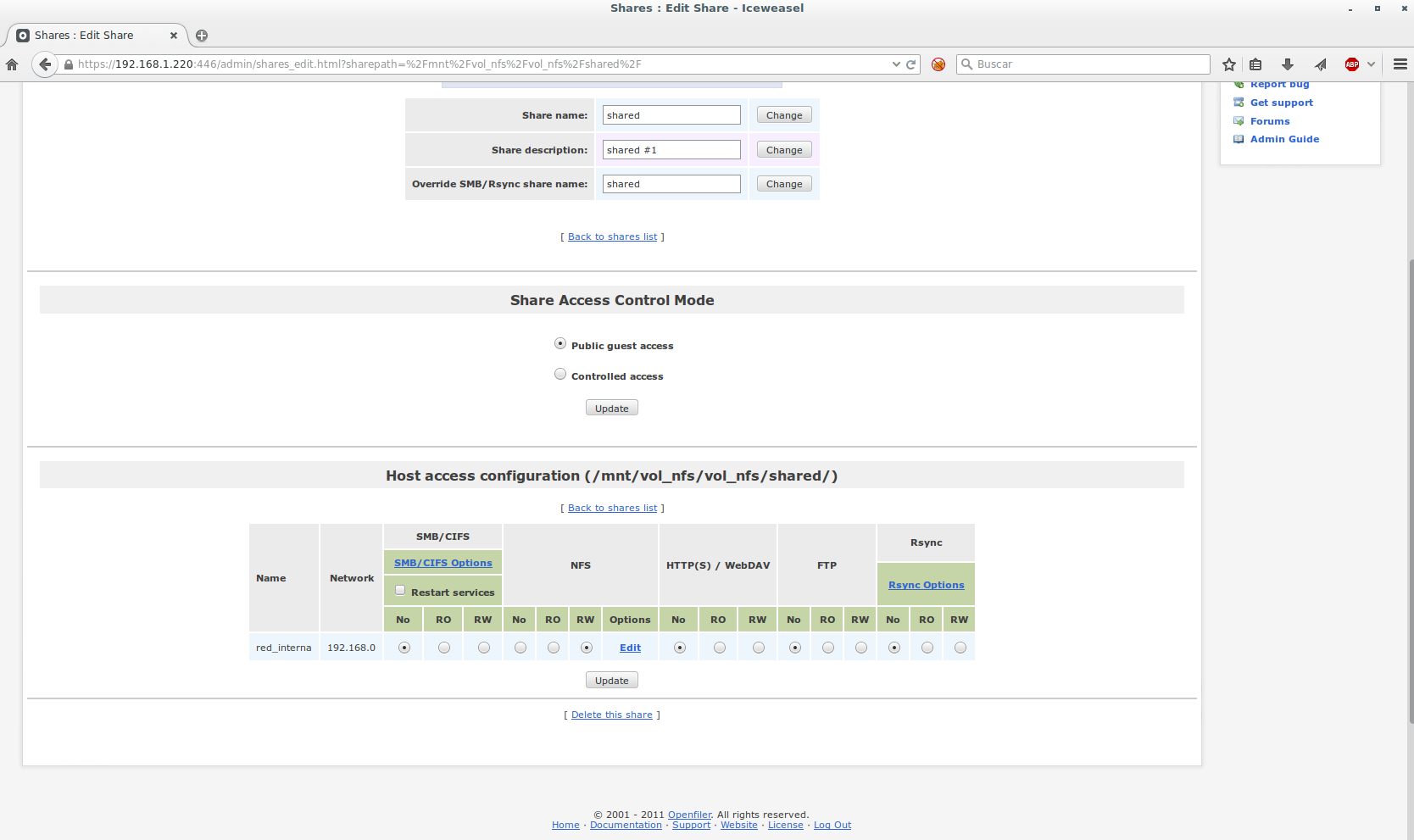
To mount the exported volume we do it as follows:
mount -t nfs 192.168.1.220:/mnt/vol_nfs/vol_nfs/shared/ /nfs
all the best.
:wq!
Comments