
In this entry we are going to see how to create a volume and a LUN in a Netapp array and how to mount the disk on a GNU/Linux server
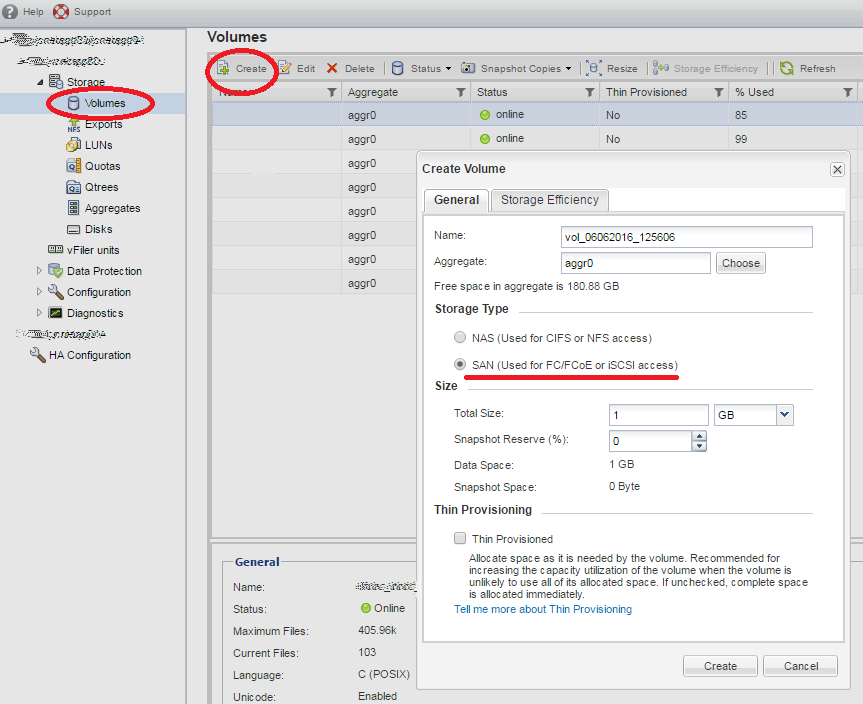
First we create a volume, for this we go to Storage > Volumes > Create
A configuration wizard opens, where we indicate the name, he storage type (in this almost SAB) and the disk capacity.
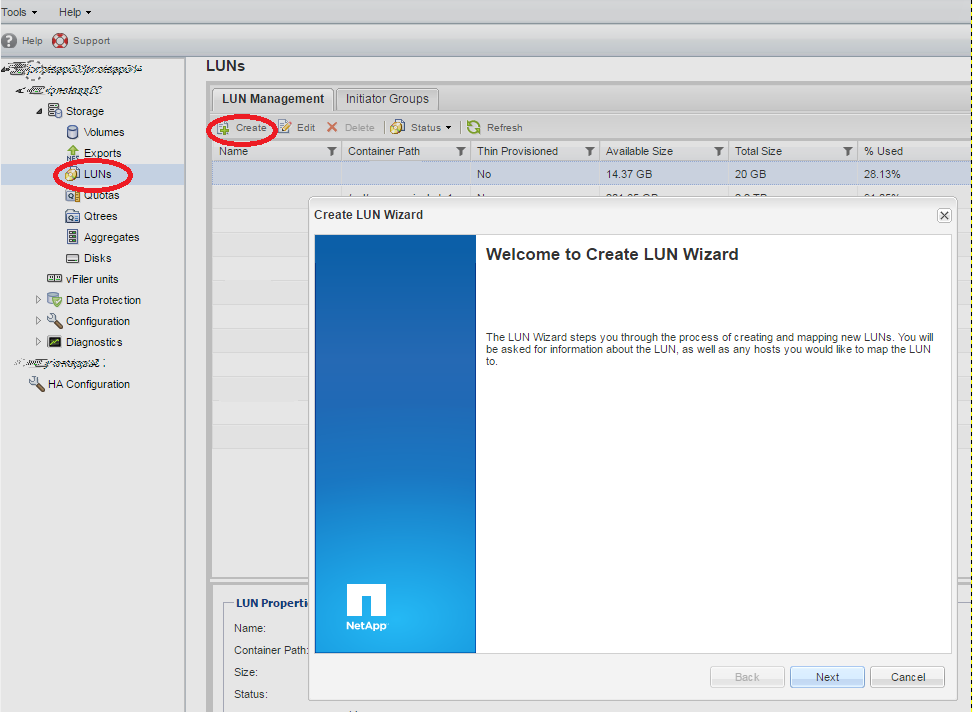
Once the volume has been created, we are going to LUNs > Create.
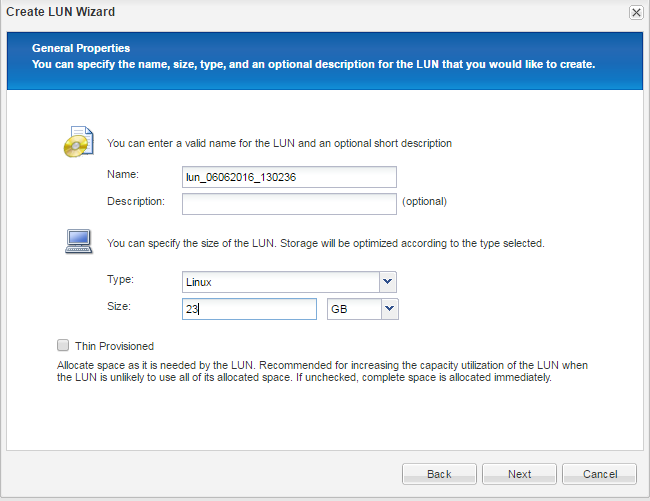
We give it a name, the type of system on which we are going to mount the disk and the capacity.
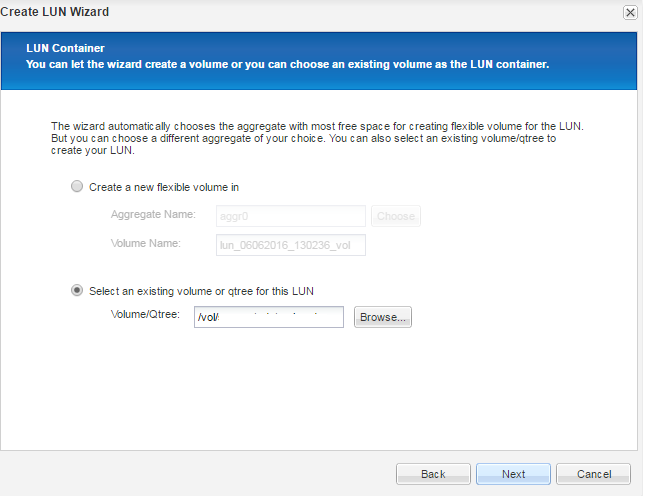
We select the option of an already existing volume for the LUN and using Browse we indicate the previously created volume.
We select Add initiator Group
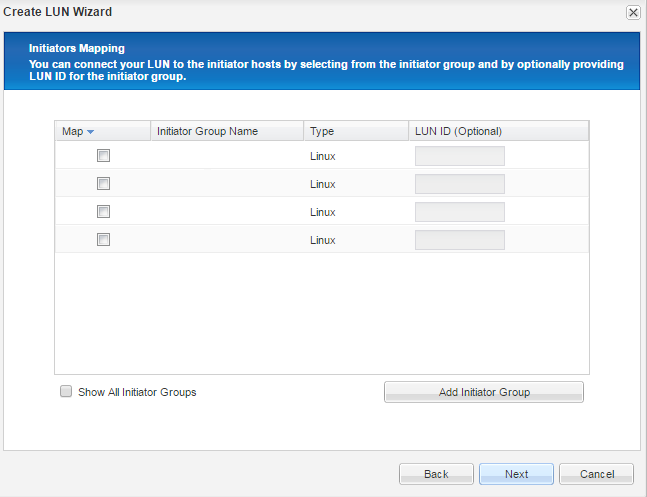
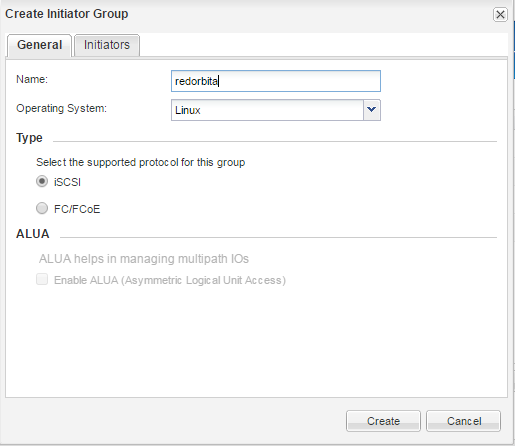
We configure a name and the operating system.
In initiators we add the initiator of the server where we are going to mount the disk.
cat /etc/iscsi/initiatorname.iscsi

InitiatorName=iqn.1994-05.com.redhat:89f13afj4bf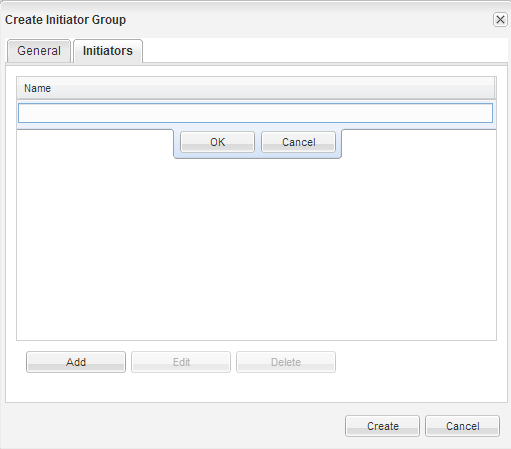
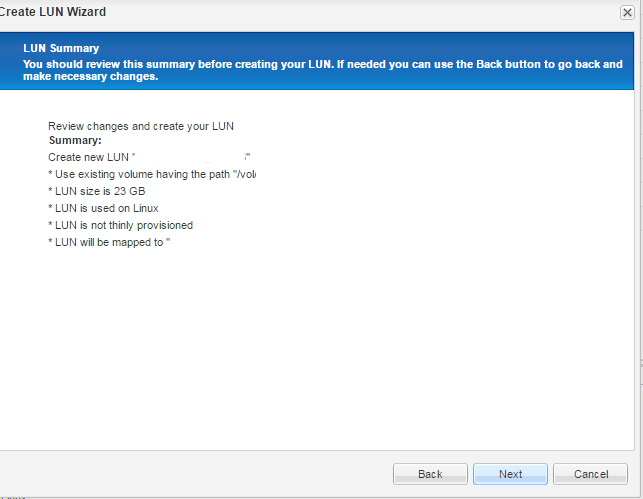
Once the LUN is created we must mount it in our system, I leave how to do it in the following entry:
Comments