

In previous posts we already saw the installation and configuration of graylog, this time we are going to integrate graylog with our domain controller to be able to access it.
Graylog2 installation on GNU/Linux Debian
Installing and configuring RSYSLOG on Windows
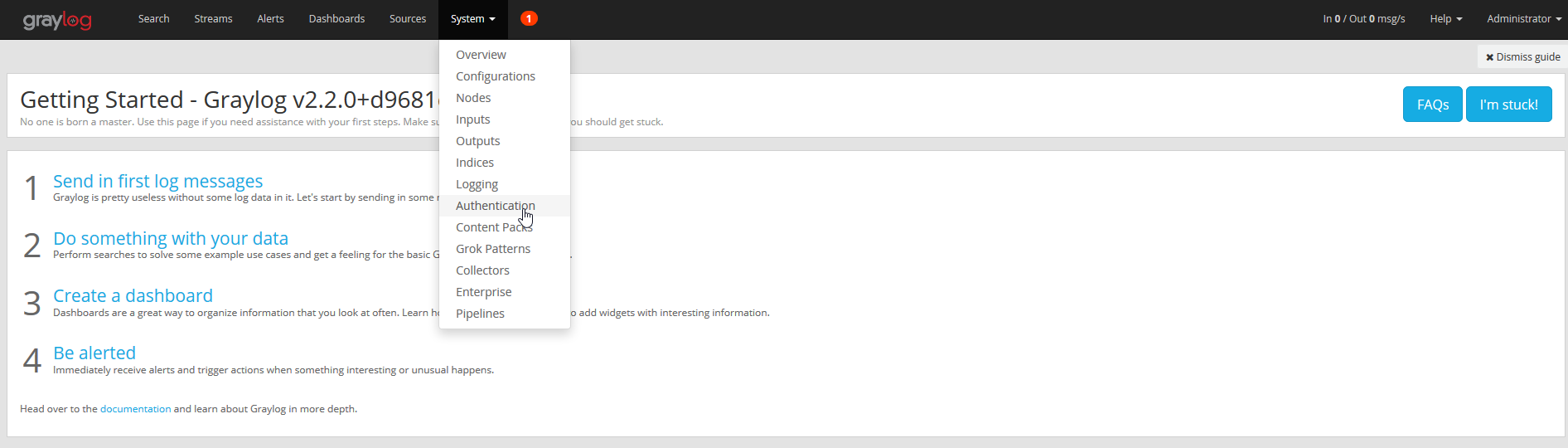
We access System > Authentication
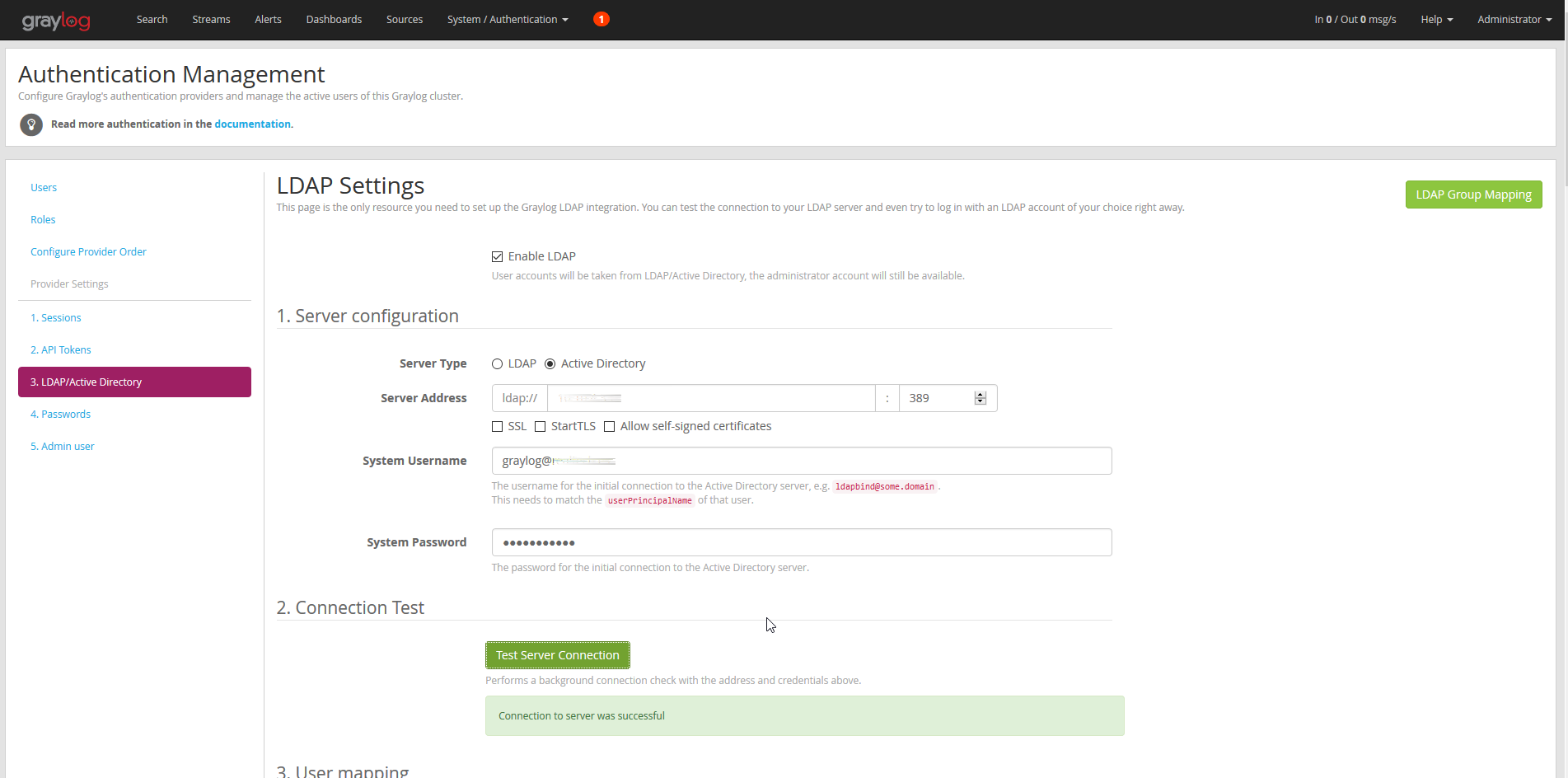
We select the Active Directory option, fill in the IP and a user to perform a connection test.
We indicate where the users and groups are located in our active directory

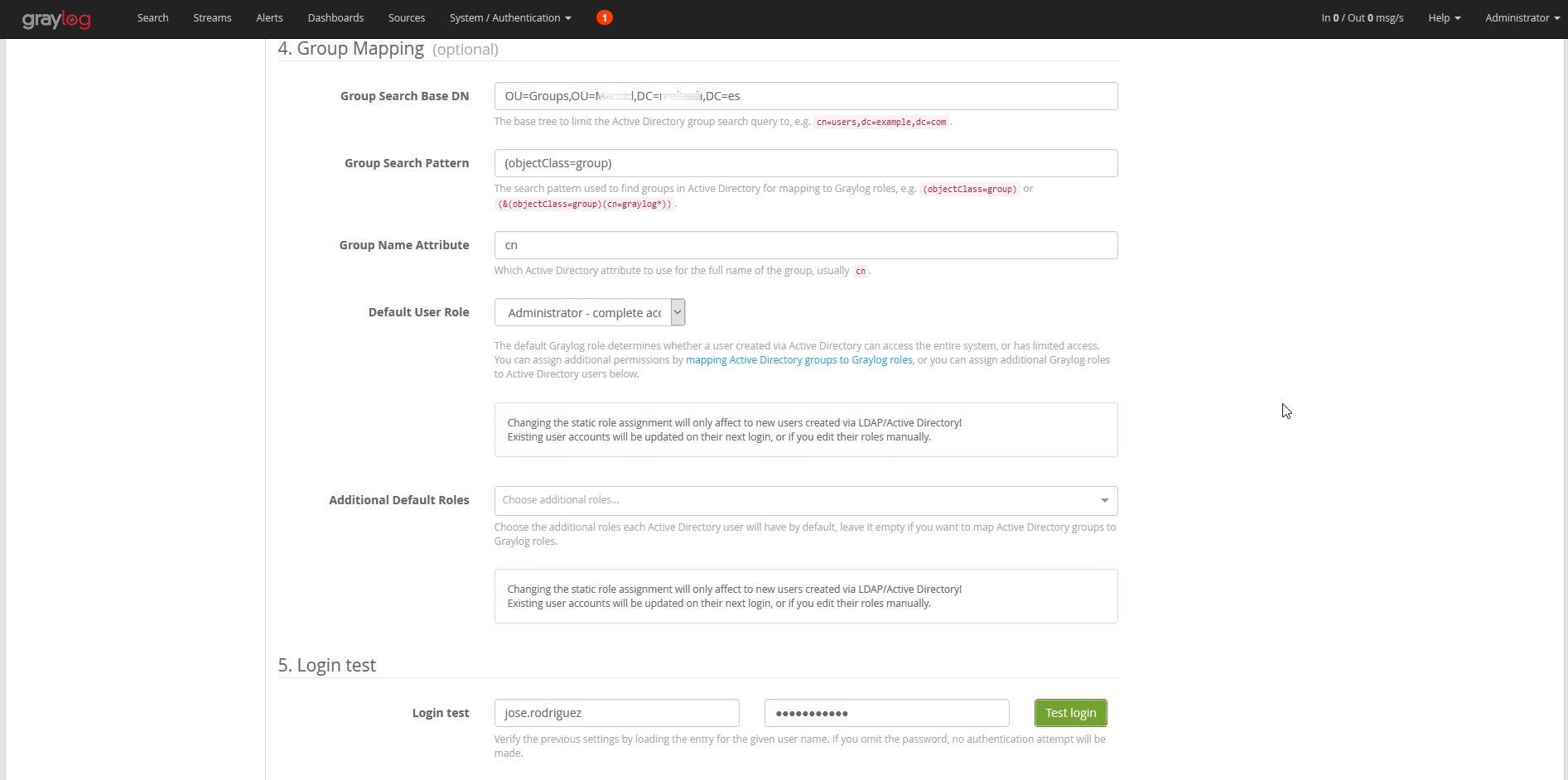
We perform a connection test.

Once configured and verified that the connection is made, we click save.
:wq!
Comments