

Taking into account the latest vulnerability in the WPA2 protocol (KRACK), all the measures we take to try to protect our equipment are few, so today we will see how to install WAIDPS
What is ?
WAIDPS It is a good tool for penetration testing and wireless network “auditing”. In addition to the usual functions of wireless networks and auditors, waidps is capable of detecting attacks on the wireless Wi-Fi network. WAIDPS – is an open source software written in Python and working in Linux environment.
Main features:
- Wi-Fi wireless network audits (penetration tests)
- Detect possible wireless intrusions in WEP, WPA protocols and also WPS attacks.
- Prevent intrusions by stopping the attacking station.
Facility
We install the necessary python dependencies:
pip install pycrypto
We download WAIDPS and run
git clone https://github.com/SYWorks/waidps
python /opt/waidps/waidps.py
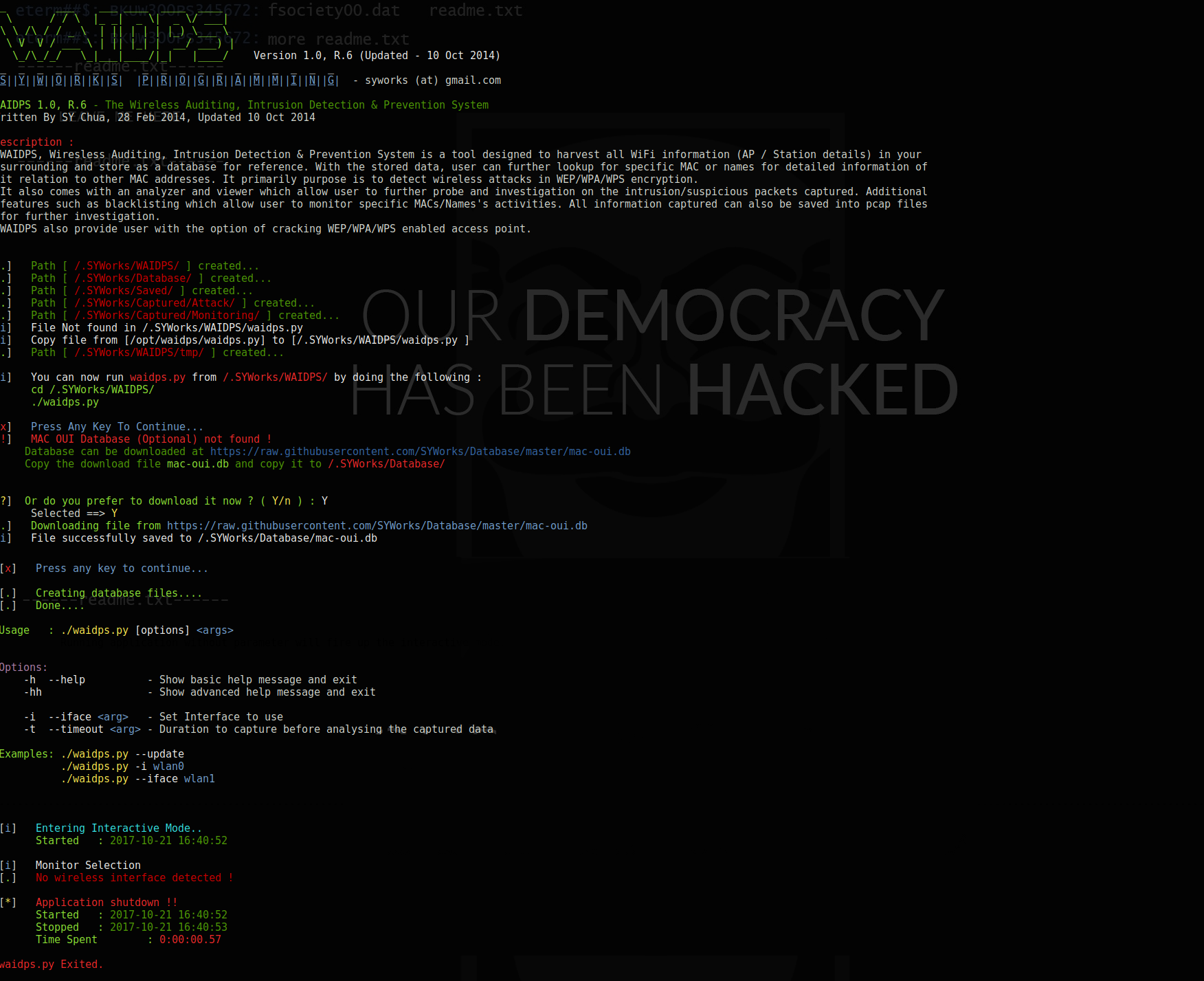
Once installed, we execute WAIDPS indicating the network interface (in my case wlan0):
python /opt/waidps/waidps.py wlan0
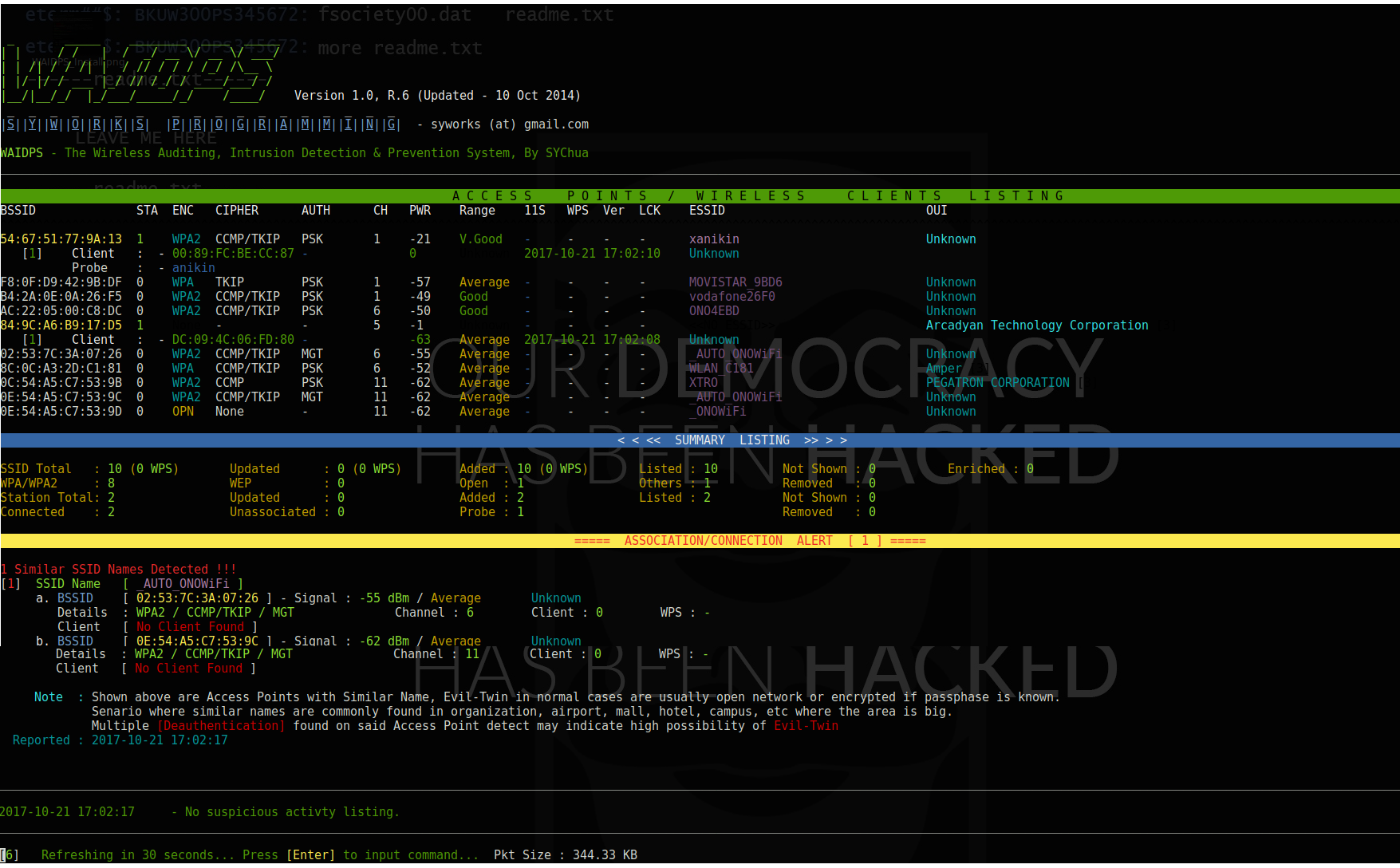
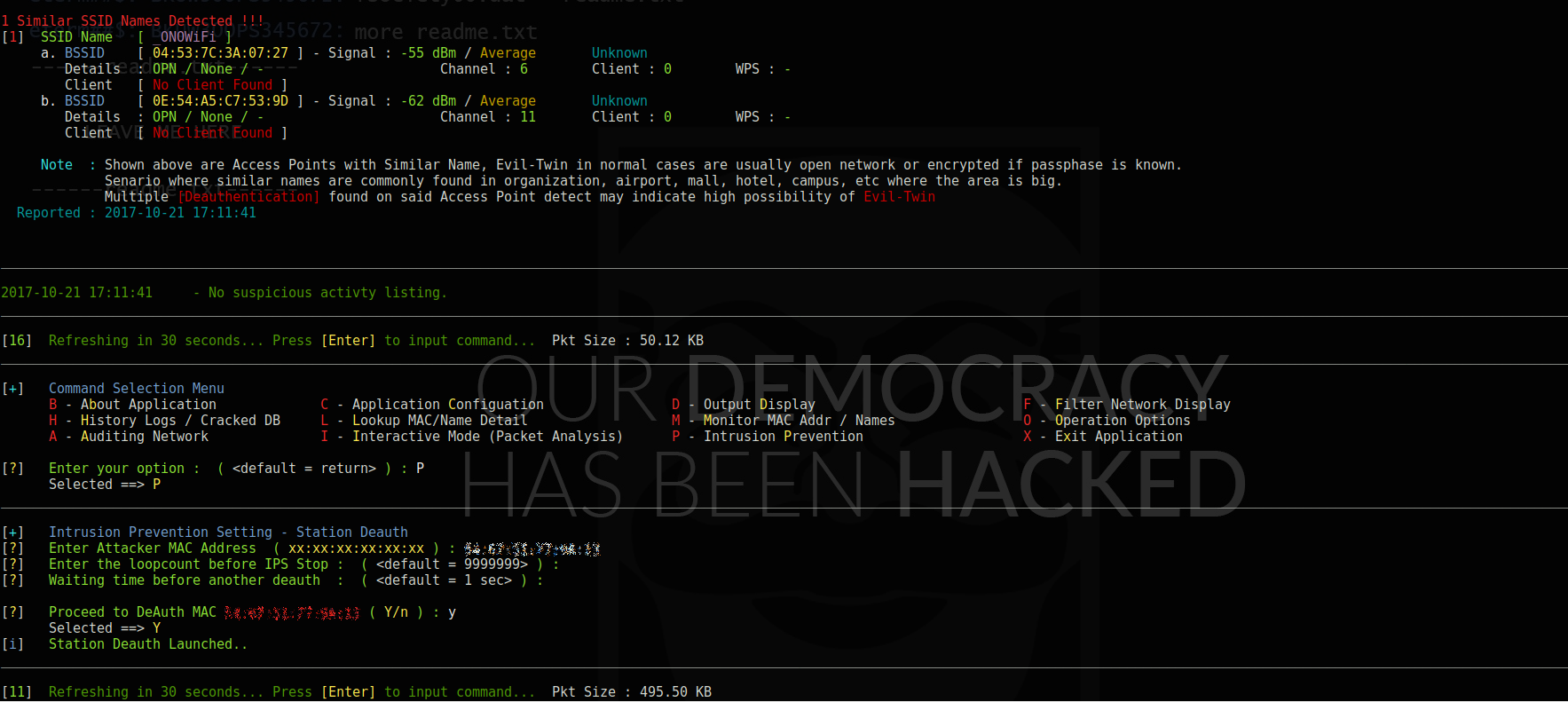
If we press ENTER it shows us a menu in which we have different options
In my case I am going to execute the option Q (Intrusion Prevention)
More information:
http://syworks.blogspot.com.es/2014/06/waidps-wireless-auditing-intrusion.html
All the best.
Comments