
In this entry we are going to see how to restrict access by groups to a certain entry.
For this we are going to use the following plugin:
https://www.mediawiki.org/wiki/Extension:Restrict_access_by_category_and_group
We create the directory where we are going to download the plugin
mkdir /var/www/html/extensions/RestrictAccessByCategoryAndGroup/we add the following content
cat /var/www/html/extensions/RestrictAccessByCategoryAndGroup/RestrictAccessByCategoryAndGroup.php
<?php
if ( !defined( ‘MEDIAWIKI’ ) ) {

die( ‘Not a valid entry point.’ );

}
$wgExtensionCredits[‘parserhook’][] = array(

‘name’ => ‘Restrict access by category and group’,

‘author’ => ‘Andrés Orencio Ramirez Perez’,

‘url’ => ‘https://www.mediawiki.org/wiki/Extension:Restrict_access_by_category_and_group’,

‘description’ => ‘Allows to restrict access to pages by users groups and page categories’,

‘version’ => ‘2.0.1’

);
$wgHooks[‘userCan’][] = ‘restrictAccessByCategoryAndGroup’;
function restrictAccessByCategoryAndGroup( $title, $user, $action, $result ) {

global $wgGroupPermissions;

global $wgWhitelistRead;

global $wgLang;

global $wgHooks;

global $wgContLang;

global $wgWhitelistRead;

global $wgVersion;
//The Main Page, Login and Logout pages should always be accessible

if ( $wgVersion >= ‘1.17’ ) {

$wgWhitelistRead[] = wfMessage( ‘mainpage’ )->plain();

} else {

$wgWhitelistRead[] = wfMsgForContent( ‘mainpage’ );

}

$wgWhitelistRead[] = SpecialPage::getTitleFor( ‘Userlogin’ )->getLocalUrl();

$wgWhitelistRead[] = SpecialPage::getTitleFor( ‘Userlogout’ )->getLocalUrl();
$validCategory = false;

$groupExists = false;

$pageHasCategories = false;

$privateCategory = false;

$privateCategoryTemp = false;

$categoryNamespace = $wgLang->getNsText( NS_CATEGORY );

$whitePage = true;
//System categories

$systemCategory = array();

foreach ( array_change_key_case( $title->getParentCategories(), CASE_LOWER ) as $key => $value ) {

$formatedKey = substr( $key, ( strpos( $key, «:» ) + 1 ) );

$systemCategory[ $formatedKey ] = $value;

}
//Is this page a white page?

if ( isset( $wgWhitelistRead[0] ) ) {

$whitePage = in_array( $title, $wgWhitelistRead );

}
//If the page has no categories, it’s public.

if ( count( $title->getParentCategories() ) == 0 ) {

$validCategory = true;

} else {

//For each system categories

foreach ( $wgGroupPermissions as $key => $value ) {

//If current system category is defined as private, then tmpCatP is true

if ( isset( $wgGroupPermissions[ $key ][‘private’] ) ) {

$privateCategoryTemp = $wgGroupPermissions[ $key ][‘private’];

} else {

$privateCategoryTemp = false;

}

//If current system category exist in the document category array …

if ( array_key_exists( strtolower( str_replace( » «, «_», $key ) ), $systemCategory ) ) {

if ( $privateCategoryTemp and !$privateCategory ) {

$privateCategory = true;

$validCategory = false;

}

//We see that the user belongs to one of the groups (like of category)

if ( in_array( $key, $user->getGroups() ) and ( !$privateCategory or ( $privateCategoryTemp and $privateCategory ) ) ) {

$validCategory = true;

}

$groupExists = true;

}

}

$pageHasCategories = count( $title->getParentCategories() ) > 0;

}
if ( !$pageHasCategories ) {

return true;

}

if ( !$groupExists and !$whitePage ) {

return true;

}

if ( ( $user->isLoggedIn() and $validCategory ) or $whitePage ) {

return true;

}

return false;

}
Now we edit LocalSettings.php and we add the following line:
tail -5 /var/www/LocalSettings.php
require_once «$IP/extensions/RestrictAccessByCategoryAndGroup/RestrictAccessByCategoryAndGroup.php»;

$wgGroupPermissions[‘privatedata][‘private’] = true;
We restart the web service
service apache2 restartWe log in with a user with permissions
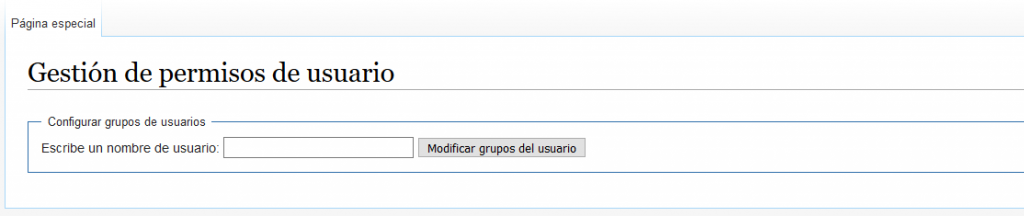
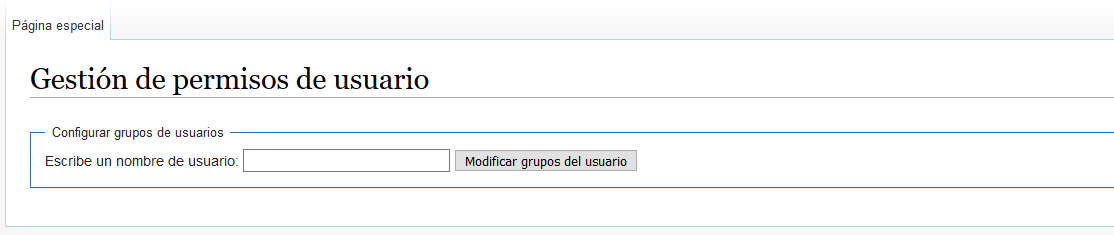
https://wiki.red-orbita.com/index.php/Especial:PermisosUsuarios
If we have the wiki configured in English, the URL will be the following:
https://wiki.red-orbita.com/index.php/Special:UserRights
We search for the user and add him to the category previously configured in LocalSettings.php which in my case is privatedata
Once the access is configured we have to go to the article in question and save it with the configured category. In my case:
[[Category:privatedata ]]a saddo
:wq!
Comments