
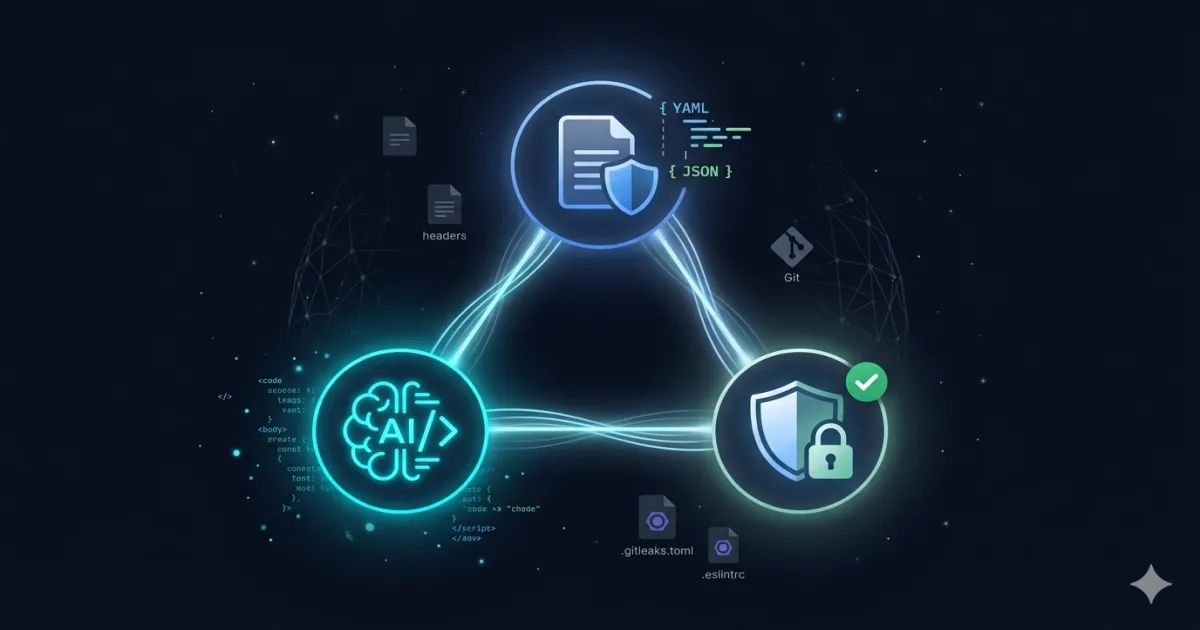
Context: from specs to enforcement
This is the third article in a series on how to manage a static site with AI agents and declarative specifications:
- OpenCode Enterprise: Implementation for Platform Engineering — The AI agent that lives in your terminal.
- OpenSpec: Spec-Driven Development for Platform Engineering — The specification framework that defines the rules.
- This post — The security layer that automatically enforces those rules.
The problem we solve today is simple: Having specifications without automatic enforcement is equivalent to having dead specs.. You can define the perfect CSP in a YAML, but if no one validates that _headers matches that spec before each deploy, the YAML is decorative documentation.
The first step is to establish a solid base of local validations with open-source tools and Git hooks: a layer that works before the code reaches the remote repository and that in the future will be complemented with CI/CD in GitHub Actions.
Before vs after
To understand the real impact of this implementation, let's look at what the workflow was like before and what it is like now:
Without DevSecOps (before):
| Passed | Action | Validation |
|---|---|---|
| Edit post | Modify markdown | None |
Edit _headers | Change CSP manually | None, blind trust |
| Commit | git add . && git commit | None |
| Deploy | git push origin developer | None |
| Detect error | A reader reports a broken header | Days or weeks later |
With DevSecOps (now):
| Passed | Action | Validation |
|---|---|---|
| Edit post | Modify markdown | OpenSpec validates frontmatter in pre-commit |
Edit _headers | Change CSP manually | generate-headers.js --validate crashes if diverges from spec |
| Commit | git add . && git commit | ESLint, Bandit, JSON integrity, headers check |
| Pre-deploy | ./scripts/pre-deploy-check.sh | Gitleaks + full SAST + 35 OpenSpec checks |
| Deploy | git push origin developer | Only if pre-deploy passes |
The fundamental difference is not the number of tools but when the error is detected: before it was discovered in production (or worse, it was not discovered); now it crashes before the commit exists. The cost of correcting a problem grows exponentially with each phase that progresses undetected.
Solution architecture
The DevSecOps layer is made up of three levels of validation that run at different times in the workflow:
Level 1: Pre-commit (automatic, on each commit)
| Tool | Purpose | What is valid? |
|---|---|---|
| ESLint + eslint-plugin-security | SAST JavaScript | eval(), injection, timing attacks |
| Bandit | SAST Python | pickle, subprocess, insecure hashes |
| validate-json-integrity.js | Data integrity | Malicious URLs, unauthorized domains |
| generate-headers.js | Header compliance | _headers against YAML specs |
| OpenSpec validate:post | Post scheme | Frontmatter vs. post.schema.yaml |
Level 2: Pre-deploy (manual, before push)
| Tool | Purpose | Coverage |
|---|---|---|
| Gitleaks | Secret detection | The entire repository |
| ESLint (full scan) | SAST JavaScript | All JS scripts |
| Bandit (full scan) | SAST Python | All Python scripts |
| OpenSpec validate:deploy | 35 checks | Headers, CSP, SEO, redirects, sitemap |
Level 3: OpenSpec compliance (on demand)
node scripts/admin.js reportGenerate a compliance score from 0% to 100% validating schemas, policies, catalogs and site files.
Implementation: step by step
1. Security tools
The dependencies are divided into three categories:
JavaScript (npm devDependencies):
npm install -D eslint @eslint/js eslint-plugin-security eslint-plugin-unicorneslint-plugin-security detect dangerous patterns in Node.js: use of eval(), require() with dynamic arguments, RegExp with user input, object injection sinks and potential timing attacks.
Python (pip):
pip install banditBandit is the standard SAST for Python. Analyzes the AST (Abstract Syntax Tree) and detects use of pickle (unsafe deserialization), subprocess with shell=True, weak hash functions (MD5, SHA1) and eval().
Binary (Gitleaks):
curl -sSL https://github.com/gitleaks/gitleaks/releases/download/v8.21.2/gitleaks_8.21.2_linux_x64.tar.gz | tar -xz
mv gitleaks ~/.local/bin/
Gitleaks scans the entire repository (including Git history) looking for API keys, tokens, private keys, and hardcoded passwords.
2. ESLint configuration with security rules
The file eslint.config.mjs configure ESLint in flat config format (ESLint 9+):
import js from "@eslint/js";
import security from "eslint-plugin-security";

export default [
  js.configs.recommended,
  security.configs.recommended,
  {
    languageOptions: {
      ecmaVersion: 2022,
      sourceType: "commonjs",
    },
    rules: {
      "security/detect-eval-with-expression": "error",
      "security/detect-non-literal-require": "error",
      "security/detect-non-literal-regexp": "warn",
      "security/detect-object-injection": "warn",
      "security/detect-possible-timing-attacks": "warn",
      "no-implied-eval": "error",
      "no-new-func": "error",
      "no-eval": "error",
    },
  },
  {
    ignores: [
      "assets/**", "posts/**", "page/**",
      "category/**", "node_modules/**", "*.min.js",
    ],
  },
];
The block ignores is critical: the generated HTML content directories (posts/, assets/) are excluded from SAST because they are not server-executable code. Only scripts are analyzed in scripts/ and .openspec/.
3. Setting up Bandit for Python
The file .bandit.yaml defines which tests to run and which to skip:
exclude_dirs:
  - assets
  - posts
  - node_modules
  - .git

skips:
  - B101  # assert_used (aceptable en scripts de admin)
  - B404  # import_subprocess (necesario para build scripts)

tests:
  - B301  # pickle
  - B307  # eval
  - B310  # urllib sin validacion SSL
  - B311  # random no criptografico
  - B324  # hashlib inseguro
  - B602  # subprocess con shell=True
B101 are omitted (use of assert) and B404 (import of subprocess) because they are legitimate patterns in administration scripts. The rest of the tests focus on real risks of code execution and deserialization.
4. Gitleaks configuration
The file .gitleaks.toml extends the default rules and adds specific detection for our stack:
[extend]
useDefault = true

[[rules]]
id = "cloudflare-api-token"
description = "Cloudflare API Token"
regex = '''(?i)cloudflare[_\-]?(?:api[_\-]?)?(?:token|key)\s*[:=]\s*['"]?([a-zA-Z0-9_\-]{40,})['"]?'''
keywords = ["cloudflare"]

[[rules]]
id = "anthropic-api-key"
description = "Anthropic API Key"
regex = '''sk-ant-api[0-9a-zA-Z_\-]{30,}'''
keywords = ["sk-ant"]

[allowlist]
description = "False positives for Red Orbita"
paths = [
  '''posts/.*\.html$''',
]
The allowlist of paths is essential: HTML posts contain examples of API keys in tutorials and CTF writeups. Without this exclusion, Gitleaks would report dozens of false positives.
5. JSON integrity validation
The script validate-json-integrity.js Protects mapping JSON files against injections:
const CONFIG = {
  allowedDomains: [
    'red-orbita.com', 'giscus.app',
    'fonts.googleapis.com', 'youtube.com',
  ],
  maliciousPatterns: [
    /javascript:/i, /vbscript:/i,
    /<script/i, /eval\s*\(/i,
    /__proto__/i,
  ],
  filesToCheck: [
    'url-mapping.json', 'redirects-mapping.json',
    'search-index.json', 'deep-categories.json',
  ],
};
The script recursively loops through each JSON string value and verifies that:
- Does not contain injection patterns (
javascript:,
Comments