

What is OpenVAS?
OpenVAS (OpenSource Vulnerability Assessment Scanner), formerly GnessUs, is a GLP fork of Nessus Security Scanner to allow future free development of the now-proprietary tool.
OpenVAS was originally proposed by pentesters at Portcullis Computer Security and then announced by Tim Brown on Slashdot. OpenVAS is a Software in the Public Interest member project[1]. Previously, it had been voted out because the project appeared to be dead.[2] The OpenVAS domains were donated by SecuritySpace, hosting was donated by Nth Dimension/Public Internet and DevCon 1 conference fees were paid for by Intervation and DN Systems.
We go to the official website and download the following models. In my case, I am going to install an amd64 version.
libopenvas3_3.1.2-1_amd64.deb
openvas-client_3.0.1-1_amd64.deb
openvas-scanner_3.1.0-1_amd64.deb
We install the packages:
rokitoh@redorbita:~# dpkg -i  libopenvas3_3.1.2-1_amd64.deb

rokitoh@redorbita:~# dpkg -i openvas-client_3.0.1-1_amd64.deb

rokitoh@redorbita:~# dpkg -i openvas-scanner_3.1.0-1_amd64.deb
We create a user
rokitoh@redorbita:~# openvas-adduser
Using /var/tmp as a temporary file holder.
Add a new openvasd user

———————————
Login : rokitoh

Authentication (pass/cert) [pass] :

Login password :

Login password (again) :
User rules

—————

openvasd has a rules system which allows you to restrict the hosts that gabriel has the right to test.

For instance, you may want him to be able to scan his own host only.
Please see the openvas-adduser(8) man page for the rules syntax.
Enter the rules for this user, and hit ctrl-D once you are done:

(the user can have an empty rules set)
Login : rokitoh

Password : ***********
Rules :
Is that ok? (y/n) [y] y

user added.
rokitoh@redorbita:~#
We generate a certificate, this can be useful if we want to use it remotely.
rokitoh@redorbita:~# openvas-mkcert

/var/lib/openvas/private/CA created

/var/lib/openvas/CA created

——————————————————————————-

Creation of the OpenVAS SSL Certificate

——————————————————————————-
This script will now ask you the relevant information to create the SSL certificate of OpenVAS.

Note that this information will *NOT* be sent to anybody (everything stays local), but anyone with the ability to connect to your OpenVAS daemon will be able to retrieve this information.
CA certificate life time in days [1460]:

Server certificate life time in days [365]:

Your country (two letter code) [FR]: ES

Your state or province name [none]: Madrid

Your location (e.g. town) [Paris]: España

Your organization [OpenVAS Users United]: Red-Orbita

——————————————————————————-

Creation of the OpenVAS SSL Certificate

——————————————————————————-
Congratulations. Your server certificate was properly created.
/etc/openvas/openvasd.conf updated

The following files were created:
. Certification authority:

Certificate = /var/lib/openvas/CA/cacert.pem

Private key = /var/lib/openvas/private/CA/cakey.pem
. OpenVAS Server :

Certificate = /var/lib/openvas/CA/servercert.pem

Private key = /var/lib/openvas/private/CA/serverkey.pem
Press [ENTER] to exit
rokitoh@redorbita:~#
To better synchronize the program, and to receive updates and little else, we can execute this command that will download one or another file.
rokitoh@redorbita:~# openvas-nvt-syncWe load the plugins…
rokitoh@redorbita: ~# openvassdWe open OpenVAS, it is located in Applications > Internet > OpenVAS
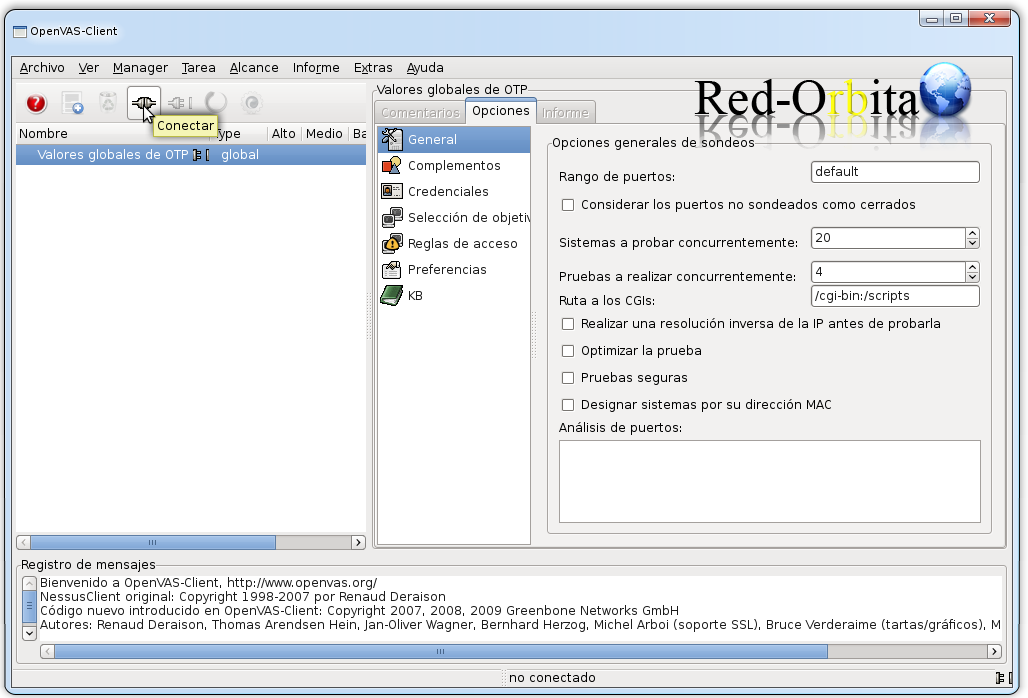
We connect
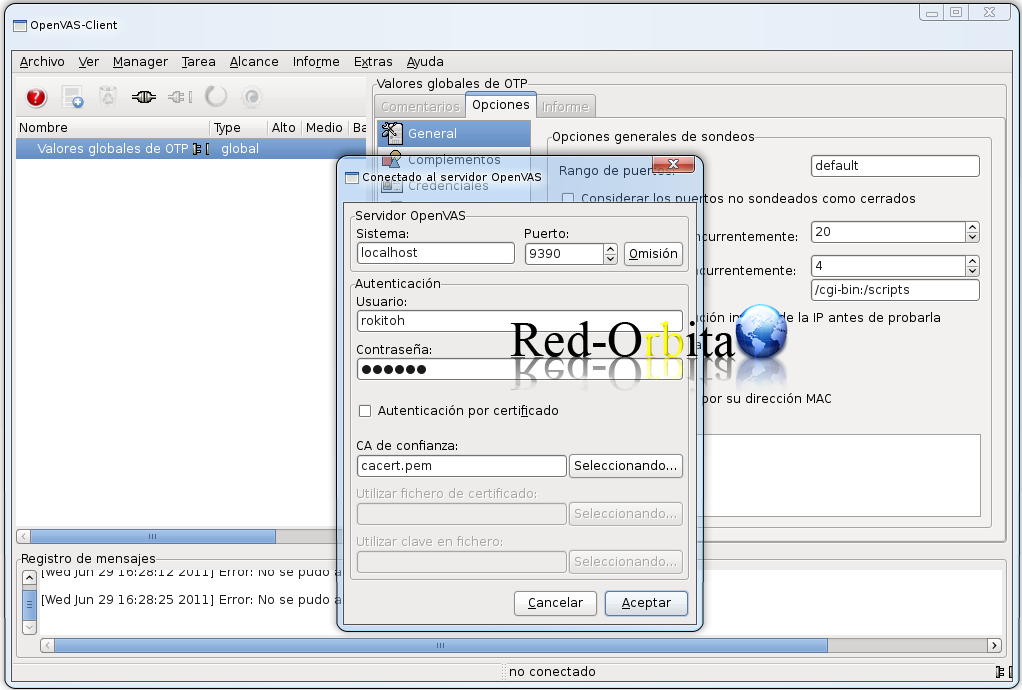
We log in with the user we created previously.
Well, all that's left to do is play with the program a little...
Regards, rokitoh
Comments