

¿Que es OpenVAS?
OpenVAS (Explorador del gravamen de la vulnerabilidad de OpenSource), previamente GNessUs, es a GLP bifurcación del Nessus explorador de la seguridad para no prohibir a futuro el desarrollo libre de la herramienta ahora-propietaria.
OpenVAS fue propuesto originalmente cerca pentesters en Seguridad de la computadora de Portcullis y entonces anunciado por Tim Brown encendidoSlashdot. OpenVAS es un proyecto del miembro de Software en el interés público[1]. Previamente, había sido votado hacia fuera porque el proyecto aparecía ser muerto.[2] Los dominios de OpenVAS fueron donados por SecuritySpace, el recibimiento fue donado por la Nth dimensión/el Internet público y los honorarios de conferencia de DevCon 1 eran pagados para cerca Intevation y Sistemas del DN.
Nos vamos a si web oficial y descargamos los siguientes maquetes, yo en mi caso, voy a instalar para una versión amd64.
libopenvas3_3.1.2-1_amd64.deb
openvas-client_3.0.1-1_amd64.deb
openvas-scanner_3.1.0-1_amd64.deb
Instalamos los paquetes:
rokitoh@redorbita:~# dpkg -i  libopenvas3_3.1.2-1_amd64.deb

rokitoh@redorbita:~# dpkg -i openvas-client_3.0.1-1_amd64.deb

rokitoh@redorbita:~# dpkg -i openvas-scanner_3.1.0-1_amd64.deb
Creamos un usuario
rokitoh@redorbita:~# openvas-adduser
Using /var/tmp as a temporary file holder.
Add a new openvasd user

———————————
Login : rokitoh

Authentication (pass/cert) [pass] :

Login password :

Login password (again) :
User rules

—————

openvasd has a rules system which allows you to restrict the hosts that gabriel has the right to test.

For instance, you may want him to be able to scan his own host only.
Please see the openvas-adduser(8) man page for the rules syntax.
Enter the rules for this user, and hit ctrl-D once you are done:

(the user can have an empty rules set)
Login : rokitoh

Password : ***********
Rules :
Is that ok? (y/n) [y] y

user added.
rokitoh@redorbita:~#
Generamos un certificado, esto puede ser util por si queremos utilizarlo remotamente.
rokitoh@redorbita:~# openvas-mkcert

/var/lib/openvas/private/CA created

/var/lib/openvas/CA created

——————————————————————————-

Creation of the OpenVAS SSL Certificate

——————————————————————————-
This script will now ask you the relevant information to create the SSL certificate of OpenVAS.

Note that this information will *NOT* be sent to anybody (everything stays local), but anyone with the ability to connect to your OpenVAS daemon will be able to retrieve this information.
CA certificate life time in days [1460]:

Server certificate life time in days [365]:

Your country (two letter code) [FR]: ES

Your state or province name [none]: Madrid

Your location (e.g. town) [Paris]: España

Your organization [OpenVAS Users United]: Red-Orbita

——————————————————————————-

Creation of the OpenVAS SSL Certificate

——————————————————————————-
Congratulations. Your server certificate was properly created.
/etc/openvas/openvasd.conf updated

The following files were created:
. Certification authority:

Certificate = /var/lib/openvas/CA/cacert.pem

Private key = /var/lib/openvas/private/CA/cakey.pem
. OpenVAS Server :

Certificate = /var/lib/openvas/CA/servercert.pem

Private key = /var/lib/openvas/private/CA/serverkey.pem
Press [ENTER] to exit
rokitoh@redorbita:~#
Para sincronizar mejor el programa, y para recibir actualizaciones y poco mas podemos ejecutar este comando que descargara de paso uno que otro archivo.
rokitoh@redorbita:~# openvas-nvt-syncCargamos los plugins…
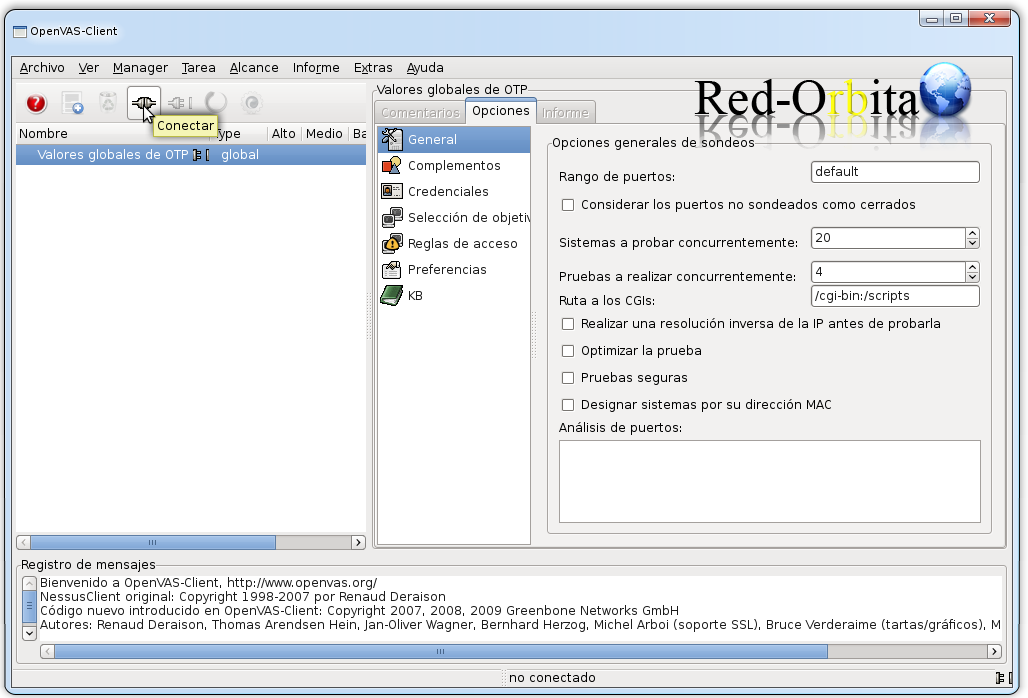
rokitoh@redorbita: ~# openvassdAbrimos OpenVAS, se encuentra en Aplicaciones > Internet > OpenVAS
Damos a conectar
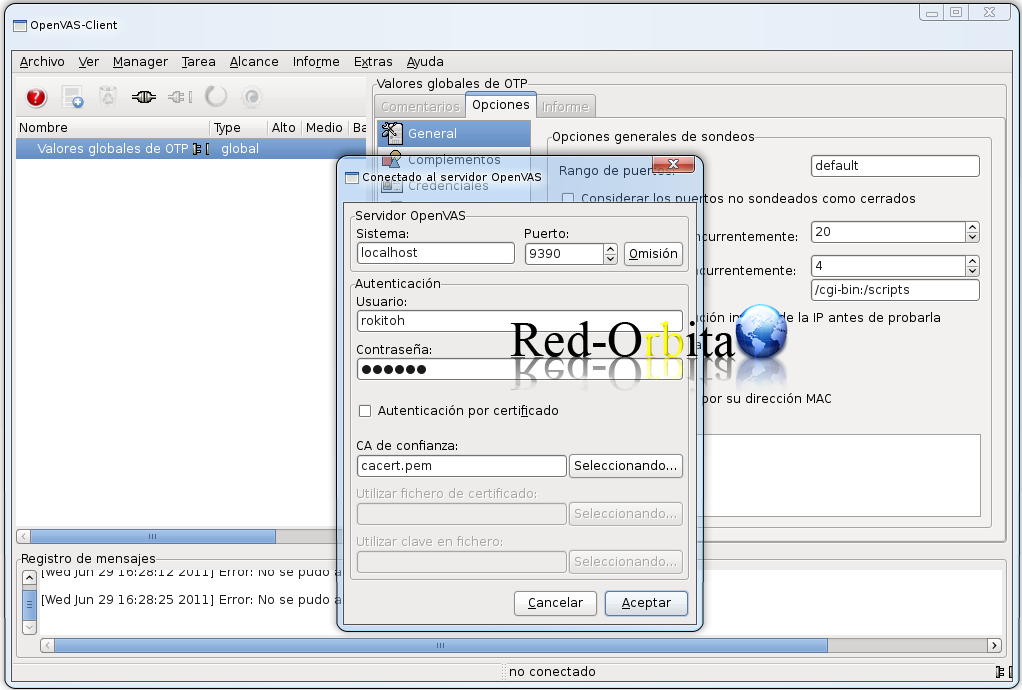
Hacemos logon con el usuario que hemos creado anteriormente.
Bueno, ya solo queda jugar un poco con el programa…
Un saludo, rokitoh

Comentarios