

Nessus es un programa de escaneo de vulnerabilidades en diversos sistemas operativos. Consiste en nessusd, el daemon Nessus, que realiza el escaneo en el sistema objetivo, y nessus, el cliente (basado en consola o gráfico) que muestra el avance y reporte de los escaneos. Desde consola nessus puede ser programado para hacer escaneos programados con cron.
Descargamos Nessus
http://www.nessus.org/download/nessus_download.php
Instalamos Nessus
bash
rokitoh@redorbita:~# dpkg -i Nessus-4.2.2-debian5_amd64.debConfiguramos Nessus
Creamos un usuario
bash
rokitoh@redorbita:~# /opt/nessus/sbin/nessus-adduser
Login : rokitoh
Login password :
Login password (again) :
Do you want this user to be a Nessus ‘admin’ user ? (can upload plugins, etc…) (y/n) [n]: y
User rules
———-
nessusd has a rules system which allows you to restrict the hosts
that rokitoh has the right to test. For instance, you may want
him to be able to scan his own host only.
Please see the nessus-adduser manual for the rules syntax
Enter the rules for this user, and enter a BLANK LINE once you are done :
(the user can have an empty rules set)
Login             : rokitoh
Password         : ***********
This user will have ‘admin’ privileges within the Nessus server
Rules             :
Is that ok ? (y/n) [y] y
User added
rokitoh@redorbita:~#
lusy:/home/jositoh/Desktop# /opt/nessus/sbin/nessus-adduserLogin : rokitohLogin password : Login password (again) : Do you want this user to be a Nessus ‘admin’ user ? (can upload plugins, etc…) (y/n) [n]: yUser rules———-nessusd has a rules system which allows you to restrict the hoststhat rokitoh has the right to test. For instance, you may wanthim to be able to scan his own host only.

Please see the nessus-adduser manual for the rules syntax

Enter the rules for this user, and enter a BLANK LINE once you are done : (the user can have an empty rules set)
Login             : rokitoh
Password         : ***********
This user will have ‘admin’ privileges within the Nessus serverRules
:Is that ok ? (y/n) [y] y
User addedlusy:
rokitoh@redorbita:~#
Nos registramos en Nessus,
accedemos a: http://www.nessus.org/plugins/?view=register-info
una vez registrados nos enviaran un correo con el comando el cual tenemos que introducir, en mi caso:
bash
rokitoh@redorbita:~# /opt/nessus/bin/nessus-fetch –register 6A32-29B9-0359-E651-7C41Iniciamos el demonio
bash
rokitoh@redorbita:~# /opt/nessus/sbin/nessusdIniciamos Nessus
bash
rokitoh@redorbita:~# /etc/init.d/nessusd startAccedemos a el, para ello abrimos un navegador web y introducimos: https://127.0.0.1:8834/
Hacemos Logon con el usuario creado anteriormente.
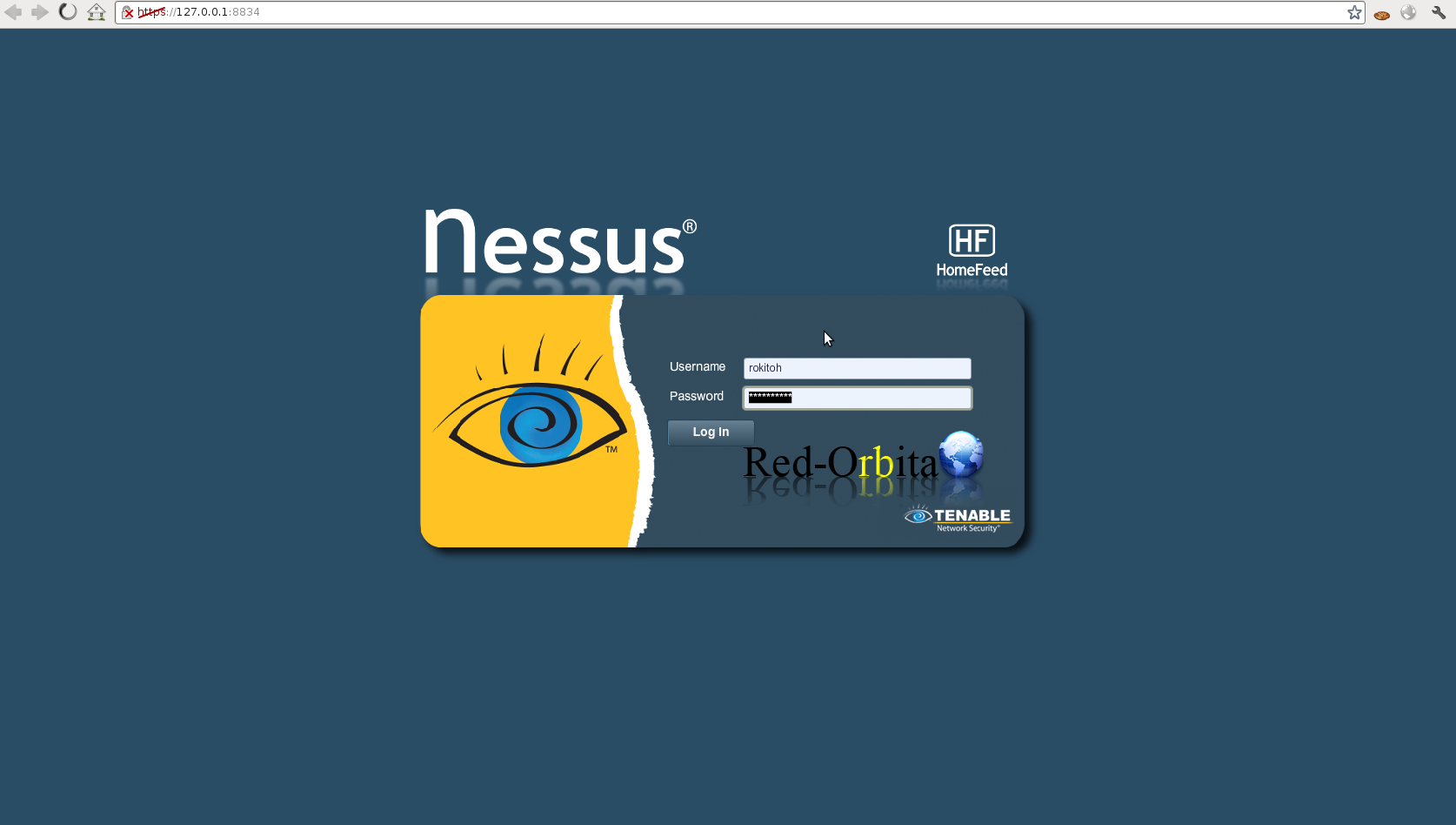
Ya tenemos Nessus instalado, como podéis ver…. es muy sencillo, ahora… pues toca jugar con el… que os divertíais… jajaj, practicar
Un saludo, rokitoh

Comentarios